

Google Ads Account Setup: Expert Guide for 2026
Last Updated
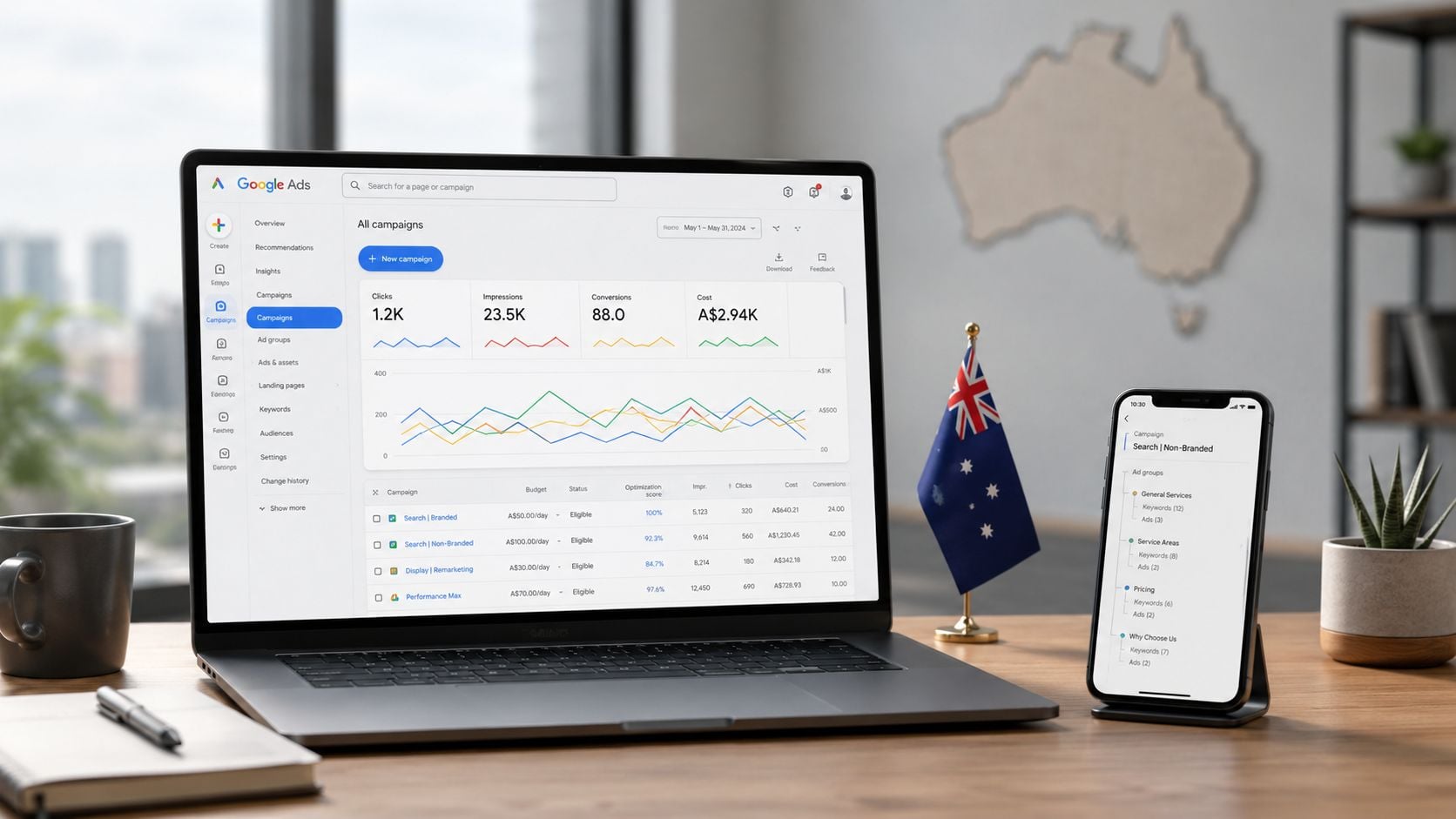
In Australia, Google suspended 841,000 advertiser accounts and removed 205.7 million ads in 2024, according to Google's Australia Ads Safety Report. That figure changes how you should think about Google Ads account setup. Creating an account isn't an administrative prelude to advertising. It's the point where billing, identity, compliance, measurement, and market targeting start influencing every campaign you'll build later.
A generic walkthrough can get you through the interface. It won't necessarily protect an Australian business from an incorrect billing configuration, weak conversion signals, location leakage, or ad copy that creates regulatory risk. The decisions made before the first campaign launches often matter more than the first bid strategy.
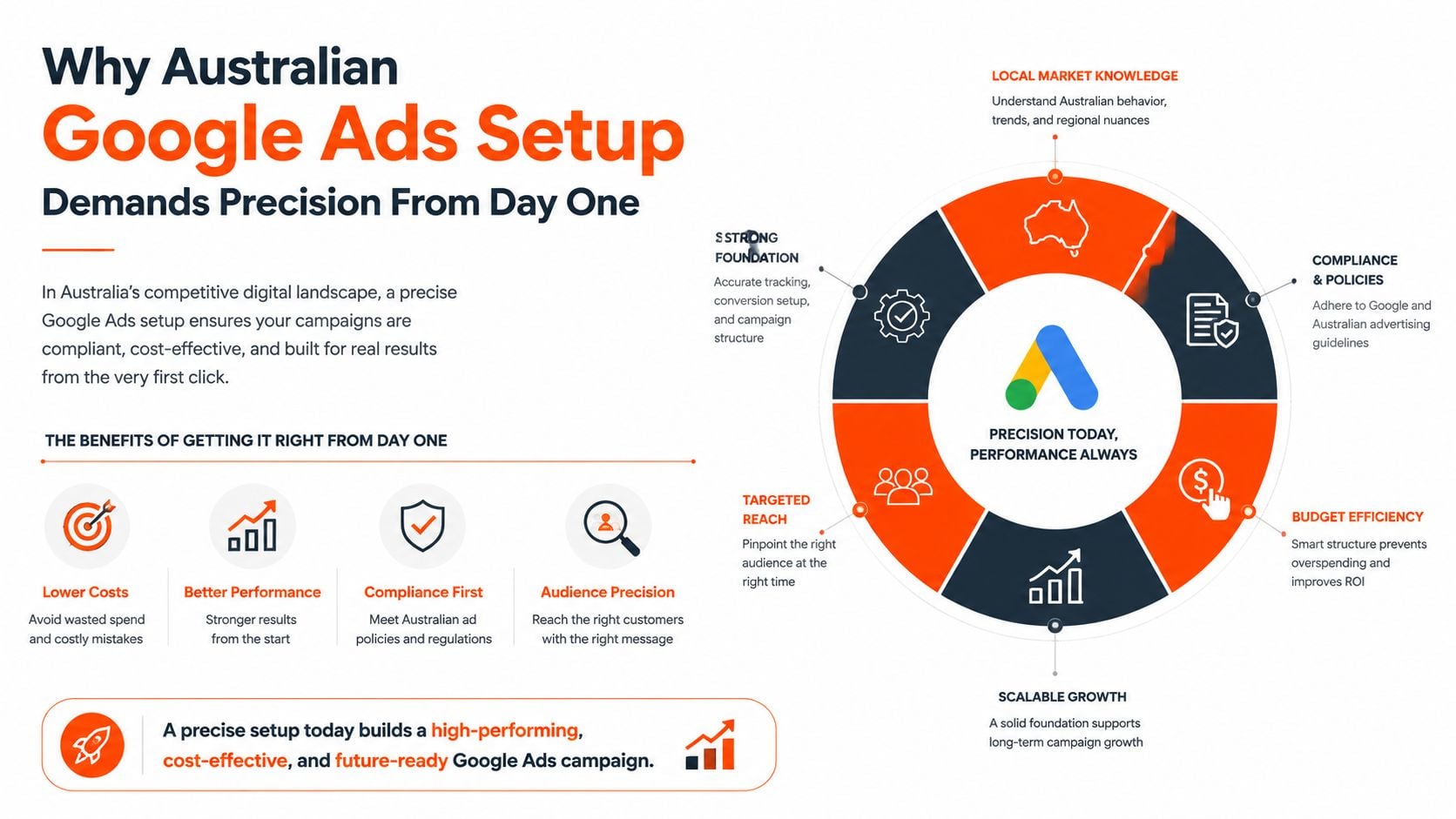
Why Australian Google Ads Setup Demands Precision From Day One
Google's Australian enforcement data makes careless setup a serious operational risk. The Australia Ads Safety Report records 841,000 suspended advertiser accounts and 205.7 million removed ads during 2024, with policy enforcement covering areas such as misrepresentation, trademarks, and legal requirements. A new account therefore needs more than a payment method and a website. It needs a business identity and advertising process that can withstand automated review.
Australian advertisers also operate within local commercial expectations. Your website, landing pages, business details, pricing, claims, and payment information should tell a consistent story. Google's systems may not assess those signals in the same way as the Australian Taxation Office or the Australian Competition and Consumer Commission, but inconsistencies can still create friction during verification and review. An ABN, business name, contact information, and offer details should be organised before account creation, not assembled after an ad is disapproved.
Compliance and measurement are connected
Account quality also depends on measurement integrity. Victoria's government advertising data shows that digital and social platforms represented 52.8% of total government advertising spend in 2023–24, compared with 46.6% in 2022–23, as reported in the Victorian Government Advertising Report. The broader lesson is practical. Digital advertising now requires reliable account structure, conversion tracking, and reporting from the beginning.
A time zone that doesn't match business operations can split leads and sales across reporting days. A currency choice that doesn't match internal finance processes can make budget and profitability reviews harder. Loose location targeting can send spend beyond the markets your team can serve.
Practical rule: Treat the account setup as part of your compliance and measurement system, not as a quick form-filling exercise.
For e-commerce teams, a considered Google PPC D2C ecommerce guide can help connect account foundations with product feeds, landing pages, and purchase tracking. That connection matters because campaign performance depends on the quality of the data and commercial information entering the account.
The Irreversible Decisions You Must Get Right Before Creating Campaigns
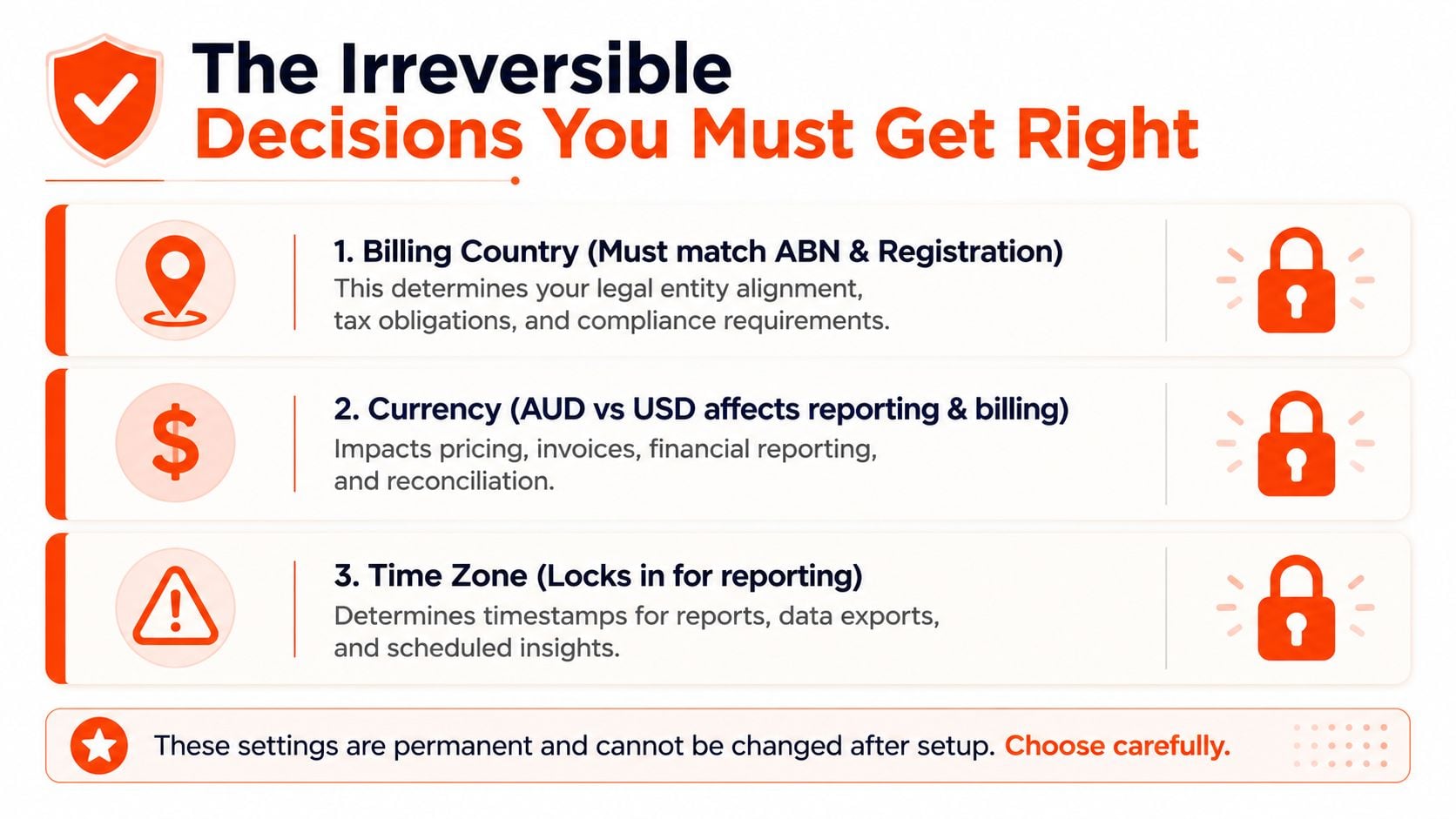
Before creating a campaign, settle the account settings that shape every future invoice, report, and budget review. Google's official billing setup guidance confirms that billing country is selected during account creation. In practice, currency and time zone also require deliberate choices because changing them later may require a new account and a migration of campaign history.
Billing country comes first
Select Australia when an Australian business operates the account through an Australian billing entity. The payment profile, business details, address, and ABN should identify the same organisation. A mismatch does not automatically indicate a policy breach, but it can create verification or payment delays while Google confirms who is paying and where that business operates.
Use this sequence:
- Confirm the legal entity. Record the registered business name, trading name, business address, and ABN used for billing and verification.
- Select Australia as the billing country. An overseas-issued card or an agency's location is not a reason to select another country.
- Choose the matching organisation type. The billing profile should identify the entity responsible for advertising spend.
- Review tax and invoice details. Check that the information supports GST and finance processes. Google Ads settings do not replace accounting advice, so escalate unusual ownership or invoicing structures before launch.
- Record the selection. Save a screenshot or internal note before proceeding to currency and time zone.
Currency affects operations, not just display
For an Australian business whose budgets, invoices, revenue, and reporting are managed locally, AUD usually keeps finance reviews straightforward. Another currency introduces exchange-rate movement into performance comparisons and makes platform spend less direct to reconcile against Australian sales data.
Do not select USD just because an overseas parent company or software dashboard uses it. Identify the entity that owns the account and the finance team that needs clean reporting. The decision affects budget controls, monthly reconciliation, and how commercial results are interpreted.
Time zone controls daily interpretation
The time zone determines how Google groups performance by day and how ad scheduling interacts with daily budget cycles. Select the zone that matches the account's primary operating market and reporting responsibility, whether that is AEST, AEDT, AWST, or ACST.
A national business may need one consistent reporting convention rather than a perfect match for every state. Choose it deliberately, then align CRM reports, sales reviews, and response-time analysis with the same convention. If the account reports in one zone while the sales team evaluates another, weekday comparisons, lead response times, and budget pacing become harder to interpret.
Building Campaign Structure Around Australian Market Realities
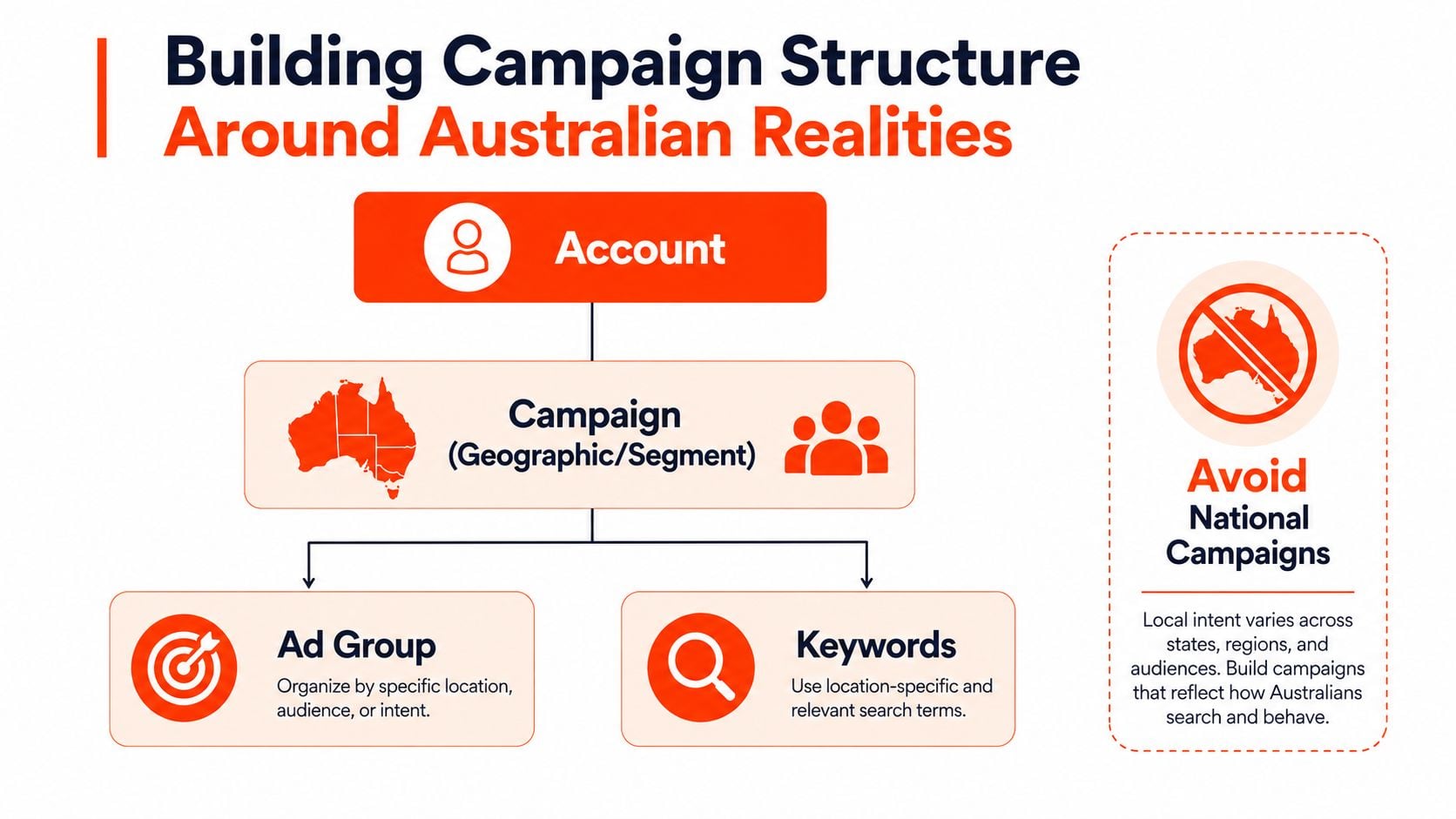
A national campaign is convenient, but convenience often hides poor budget control. The Australian market contains distinct metro and regional demand patterns, different service coverage, and varying commercial intent. Build campaign separation when geography changes the offer, landing page, serviceability, sales process, or acceptable acquisition cost.
Start with the business objective
Create the hierarchy around what the business needs to buy, not around Google's default recommendations:
- Lead generation: Separate campaigns by service line or location when the sales team uses different offers, forms, or qualification rules.
- E-commerce: Separate core product categories when margins, stock availability, or customer intent differ.
- Brand protection: Keep branded searches isolated so they don't obscure the performance of non-brand acquisition.
- Remarketing and expansion: Add these only after audiences, consent, and conversion actions are ready for use.
A workable structure might look like this:
| Account level | Australian application | Control it provides |
|---|---|---|
| Campaign | Sydney metro, Melbourne metro, Brisbane metro, regional markets, or a national segment | Budget, location, schedule, bidding |
| Ad group | One tightly related service, product category, or intent theme | Keyword and ad relevance |
| Keyword | Australian wording and search intent | Query matching and exclusions |
| Landing page | Location or offer-specific destination | Message continuity and conversion quality |
Avoid splitting campaigns purely to create more labels. Split them when the business can make a different budget, bid, offer, schedule, or reporting decision.
Use local language deliberately
Australian search behaviour includes terminology that generic international keyword lists often miss. Depending on the category, customers may search for “ute” rather than “truck”, or “chemist” rather than “pharmacy”. These aren't decorative wording choices. They affect query coverage, ad relevance, landing-page language, and negative keyword decisions.
Build a local vocabulary list from customer calls, CRM notes, Search Terms reports, Google Keyword Planner, and state or metro landing pages. Don't assume every local term belongs in its own ad group. Place it where the resulting ad and landing page can answer the query.
For a practical planning reference, use this Australian Google Ads campaign structure template to document campaign boundaries before building them.
Schedule around service reality
Ad scheduling should reflect when someone can answer a phone, qualify a lead, dispatch an order, or resolve a checkout problem. A lead-generation business may need separate weekday and after-hours logic. An e-commerce retailer may keep coverage broader but use reporting to distinguish browsing periods from purchase periods.
Seasonality also needs local context. Australian summer holidays and the financial year can affect demand, staffing, promotions, and budgets. Put those commercial events into the planning calendar rather than relying on a generic global template.
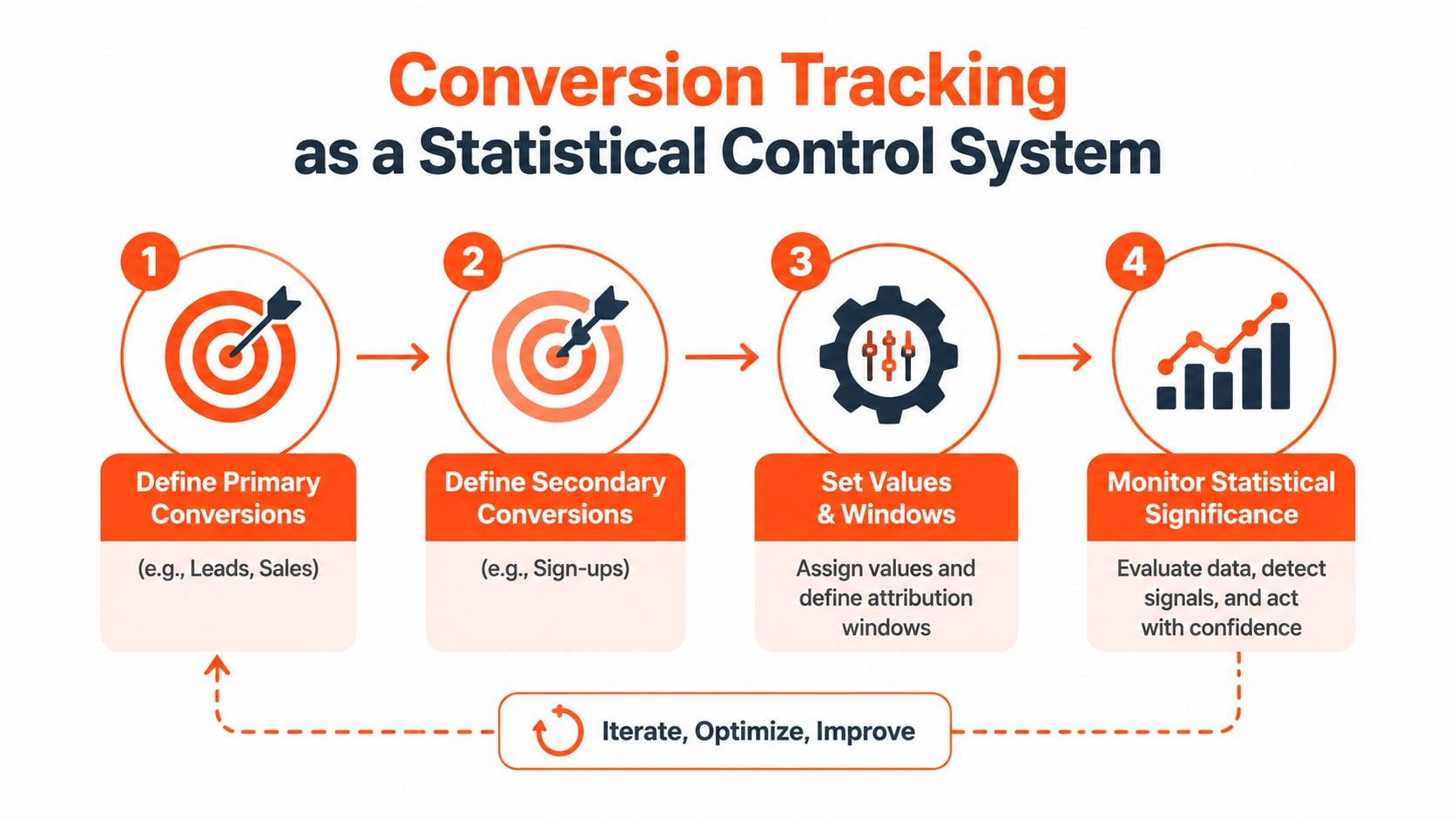
Setting Up Conversion Tracking as a Statistical Control System
Conversion tracking shouldn't be treated as a box to tick during Google Ads account setup. It's the control system that tells bidding algorithms which outcomes matter and tells operators whether the account is producing useful business results.
Begin by separating primary and secondary actions. A completed purchase or a qualified lead may be primary. A form start, brochure download, newsletter sign-up, or engaged visit may be secondary. If every interaction is counted as a primary conversion, Google can optimise towards activity that looks positive in the interface but has little commercial value.
Define the signal before installing the tag
Write the conversion specification before opening Google Tag Manager:
- Lead forms: Fire only after a successful submission, not when the form loads.
- Phone calls: Track calls from mobile search users and distinguish meaningful calls from accidental taps where possible.
- E-commerce: Pass transaction value and ensure the value convention matches the business's GST and finance reporting.
- Offline outcomes: Import qualified opportunities or closed sales when the sales cycle extends beyond the website session.
Then decide which actions should influence bidding. A secondary action can remain visible for diagnosis without becoming a target that changes automated optimisation.
Build and test the implementation
Use Google Tag Manager when the site needs organised trigger logic across forms, calls, purchases, and other events. A thank-you page trigger can work for a simple lead flow, but it must fire once and only after a genuine submission. For complex forms, use a confirmed success event rather than assuming that a page view equals a lead.
Connect campaign identifiers to your analytics and CRM workflow. Auto-tagging should remain enabled, and UTM parameters should be documented so paid traffic can be reconciled with CRM source data without creating conflicting naming conventions.
Enhanced conversions can provide additional first-party signal when configured in line with Google's requirements and the business's privacy obligations. The implementation should hash eligible customer data correctly and use clear consent practices. Don't deploy it as a shortcut for poor event design.
Measurement rule: If you can't explain exactly what caused a conversion to fire, you shouldn't use that action as a bidding signal.
Reconcile platforms, not just interfaces
Run controlled tests for every primary conversion. Submit a form, place a test order, and test a phone interaction where relevant. Compare Google Ads with the CRM, GA4, or the e-commerce platform. A discrepancy can come from duplicate tags, consent behaviour, attribution rules, transaction deduplication, or reporting time zones.
Common failures include installing both a native Google Ads tag and a GTM tag for the same event, counting page loads instead of completed actions, omitting phone calls in mobile-led categories, and importing low-quality leads without qualification. The Google Ads conversion tracking guide provides a useful reference while you map each event to an actual business outcome.
Your Pre-Launch Validation Checklist for Australian Accounts
A clean launch review should happen in sequence. Start with account settings, then inspect targeting and structure, then test measurement, and only after that approve the ads. This order prevents a polished campaign from sending traffic into a configuration that finance, sales, or Google's review systems can't support.
Account and billing review
- Billing country: Confirm the account uses Australia and that the billing entity matches the business information and ABN.
- Currency: Confirm the selected currency supports Australian budget, invoice, and finance reporting. Treat the choice as permanent.
- Time zone: Confirm the reporting zone matches the primary operating market and the team's daily optimisation routine.
- Access and security: Use individual user permissions, remove unnecessary access, and enable strong authentication on the Google account.
Campaign review
- Location targeting: Include only the Australian regions you can serve unless international reach is intentional. Check the presence and interest settings rather than accepting defaults.
- Language: Use English where that matches the audience and creative.
- Geography: Confirm metro, regional, or state campaigns have the correct locations and landing pages.
- Scheduling: Match ad hours to call answering, fulfilment, sales coverage, and customer support.
- Keywords: Review match types and populate negative keyword lists with irrelevant queries found during research.
- Budgets: Set campaign-level controls that reflect the commercial objective. Don't let a broad national campaign absorb spend intended for a higher-priority segment.
Tracking and compliance review
- Primary actions: Test each action and confirm that it records once.
- Auto-tagging and UTM data: Verify identifiers flow into analytics and the CRM.
- Revenue values: Check that purchase values use the agreed GST and finance convention.
- Ad claims: Remove unsupported superiority, savings, availability, or outcome claims.
- Pricing: Present pricing in a way that doesn't mislead Australian consumers, including GST treatment where applicable.
- Landing pages: Make sure business identity, contact details, offer terms, and important disclaimers are easy to find.
- Alerts: Create budget and performance anomaly rules so the team notices unusual spend or tracking changes quickly.
Don't treat the first launch period as permission to stop checking. Review search terms, payment status, disapprovals, conversion records, and spend pacing frequently until the account has demonstrated stable behaviour.
Beyond Search Why AU Accounts Need Cross-Channel Measurement Ready
Search is often the right starting point for lead generation and e-commerce because it captures active intent. It shouldn't be the only infrastructure you prepare. The IAB Australia market reporting places the Australian internet advertising market at A$18.4 billion in calendar year 2025, with search at A$8.0 billion, while video reached A$5.4 billion and grew 19.8% year on year, according to Mediaweek's coverage of the IAB report.
That mix means a Search-first launch should still be measurement-ready for YouTube, Display, Shopping, and Performance Max. Link Google Ads with GA4, define channel-specific conversion actions, connect relevant YouTube assets, and establish naming conventions before campaigns multiply. Otherwise, a later expansion can force you to rebuild audiences, events, reporting views, and attribution logic while spend is already moving across surfaces.
Performance Max also requires assets and conversion signals that extend beyond text. Prepare image, video, product, and audience inputs even if the first controlled launch uses Search only. The trade-off is extra preparation now versus less disruption when the business expands.
Australian cross-channel growth metrics
| Channel | YoY spend growth AU | Average touchpoints to conversion | Setup complexity |
|---|---|---|---|
| Search | Not specified in the verified data | Not specified in the verified data | Moderate |
| Video | 19.8% | Not specified in the verified data | High |
| Digital and social government channels | Not specified as a YoY growth rate | Not specified in the verified data | Moderate to high |
A cross-channel account also needs disciplined interpretation. Search captures intent, while video and other discovery environments can create or reinforce demand. Use multi-touch attribution guidance to avoid judging every channel by the same immediate-response standard.
Click Click Bang Bang can help Australian businesses configure Google Ads, GA4, Search Console, Merchant Centre, and conversion actions as part of a structured PPC setup. If your account needs reliable billing decisions, campaign segmentation, and measurement before launch, visit Click Click Bang Bang to discuss a practical setup and management plan.
Read NeXt
Or Read Our Latest
- Google Ads Account Setup: Expert Guide for 2026
- Search Ads Optimisation: A Practical Guide for 2026
- Manual vs Automated Bidding for PPC Success
- Conversion Tracking Setup: A Complete AU Guide
- Instagram Advertising Australia: Complete 2026 Guide
- Pay Per Click: A Beginner’s Guide for Australian Marketers
Click. CLick. Subscribe.
Get our best PPC insights, industry updates, and power moves delivered straight to your inbox. No fluff, just high-caliber strategies that actually work.
Don’t Leave Just Yet
Try Us For 30-Days,
Risk Free!!
We guarantee that you’ll love our work within the first 30 days, if not you’ll get your money back.
What have you got to lose?