

A Guide to Winning with Google Shopping Australia in 2026
Last Updated
Google Shopping Australia is a ridiculously effective way for e-commerce businesses to get their products seen right on Google's search results page. Think of it as a digital shop window, catching the eye of shoppers with images, prices, and reviews at the very moment they’re looking to buy. For any Australian retailer wanting to drive more sales online, it's a critical piece of the puzzle.
Why Google Shopping Drives Australian Retail Success
Picture the Google search results page as Australia’s busiest digital high street. When someone searches for "women's running shoes" or "coffee machines Melbourne," you want your products front and centre, not buried on page five. This is the raw power of Google Shopping in Australia; it puts your products directly in the line of sight of shoppers who are ready to pull out their wallets.
Unlike standard text ads that rely on words alone, Shopping ads are visual and packed with info. A potential customer instantly sees what the product looks like, how much it costs, and who's selling it. This pre-qualifies them, meaning the clicks you pay for come from genuinely interested people who are much further down the path to purchase.
Connecting with Motivated Shoppers
The real beauty of Google Shopping is how it matches specific products to specific searches. If someone types in "Breville Barista Express," Google doesn't just serve up a generic ad for a kitchen appliance store. Instead, it displays a visual marketplace of that exact machine from a range of retailers, right there in the search results.
This direct product-to-search matching is precisely why Google Shopping ads so often deliver a higher return on investment (ROI) compared to traditional search ads. You’re not just bidding on keywords; you’re putting a tangible, buyable product in front of someone actively looking for it.
This platform has become a cornerstone of any serious e-commerce strategy in Australia. With our digital ad spend tipped to hit US$16.88 billion by 2026 and monthly online retail turnover recently topping AU$4.5 billion, standing out from the crowd is non-negotiable. Google Shopping is built to do exactly that.
To give you a clearer picture, here’s a quick summary of what Google Shopping brings to the table for Australian businesses.
Google Shopping Australia at a Glance
| Key Area | Impact for Australian Retailers |
|---|---|
| Instant Visuals | Products appear with images and prices, immediately grabbing attention over text-only results. |
| High-Intent Traffic | Shoppers see key details upfront, meaning clicks are from users who are already qualified and interested. |
| Competitive Edge | Puts your products alongside competitors, giving you a chance to win the sale with a better price or offer. |
| Stronger ROI | By targeting users at the final stage of the buying journey, ad spend is more efficient and converts at a higher rate. |
| Broad Exposure | Ads appear across Google Search, the Shopping tab, Image Search, and even YouTube, maximising your reach. |
For any e-commerce business in Australia, whether you're a Sydney-based fashion boutique or a Perth-based parts supplier, the advantages are clear and immediate. Let's break them down further.
The Key Benefits for Australian Retailers
Integrating this platform isn't just another form of advertising; it's about building a powerful and reliable sales channel. The benefits are tangible and can have a massive impact on your bottom line.
- Enhanced Visibility: Your products jump off the page with images and prices, appearing directly in search results and the dedicated "Shopping" tab. You can't miss them.
- Higher Quality Leads: Because shoppers see the price and product before they click, you filter out casual browsers. The clicks you get are from users genuinely considering your offer.
- Better ROI: Connecting with customers at the very end of their buying journey almost always results in better conversion rates and a stronger return on ad spend.
- Broad Reach: Your ads don't just show up on the main search page. They can appear across Google's massive network, including Search, Image Search, and YouTube, reaching customers wherever they are.
Ultimately, getting Google Shopping right is no longer a 'nice-to-have'—it's a fundamental engine for growth. If you’re ready to get started, our comprehensive Google Shopping ads tutorial will walk you through the entire setup process.
Building Your Foundation in Google Merchant Center
If Google Shopping is the shiny digital shop window displaying your products, then Google Merchant Center (GMC) is the back-of-house warehouse and control room. It’s where you store all your product information, manage your business details, and set the rules for how Google interacts with your e-commerce store.
Think of GMC as the single source of truth for your products. It’s a free platform that acts as the essential bridge, feeding your product data directly into your Google Ads campaigns. Put simply, without a correctly set up Merchant Center account, your Shopping ads just won't run. Getting this foundation right is non-negotiable for success in Australia.
Verifying and Linking Your Australian Business
The first step is creating your account, which involves providing basic information like your store name, website URL, and business address. It's vital for Australian businesses to ensure these details perfectly match what’s on your website. Any inconsistencies can erode trust with both Google and your customers.
Next, you need to prove to Google that you actually own your website. This is a crucial security step that stops anyone else from advertising products using your domain. There are a few ways to do this, but adding a simple HTML tag to your website's code is usually the most straightforward path.
Once verified, you'll link your Google Merchant Center account to your Google Ads account. This connection is what allows all that rich product information to flow from GMC into your live advertising campaigns. Without this link, your ads have no products to show.
Critically for Australian retailers, you must also verify your business identity. This usually means providing your Australian Business Number (ABN). This step confirms you're a legitimate local entity—a key part of Google's compliance policies that builds serious credibility for your store.
With your business verified and accounts linked, it's time to tackle the Australia-specific settings that trip up so many retailers.
Configuring Australian Shipping and Tax Settings
Getting your shipping and tax settings right is where many Australian businesses get stuck, often leading to frustrating product disapprovals. Google demands absolute accuracy here. What a customer sees in your ad must precisely match what they see at checkout.
For shipping, you need to create rules that mirror your real-world delivery costs across Australia. You can set up rates based on various models:
- Flat Rate: A single price for all deliveries, no matter where they are in Australia.
- Price-Based: Offering free shipping for orders over a certain value, like $100.
- Carrier-Based: Using real-time rates calculated directly from services like Australia Post or Sendle.
- Location-Based: Charging different rates for different states or postcodes (e.g., a different price for metro Sydney vs. regional WA).
Tax configuration is simpler but just as important. In Australia, consumer law requires that all prices displayed to customers are inclusive of the Goods and Services Tax (GST).
Example GST Setup:
- Head to the 'Tax' section in your Merchant Center account.
- Select Australia as your target country.
- Choose the option that states prices in your product feed already include tax (GST).
This tells Google that the price you provide (e.g., $99.00 AUD) is the final price the customer pays. This simple setting prevents nasty surprises at checkout and keeps your ads compliant with local laws.
A correctly configured product feed is the next piece of this puzzle. To get a head start, you might be interested in our guide on how to set up your Google Shopping feed, which dives deep into the technical requirements. Nailing these settings from day one prevents a world of frustrating errors and builds a rock-solid foundation for your Google Shopping Australia campaigns.
Step 2: Build and Optimise Your Product Feed
If Google Merchant Center is your digital warehouse, then your product feed is the meticulously detailed inventory list. It’s a data file that describes every single one of your products in a language that Google can read, telling it exactly how your products should appear across Google Shopping Australia.
Getting this right is a game-changer. A high-quality, optimised feed is what separates ads that convert from ads that just get ignored. It’s not just a list; it’s a structured collection of attributes that give Google all the vital information it needs. For Australian retailers, getting these attributes spot-on for local shoppers is non-negotiable. An inaccurate or incomplete feed will lead to disapproved products, irrelevant ad placements, or ads that simply fail to grab a shopper's attention.
The diagram below shows how your core business information, ad accounts, and Australia-specific settings all slot together within Google Merchant Center.
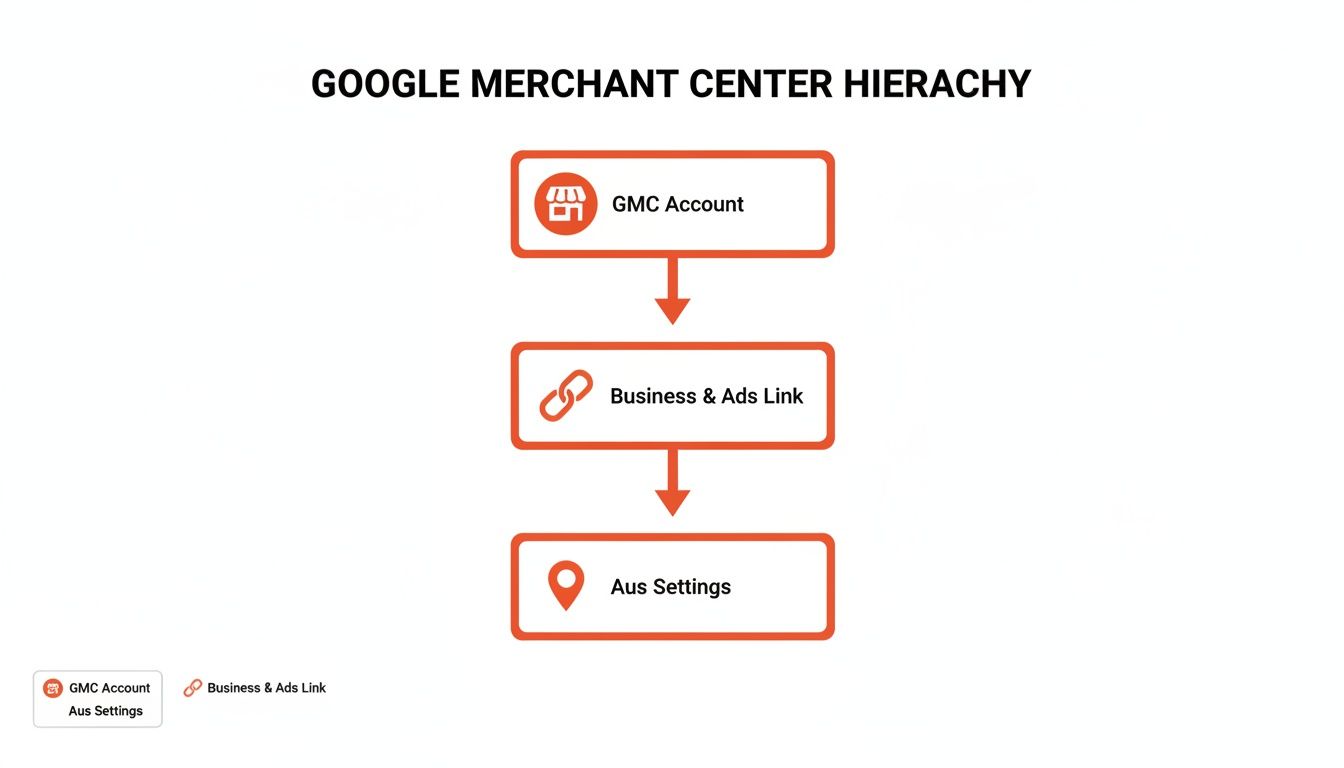
Think of it this way: your business details and account links form the foundation, and your product feed is the structure you build on top. Everything needs to work together.
Core Attributes for an Australian Feed
While your feed can contain dozens of attributes, a handful are absolutely essential for any Aussie e-commerce store. Think of these as the non-negotiables Google needs to get your products live and in front of the right customers.
- id: A unique code for each product, like a SKU. This ID should be permanent and never change for that specific product.
- title: Your product's name. This is arguably the most critical attribute for optimisation because it's the first thing shoppers see.
- description: A detailed summary of the product. This is your chance to weave in relevant keywords and persuasive copy that convinces someone to click.
- link: The direct URL to that product’s page on your website. No homepages or category pages allowed here.
- image_link: The URL for your main product image. Clean, high-quality images are essential for standing out.
- price: The product’s cost. For Australia, this must include GST and be formatted with the currency code, like "99.95 AUD".
- availability: The stock status of your product (
in stock,out of stock, orpreorder). - brand: The product’s brand name or manufacturer.
- gtin: The Global Trade Item Number, more commonly known as the barcode. Missing or incorrect GTINs are a major cause of product disapprovals, so this is crucial to get right.
Nailing these details and ensuring they match your website exactly is the key to avoiding the most common errors, like price mismatches or broken image links that get your products taken down.
Your product feed isn’t a set-and-forget document; it's a living file. As prices change, stock levels go up and down, and new products are launched, your feed must be updated regularly—ideally daily—to keep your Shopping ads accurate and running smoothly.
Optimising Titles and Images to Win the Click
A compliant feed gets you in the game, but an optimised feed is what wins you sales. In the crowded Shopping results, your product titles and images are your best weapons for grabbing a shopper's attention.
For product titles, don't just use the basic product name. You need to structure them strategically, putting the most important information first because titles often get cut short on mobile screens. A winning formula for Australian shoppers often looks something like this:
Brand + Product Type + Key Attributes (e.g., Size, Colour) + Audience/Keywords
- Instead of: "Blundstone Boots"
- Try: "Blundstone 550 Classic Boots – Stout Brown Leather – Unisex"
See the difference? The second one is far more descriptive and likely to match a specific search.
For images, clarity and professionalism are everything. Use high-resolution photos with a clean, white background to make your product the hero. Modern tech can give you a serious edge here; using AI ghost mannequin tools for ecommerce can produce incredibly professional and consistent shots without the high cost of a live model, making your listings look polished and trustworthy.
Remember, your image is sitting right next to your competitors'. Make it count. By enriching your feed with descriptive titles and compelling images, you give your products the best possible chance to not only show up for the right searches but to earn that all-important click.
Choosing the Right Google Shopping Campaign Type
Alright, you’ve wrestled your product feed into shape and it’s looking sharp. Now comes the big decision: how are you actually going to get your products in front of Aussie shoppers? This is where you choose your campaign type, and in the world of Google Shopping, there are two main paths: Standard Shopping and Performance Max (PMax).
Think of it like driving a car. Standard Shopping is the manual transmission—it gives you the clutch and the gear stick, putting you in complete control of every shift and turn. Performance Max, on the other hand, is the sleek, new automatic. You just tell it where you want to go, and its powerful AI handles all the complex mechanics to get you there as efficiently as possible.
Neither one is inherently better. The right choice depends entirely on your business, your resources, and just how much you like to be in the driver's seat.
The Manual Approach: Standard Shopping
Standard Shopping campaigns are the traditional, tried-and-true method for running product ads. For Australian retailers who want a hands-on approach, this is your go-to. It's perfect for advertisers who want to micromanage their spend and fine-tune their strategy with surgical precision.
With a Standard campaign, you have direct control over the most important levers:
- Bidding: You can set specific bids for individual products or product groups. This means you have the power to push your high-margin items more aggressively and pull back on the ones that aren't performing.
- Negative Keywords: This is a huge one. You can add negative keywords to stop your ads from showing up for irrelevant searches, which is critical for eliminating wasted ad spend.
- Targeting: You can adjust bids for users on mobile devices, for specific remarketing audiences, or based on location, giving you much more precise control over who sees your ads.
This level of control is incredibly powerful, but it comes with a catch: it requires active management and a solid understanding of how Google Ads works. It's the ideal choice for businesses with tight budgets or those who love to test, learn, and optimise every last detail.
The Automated Powerhouse: Performance Max
Performance Max, or PMax as it’s commonly known, is Google’s AI-driven, all-in-one campaign type. It’s a complete departure from the old way of doing things. PMax doesn't just run ads on the Shopping network; it puts your products across every single one of Google's channels—Search, YouTube, Display, Discover, and Gmail—all from one campaign.
PMax is designed to simplify campaign management by letting Google's machine learning take the wheel. You feed it your creative assets, set a budget, and give it a business goal (like a target Return on Ad Spend), and the AI does the rest. It works tirelessly to find converting customers wherever they happen to be online.
This automated approach gives you incredible reach and can often uncover new customer segments you would have never found on your own. But all that power comes at the cost of control. You can't add negative keywords directly or see granular data on exactly where your ads showed up. You’re essentially placing your trust in Google’s algorithm to deliver the goods.
To make the choice clearer, here's a direct comparison to help you decide which path is right for your Australian business.
Standard Shopping vs Performance Max Campaigns
| Feature | Standard Shopping | Performance Max (PMax) |
|---|---|---|
| Control Level | High. Full manual control over bids, keywords, and targeting. | Low. Fully automated; you set the goals, and the AI manages the rest. |
| Network Reach | Limited to Google Search, the Shopping tab, and Search Partners. | Extends across all of Google’s channels (Search, YouTube, Display, etc.). |
| Management Effort | High. Requires ongoing monitoring and lots of manual optimisation. | Low. Needs a strong initial setup and assets, but much less daily work. |
| Best For | Retailers who need granular control, have limited budgets, or want to target very specific search terms. | Retailers aiming for maximum reach, have strong conversion data, and trust AI-driven optimisation. |
So, what's the verdict? For many Australian businesses just starting out with Google Shopping, kicking things off with a Standard Shopping campaign is a smart move. It allows you to gather crucial data, understand what your customers are searching for, and build a powerful negative keyword list from the ground up.
Once you’ve built a profitable foundation and you know what works, you can then unleash Performance Max to scale your reach and put your growth on autopilot.
Advanced Strategies to Maximise Your ROI
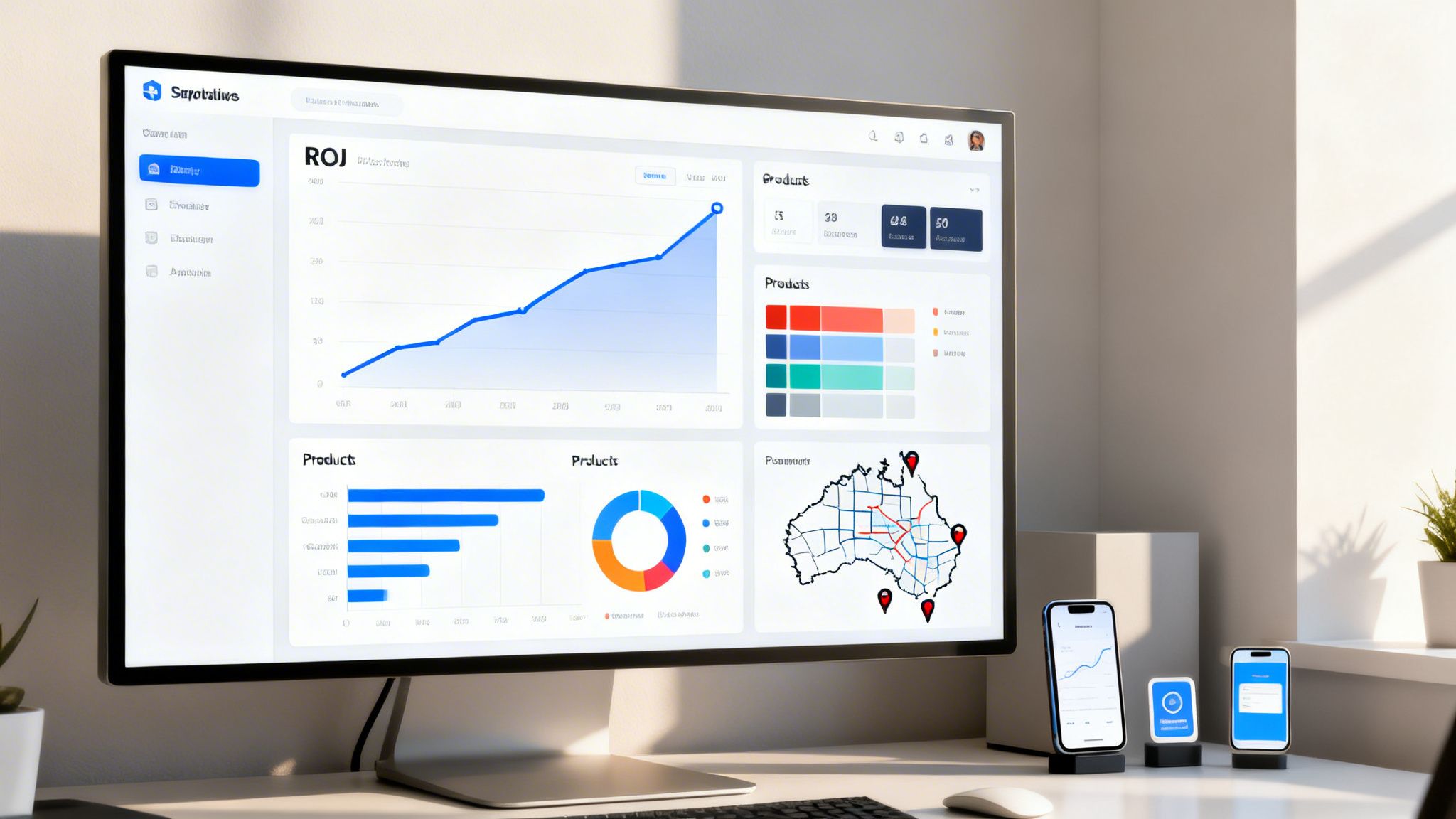
Once your campaigns are up and running, it's time to shift from just being live to being profitable. This is where we move beyond the setup and start optimising for serious returns on your investment in Google Shopping Australia. The name of the game is simple: improving your Return On Ad Spend (ROAS).
Think of your initial campaigns as casting a wide net. You've made a catch, but it's a mixed bag. Now, the real work begins. It’s time to sort through that catch, throw the small fry back, and focus your efforts where the big fish are biting. This is how you transform a functioning campaign into a high-performance sales engine.
Eliminate Wasted Spend With Negative Keywords
One of the most potent tools in your kit, especially for Standard Shopping campaigns, is the humble negative keyword list. These are the terms you tell Google not to show your ads for. Every irrelevant click you prevent is money straight back into your budget.
For instance, imagine you sell high-end leather boots. You absolutely don't want your ads showing up for searches like "cheap gumboots" or "boot repair Sydney." Each click from those queries is wasted money because those searchers will never convert.
By adding terms like "cheap," "repair," and "second-hand" to your negative keyword list, you instantly shield your budget from these pointless clicks. Get into the habit of regularly checking your search term reports to find and exclude these budget-draining queries. It’s simple housekeeping that is fundamental to improving profitability.
Segment Campaigns for Surgical Control
Lumping all your products into one giant campaign is a common mistake that costs businesses a fortune. A far more effective approach is to segment your campaigns based on what actually matters to your bottom line. This gives you surgical control over where your money goes.
Consider these powerful segmentation strategies:
- By Brand: If you stock multiple brands, separating them lets you push more budget towards your best-sellers or those with stronger brand recognition.
- By Profit Margin: This one is a game-changer. Create separate campaigns for your high-margin, medium-margin, and low-margin products. It allows you to bid much more aggressively on the items that actually make you the most profit.
- By Product Category: Segmenting by category (e.g., "Men's Shirts" vs. "Men's Shoes") provides cleaner data and lets you apply a more focused bidding strategy for each product group.
This structured approach lets you dial in your ad spend with incredible precision. To measure just how effective these changes are, it's vital to know how to calculate Return on Ad Spend. For a deeper dive, our guide on what ROAS is and why it matters breaks down everything you need to know about this critical metric.
Target Australian Customer Segments
Not all customers are created equal, and your campaigns should reflect that. A quick look at generational spending habits shows exactly why Google Shopping is such a powerhouse for Australian e-commerce. Millennials spent a staggering AU$25 billion online in 2024, followed closely by Gen X at AU$19 billion. Even Baby Boomers contributed a solid AU$10 billion.
Those highly visual, product-first ads are perfect for grabbing the attention of these diverse, high-spending groups right when they’re searching.
By re-engaging users who have already shown interest in your brand, you dramatically increase the likelihood of conversion. This is about turning past visitors into loyal customers.
Put your audience lists to work to reconnect with these valuable segments. Remarketing lists let you target users who visited your site but left without buying, while Customer Match allows you to upload your own customer email list to re-engage past buyers with new offers.
Combine these audience strategies with location targeting—for example, bidding more for users in metro hubs like Melbourne or Sydney—and you've created a hyper-focused strategy designed to send your ROAS soaring.
Answering Your Top Questions About Google Shopping
Getting started with Google Shopping in Australia always brings up a handful of core questions. It's a seriously powerful channel, but the practical side of things—costs, troubleshooting, and measuring what actually works—can feel a bit overwhelming at first.
We hear the same questions from Aussie e-commerce businesses all the time. To help you build a solid strategy from day one, we've put together answers to the most common ones.
How Much Does It Cost to Run Google Shopping Ads in Australia?
There’s no fixed price tag for Google Shopping. It runs on a pay-per-click (PPC) model, which is a fancy way of saying you only pay when someone is interested enough to actually click on your ad. This is fundamental to how you'll manage your budget.
Your total spend comes down to a few moving parts:
- Your Daily Budget: You're in control here. You set the maximum you're willing to spend each day. A small Aussie business might kick things off with a budget of $20 to $50 per day, then scale that up once they see good results coming in.
- Competition: This is a big one. The cost of a single click (CPC) can vary wildly. If you're selling something competitive like sneakers or electronics in metro areas like Sydney or Melbourne, you can expect to pay more per click than someone selling a niche hobby product.
- Campaign Quality: Google rewards good behaviour. A high-quality product feed, sharp ad copy, and a great landing page experience can actually earn you lower costs and better ad positions.
It's easy to get fixated on cost, but the metric that truly matters is your Return On Ad Spend (ROAS). A great campaign isn't about spending the least amount of money; it's about making sure every dollar you put in brings back more in return. When you focus on ROAS, advertising stops being an expense and starts becoming a reliable revenue engine.
Why Do My Products Get Disapproved in Google Merchant Center?
Getting a product disapproved in Google Merchant Center is a rite of passage for almost every retailer. Don't panic. Nearly every single one of these issues is fixable, and for Australian businesses, they usually fall into a few common buckets.
Here are the usual suspects we see time and time again:
- Price and Availability Mismatches: This is hands-down the number one cause of disapprovals. The price on your website (including GST) and your stock levels must be a perfect match for what's in your product feed. Any difference, and Google will flag the item.
- Missing or Inaccurate Shipping Information: You have to set up clear and complete shipping policies in Merchant Center that cover all of Australia. If a customer in Perth can’t see a shipping cost because you've only configured rates for the East Coast, your ads can get disapproved.
- Incorrect Product Identifiers: Google relies on Global Trade Item Numbers (GTINs)—the number under the barcode—to understand exactly what you're selling. If you're missing GTINs for products that are supposed to have them (like most new, branded goods), you’ll run into errors.
- Inadequate Website Policies: Your site needs to feel trustworthy and transparent. That means having easy-to-find pages for your refund policy, privacy policy, and terms of service. You also need to display clear contact details, including an Australian Business Number (ABN) or a physical address, to prove you're a legitimate business.
Get into the habit of checking the "Diagnostics" tab in Merchant Center regularly. It’s the best way to catch these issues before they start costing you sales.
How Do I Measure the Success of My Campaigns?
Success in Google Shopping is about so much more than just clicks and impressions. To figure out the real impact on your business, you need to track the metrics that connect directly to your bottom line.
These are the key performance indicators (KPIs) you should live and breathe:
- Return On Ad Spend (ROAS): This is the ultimate test of profitability. It answers the question: "For every dollar I spend on ads, how much revenue do I get back?" For example, a ROAS of 4:1 (or 400%) means you generated $4 in sales for every $1 of ad spend.
- Conversion Rate: This is the percentage of people who click your ad and go on to make a purchase. A healthy conversion rate tells you that your products, pricing, and website are hitting the mark with the audience your ads are attracting.
- Cost Per Acquisition (CPA): This metric tells you the average cost to land one new customer through your campaigns. Knowing your CPA is crucial for understanding whether your customer acquisition costs are sustainable for your business model.
To track any of this properly, you absolutely must have conversion tracking set up on your website. It’s a small snippet of code that feeds sales data back to Google Ads, giving you crystal-clear visibility into which campaigns, products, and strategies are actually driving growth.
Should I Hire an Agency for Google Shopping Management?
This is a crossroads many growing businesses face. While you can absolutely manage your own Google Shopping campaigns, partnering with a specialist PPC agency can unlock serious advantages, especially when you're ready to scale up.
Going it alone gives you total control and is a fantastic way to learn the platform inside and out. The catch is that the complexity of feed optimisation, smart bidding, and navigating advanced campaign types like Performance Max can quickly turn into a full-time job.
A dedicated agency brings focused expertise and efficiency to the table. This is what they do all day, every day. They already know the quirks of Merchant Center, have battle-tested strategies for optimising product feeds, and can interpret data to make profitable decisions fast. That expertise saves you from expensive trial-and-error and accelerates your path to a positive return, freeing you up to focus on what you do best—running your business.
Ultimately, the decision comes down to your time, your in-house expertise, and your goals. If you're aiming for significant, scalable growth and want to ensure your ad budget is working as hard as it possibly can, bringing in a dedicated team is often the smartest move you can make.
Are you ready to stop guessing and start growing? At Click Click Bang Bang, we specialise in data-driven PPC campaigns that deliver real, measurable results for Australian businesses. Forget the long-term contracts and confusing reports. We offer transparent, month-to-month management with a 30-day risk-free trial so you can see the impact for yourself. Let our experts build and manage a high-performance Google Shopping strategy that drives sales and maximises your ROI. Learn more and get started today at https://clickclickbangbang.com.au.
Read NeXt
Or Read Our Latest
- Manual vs Automated Bidding for PPC Success
- Conversion Tracking Setup: A Complete AU Guide
- Instagram Advertising Australia: Complete 2026 Guide
- Pay Per Click: A Beginner’s Guide for Australian Marketers
- Display Advertising on Google: The Complete Australian Guide
- Stakeholder Communication Plan How to Build One That Works
Click. CLick. Subscribe.
Get our best PPC insights, industry updates, and power moves delivered straight to your inbox. No fluff, just high-caliber strategies that actually work.
Don’t Leave Just Yet
Try Us For 30-Days,
Risk Free!!
We guarantee that you’ll love our work within the first 30 days, if not you’ll get your money back.
What have you got to lose?