

Business Manager Setup Facebook: The Complete 2026 Guide
Last Updated

You've been asked to set up Facebook advertising for an Australian business. The Page exists, someone has created an ad account, and an agency or freelancer is ready to launch. Then a simple question exposes the weakness: who owns the Page, the ad account, the tracking data, and the admin access?
That question is the centre of a sound business manager setup on Facebook. Meta's current structure uses a business portfolio and Business settings to organise Pages, ad accounts, datasets, people, and partners. Australian setup guidance also places the business identity, legal details, billing currency, timezone, and permissions at the centre of the process, not at the edge of it. (Social Hive's Australian Business Manager guide)
Why Business Manager Is a Governance Tool Not Just a Login
A marketing manager discovers that the company's Page, ad history, audience data, and tracking assets are tied to a former employee's personal Facebook profile. The employee left months ago. An agency can access some areas, yet nobody can confirm who owns the ad account or who can recover it if access fails.
That situation exposes an ownership problem. A personal Facebook profile may be required to create the business environment, but it should not become the permanent control centre for business assets.
A properly configured Business Manager, now commonly presented through Meta's business portfolio structure, gives the company one place to govern assets and permissions. Australian guidance describes the foundation as a personal profile, a business Page, and an ad account configured through Business Settings under Accounts, Ad Accounts.
Separate identity from access
Business Manager sets a clear hierarchy. The business owns or claims the relevant assets, employees receive access matched to their roles, and agencies work through partner permissions rather than taking ownership. That arrangement protects the company during staff turnover, agency handovers, and disputes over account control.
It also provides a clearer audit trail. Administrators can see which person has access to a Page, ad account, or dataset, then remove that access without asking the person to surrender a personal login. The practical gain is fewer single points of failure.
Practical rule: Your business should own the assets. People and agencies should receive access to those assets.
The common mistake is treating Business Manager as a dashboard aggregator. The dashboard is only the visible layer. The governance decisions underneath determine who owns the Page, which ad account pays for campaigns, who can change settings, and who remains responsible after a contractor leaves.
Ownership should also shape agency relationships. An Australian Facebook Ads agency can manage campaigns through the permissions required for its work, while the client retains the Page, ad account, tracking assets, and recovery access. This arrangement may require more deliberate setup at the start, but it makes an agency handover far less disruptive.
Before adding assets, identify the business owner, backup administrators, permitted partners, and recovery path. That record is as important as the login itself.
Creating Your Business Manager Account the Right Way
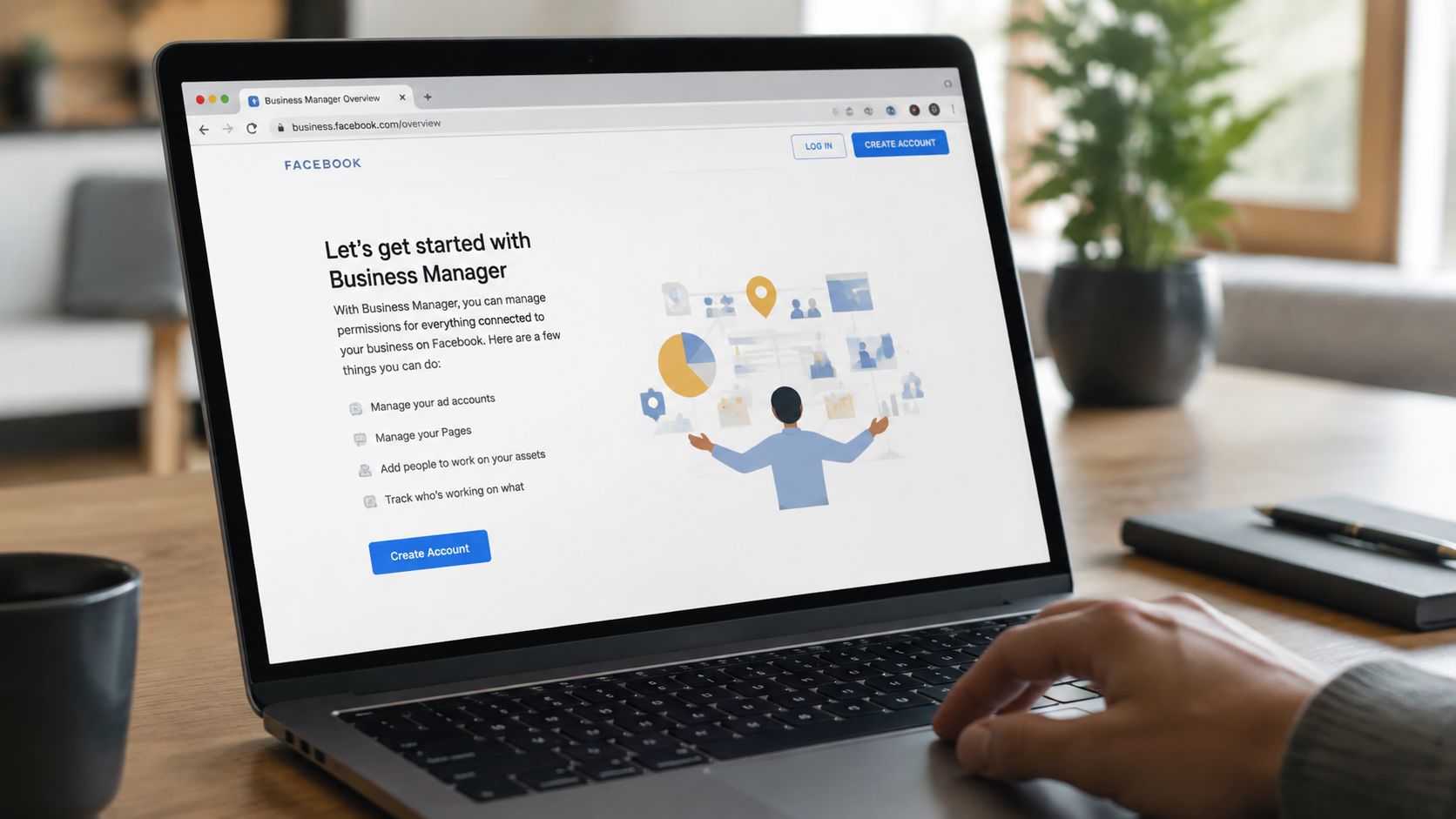
A Business Manager can look complete while its ownership record is still weak. Start at business.facebook.com/overview from the personal Facebook profile that will administer the business environment, then create the portfolio under the company's legal identity. Meta now uses the term business portfolio, but the setup still determines who can verify, recover, and hand over the account.
Use the registered business name, company email address, website, phone number, and legal details consistently. Set up the foundation before connecting advertising assets:
- Create the business environment first. Do not place company assets inside a staff member's personal ad account.
- Enter the legal business name exactly. Match the Australian registration record and supporting documents.
- Use a company email address. A domain email gives the business a durable contact point during verification, reviews, and agency changes.
- Confirm the verification email. An unconfirmed address leaves the setup unfinished.
- Complete Business details. Add the business address, website, phone number, and requested information before seeking additional features or resolving reviews.
Set the Australian billing environment at creation
Create the ad account with AUD as the currency. Choose a timezone that matches the team managing reporting and scheduling, such as AEST or AEDT for an east-coast operation, or AWST for Western Australia. Currency and timezone affect billing records, reporting periods, and campaign scheduling, so changing them later can create avoidable administrative work. Meta's setup guidance covers these choices. (Meta's Business Manager setup guidance)
Review the legal entity details before submitting them. If Meta's records do not match the Australian registration information, billing checks or verification can take longer, especially when an agency must show it acts for the correct business.
If Meta requests identity confirmation, keep the account details consistent. Do not create duplicate personal profiles to bypass a review. This Facebook ID verification guide explains the information that may be requested.
Finish Business Settings before inviting a large team. Clear contact details, ownership records, and recovery information make later access changes easier to audit. They also give an incoming agency or administrator a reliable handover record instead of forcing the business to reconstruct how the account was created.
Adding Pages Ad Accounts and Instagram Assets
The order in which you add assets matters, especially for Australian businesses. Start with the Facebook Page, connect the Instagram account, then add the ad account. This sequence establishes business identity before linking social and advertising assets, and makes ownership easier to audit during an agency handover.
Choose the correct action for each asset
In Business Settings, the Add menu generally covers three situations:
- Claim ownership: Choose this for a Page, Instagram account, or ad account that belongs to your business and should sit inside its Business Manager.
- Request access: Choose this when another business owns the asset, as often happens when an agency manages a client account.
- Create a new asset: Choose this when the business does not already have the relevant Page or ad account.
Use ownership claims for assets the company has paid to build. If an agency creates the ad account inside its own Business Manager, the agency may control the asset structure. That can complicate handover, billing reconciliation, and campaign continuity when the relationship ends.
Open Accounts, Pages, then add the existing Page or create one if necessary. Confirm that the business owns the Page, rather than just having access to it. Connect the Instagram account to the correct Page and assign the required business permissions. Connection failures commonly occur when the person attempting the link is not an administrator of the Business Manager that owns the Page.
Once the Page and Instagram ownership are clear, open Accounts, Ad Accounts. You can enter the ID of an existing account, request access to an account owned by another business, or create a new account under the correct Business Manager. New business environments may have limited ability to create or manage ad accounts while Meta assesses activity and compliance. Avoid building a workflow that depends on unlimited account creation from the start.
Resolve ownership errors methodically
“Page is already owned by another Business Manager” means another business environment has claimed the Page. Ask the current owner to release it or add your business as a partner. If nobody can identify that owner, collect evidence of the legal business relationship and contact Meta Business Support instead of repeatedly attempting to claim the asset.
Do not create duplicate Pages or ad accounts to bypass an ownership dispute. Duplicates divide historical data, confuse customers, and leave the original ownership issue unresolved. Keep a written record of who owns each asset, which Business Manager contains it, and whether an agency has access or ownership.
Assigning Roles and Permissions Without Creating Lockout Risks
Ownership and access are different. The Business Manager should own the business assets, while people receive permissions based on what they do. An employee managing campaigns doesn't automatically need authority to change business ownership, billing settings, or every connected data source.
Meta's structure supports business-level roles and asset-level permissions, including employee access, admin access, partial access, and finance-related roles. The exact labels can change as Meta updates its interface, but the principle is stable: grant the smallest permission set that lets someone complete the job.
Build the access structure before inviting people
Go to Business Settings, open People, and invite each person using their own work email address. Once they accept, assign the person to the specific Page, ad account, Instagram account, dataset, catalogue, or other asset they need. Don't send a broad invitation and hope the recipient only uses the functions relevant to their role.
A practical matrix looks like this:
| Team Role | Recommended Access Level | Asset Scope | Key Risk if Misconfigured |
|---|---|---|---|
| Business owner | Business admin | Full business portfolio and recovery controls | The business can lose control if the owner is excluded |
| Internal marketing manager | Employee access with task permissions | Page, ad account, datasets, and reporting tools required for the role | Excess access can allow accidental ownership or billing changes |
| Campaign operator | Partial access | Campaign creation, editing, and reporting on assigned ad accounts | Insufficient access creates delays and unsafe workarounds |
| Finance contact | Finance analyst or finance-specific access | Billing, invoices, and payment information | Broad admin access exposes unrelated assets |
| External agency | Partner access | Only the client assets covered by the engagement | Individual admin access complicates offboarding and ownership |
| Contractor | Time-limited task access where available | A defined Page, account, or dataset | Access can remain active after the contract ends |
Keep redundancy without creating a crowd of administrators
A company shouldn't rely on one administrator, but giving every staff member admin rights is the opposite of good governance. Maintain a small, trusted group of business administrators for recovery and ownership decisions, then use employee-level access for daily operators. Agencies should normally be added as partners through their business ID, not as a collection of individual users with permanent admin control.
The orphaned asset problem appears when the only business admin leaves without transferring control. Before any handover, confirm that another authorised business representative can access the Business Manager, the Page, the ad account, and the datasets. Remove departing users only after their replacement has the permissions needed to operate and recover the assets.
Connecting Pixels Conversions API and Payment Methods
Tracking should be created inside the business environment, not attached to a marketer's personal setup. In Business Settings, open Data Sources and create a dataset with a clear business name. Assign that dataset to the correct ad account and give the relevant operator or agency access to the dataset itself.
Keep browser and server-side tracking aligned
Install the Meta Pixel base code through the website platform, tag manager, or a supported partner integration. Then configure the events that reflect the customer journey, such as viewing a product, adding an item to a basket, beginning checkout, or completing a lead form. Test each event in Events Manager and check that it arrives against the intended dataset.
Conversions API adds server-side event transmission to the browser signal. For a Shopify or similar ecommerce setup, a partner integration may handle much of the configuration. A server-side tag manager can offer more control, but it requires careful event mapping, consent handling, deduplication, and ongoing maintenance.
Implementation check: The person who creates the dataset isn't necessarily the person who should control it. Make sure the Business Manager owns the dataset and that the ad account, website, and agency permissions all point to the same business structure.
Verify the business domain using the method Meta provides for the domain, such as a DNS TXT record or a meta tag. This step helps establish which business can manage the domain and supports advertising measurement configuration. If your implementation involves ecommerce platforms, a specialist guide to ecommerce conversion tracking can help connect the technical setup to revenue reporting.
Add payment details to the correct account
Add the credit card or other payment method at the Business Manager-owned ad account level. Configure the Australian business details required for billing and keep the account's AUD currency aligned with the company's bookkeeping process. Don't attach campaign spend to a personal ad account just because it's already available.
That shortcut creates reconciliation problems. Invoices, receipts, ownership, and access can become split between a personal profile and the legal business, leaving the finance team to reconstruct who paid for what. Before launch, confirm the ad account ID, legal entity, currency, payment method, and billing contact in one documented record.
Securing Team Access with Two-Factor Authentication and Best Practices
Two-factor authentication should be mandatory for every person connected to the Business Manager. Australian setup guidance specifically recommends enabling it for everyone, alongside clear role assignment and a central owner for the business hierarchy. (LM Group's Australian Facebook Ads Manager setup guide)
Open Business Settings and locate the security controls. Enable the requirement that users authenticate with two factors, then give existing staff time to complete the requirement before relying on the account operationally. A password alone leaves the business exposed if an employee reuses credentials, loses control of an email account, or approves an unexpected login.
For wider ecommerce access policies, this resource on how to protect your online store with 2FA provides useful background. The same discipline should apply to connected platforms, analytics tools, ecommerce administrators, and shared business email accounts.
Treat departures as a controlled process
When an employee, freelancer, or agency leaves, follow a written offboarding checklist:
- Remove business access: Revoke the person from Business Settings, then check every Page, ad account, dataset, catalogue, and Instagram asset.
- Transfer ownership first: Reassign anything the departing person personally controlled before deleting or disabling access.
- Review partner permissions: Remove the agency or contractor's partner access if the engagement has ended.
- Secure connected systems: Rotate shared passwords and review connected applications, integrations, and tag-management access.
- Document the handover: Save the asset list, account IDs, billing contact, administrator names, and active tracking configuration.
A structured review also matters when nobody has left. Australian small and medium businesses should schedule regular access audits, while agencies managing several client environments need a more frequent review cycle. The important point is consistency, not a one-off cleanup.
Review access against actual responsibilities, remove dormant users, and confirm that at least one authorised business representative can recover each asset. For privacy and data-handling considerations, document the relationship between advertising data, consent, and internal access in line with your data privacy and compliance approach.
A sound Facebook Business Manager setup protects more than the ability to launch an ad. It preserves ownership, keeps billing accountable, supports clean agency handovers, and prevents tracking assets from disappearing with one person's login.
Click Click Bang Bang can set up Meta Business Manager, organise Page and ad account ownership, configure datasets and custom conversions, and connect conversion tracking for Australian campaigns. Visit Click Click Bang Bang to discuss a governed setup that your internal team or agency can manage without creating avoidable lockout risks.
Read NeXt
Or Read Our Latest
- Business Manager Setup Facebook: The Complete 2026 Guide
- Google Ads Account Setup: Expert Guide for 2026
- Search Ads Optimisation: A Practical Guide for 2026
- Manual vs Automated Bidding for PPC Success
- Conversion Tracking Setup: A Complete AU Guide
- Instagram Advertising Australia: Complete 2026 Guide
Click. CLick. Subscribe.
Get our best PPC insights, industry updates, and power moves delivered straight to your inbox. No fluff, just high-caliber strategies that actually work.
Don’t Leave Just Yet
Try Us For 30-Days,
Risk Free!!
We guarantee that you’ll love our work within the first 30 days, if not you’ll get your money back.
What have you got to lose?