

A Guide to Managing Google AdWords
Last Updated
You wouldn't build a house on a shaky foundation, so why would you build your Google Ads account that way? Before you even think about spending a single dollar on clicks, the groundwork you lay will make or break your campaigns.
Getting this initial setup right is the difference between a profitable, scalable machine and a chaotic, money-draining mess. This isn't just a technical box-ticking exercise; it's about strategic foresight. You're creating the blueprint that will guide every optimisation, budget, and reporting decision you make down the track.
Building a Bulletproof Google Ads Foundation

A disorganised account is destined to become inefficient and impossible to manage. The goal is to create a logical, scalable structure that makes perfect sense for your specific business. Let's dig into how.
Structuring Your Account for Success
The best way to structure your Google Ads account is to have it mirror your website and your business. This creates a powerful alignment between your keywords, ads, and landing pages—a critical factor for boosting your Quality Score and driving down costs.
There are a couple of primary models that work well, depending on what you’re selling:
- For E-commerce: Think in terms of product categories. A clothing store, for instance, should have separate campaigns for 'Men's Shoes', 'Women's Dresses', and 'Kids' Outerwear'. From there, you can break down ad groups by product type, like 'Running Shoes' or 'Formal Dresses'.
- For Lead Generation: A service-based structure usually makes the most sense. If you're a digital marketing agency, you might create campaigns for 'SEO Services', 'PPC Management', and 'Content Marketing'. The ad groups within those would get even more specific, targeting themes like 'Local SEO for Plumbers' or 'Google Ads for Lawyers'.
This clean separation gives you much tighter control over your budget, allows for highly targeted ad copy, and ensures you're sending traffic to the most relevant landing pages possible. All of which directly impacts your conversion rates.
The Non-Negotiable Role of Conversion Tracking
Let’s be clear: if you don't measure it, you can't improve it. This is the golden rule of managing Google Ads. Without accurate conversion tracking, you’re flying blind, completely unable to tell which campaigns are making you money and which are just burning through your budget.
Setting this up properly from day one is absolutely crucial. And I don’t just mean tracking a visit to a "thank you" page. You need to track every single action that holds value for your business—a sale, a form submission, a phone call, a key file download. You get the idea.
A meticulous setup ensures you're optimising for real business results, not just vanity clicks. For a deeper dive, check out our guide on the essentials of website conversion tracking.
Another foundational step is linking your Google Ads account to Google Analytics 4 (GA4). This integration gives you the full story, showing you how users interact with your website after they click an ad.
A well-structured account with precise conversion tracking is the difference between guessing and knowing. It turns your ad spend from an expense into a measurable investment.
Choosing the Right Campaign for Your Goal
With your structure and tracking sorted, the next step is picking the right campaign type for the job. Not all campaigns are created equal, and choosing the correct one is fundamental to hitting your goals. The table below breaks down the most common options and where they shine for e-commerce and lead gen.
| Campaign Type | Primary Goal | Best For E-commerce | Best For Lead Generation |
|---|---|---|---|
| Search | Capture intent | Selling specific products to users actively looking for them. | Generating high-quality leads from users searching for services. |
| Performance Max | Maximise conversions | Driving sales across all of Google's channels from a single campaign. | Finding new lead sources and scaling lead volume with automation. |
| Shopping | Drive product sales | Showcasing your product inventory directly in search results. | N/A (This is a product-focused campaign type). |
| Display | Build awareness | Reaching new audiences and building brand recognition. | Keeping your brand top-of-mind with visual ads across the web. |
| Demand Gen | Create interest | Engaging users on YouTube, Discover, and Gmail with immersive ads. | Nurturing potential leads early in their journey with rich visuals. |
Each campaign type serves a distinct purpose. Mismatching your campaign to your goal is a fast way to waste money, so always start with a clear objective.
Aligning Campaign Goals With Business Objectives
Finally, every single campaign must have a clear, measurable goal that ladders up to a broader business objective. Are you trying to boost online sales by 15% this quarter? Or is the goal to generate 50 qualified leads per month?
Defining these objectives upfront dictates your entire strategy—from the campaign types you choose to the key performance indicators (KPIs) you obsess over.
Here in Australia, this strategic focus is more critical than ever. With the average cost per click (CPC) sitting around AUD $5.26—a 12.88% jump year-over-year—there's no room for wasted spend. That said, effective management can keep things in check; cost-per-lead, for example, has seen a more moderate increase of about 5.13%.
To build a robust foundation and ensure you're set up for continuous growth, you might consider leveraging expert Adwords management services for tailored strategies and ongoing optimisation.
Crafting Campaigns That Actually Convert

With a solid account structure and tracking in place, it’s time to build the engine. This is where your strategic foundation turns into real-world results. We're moving beyond setup and into the art of crafting high-performance campaigns that capture intent and drive conversions.
This isn’t just about picking a few keywords and hoping for the best. It’s about building a cohesive system where every element—from keywords to ad copy to landing pages—works in concert. You need the analytical rigour to dissect keyword data and the creative flair to write copy that stops someone in their tracks. Let's break down how to build campaigns that don't just get clicks, but deliver genuine outcomes.
Mastering Granular Keyword Research
The heart of any great Search campaign is its keyword list. Your real goal is to get inside your customer's head, understanding the exact phrases they type when they're actually ready to buy. This means digging deeper than the obvious, broad terms.
Think about the user's journey. Someone searching for "shoes" is just browsing. But someone searching for "buy women's black leather boots size 8" is pulling out their wallet. That second phrase is a long-tail keyword, and it's where the real money is made. These keywords have lower search volume, sure, but their conversion rates are much higher because the user's intent is crystal clear.
Your research process should involve:
- Brainstorming: Start with the core terms for your products or services.
- Using Tools: Jump into Google Keyword Planner to find variations, search volumes, and competition levels.
- Analysing Competitors: See what your competitors are bidding on to find gaps and opportunities you might have missed.
Once you have a solid list, you need to use keyword match types to control who sees your ads. Getting this right is fundamental to managing Google Ads effectively.
Using Match Types to Protect Your Budget
Think of match types as the gatekeepers of your ad spend. They tell Google how closely a user's search query needs to match your keyword for your ad to show up. Use them incorrectly, and you might as well leave your front door wide open—you'll get a flood of irrelevant traffic that chews through your budget.
Here’s a quick breakdown:
- Broad Match: Shows your ad for a wide range of related searches. Tread very carefully here. It can attract a lot of irrelevant clicks and is best used only with smart bidding strategies.
- Phrase Match: Your ad appears for searches that include the meaning of your keyword. For example, the keyword "lawn mowing service" could show for "hire company to mow lawn". This gives you a great balance of reach and control.
- Exact Match: Your ad only shows for searches with the same meaning or intent. For instance, the keyword
[running shoes for men]will match for "men's running sneakers". This offers the most control and usually the highest conversion rates.
Don't forget the power of negative keywords. These are the terms you specifically exclude. If you sell premium coffee beans, you’d add "free" and "cheap" as negatives to filter out bargain hunters. A well-maintained negative keyword list is just as crucial as your target keyword list.
Writing Ad Copy That Cuts Through the Noise
Your ad copy is your three-second pitch. It has one job: to be relevant, compelling, and clear enough to earn a click. With such limited space, every single word counts. The key is to mirror the user's search query and immediately signal that you have the solution to their problem.
For example, if someone searches for "emergency plumber Sydney", your ad headline needs to be something like "24/7 Emergency Plumber in Sydney". It instantly confirms you meet their exact need.
A successful ad should always include:
- A Relevant Headline: Grab their attention by directly addressing the search query.
- Clear Benefits: Don't just list features. Explain how your product or service makes their life better.
- A Strong Call-to-Action (CTA): Tell them exactly what to do next. "Shop Now," "Get a Free Quote," or "Book a Consultation."
For businesses with complex offerings, just getting the structure right can be a challenge. That’s why we developed a detailed Google Ads campaign structure template to help you organise everything for maximum efficiency.
Structuring Campaigns for E-commerce and Lead Gen
How you structure your campaigns will depend heavily on your business model.
For e-commerce, Shopping campaigns are a must. These are driven by your product feed, so a clean, optimised feed is non-negotiable. Structure your Shopping campaigns logically—by product category, brand, or even by profit margin using custom labels. This allows you to bid more aggressively on your most profitable items.
For lead generation, the focus shifts to creating tightly-themed ad groups within your Search campaigns. Each ad group should focus on a very specific set of keywords all relating to a single theme. This allows you to write hyper-relevant ad copy and send users to a dedicated landing page that speaks directly to their query, dramatically increasing the chances they'll convert into a lead.
Getting Your Bids, Budgets, and Targeting Right
Once you’ve built your campaigns, the real work begins. This is where you start pulling the levers—controlling the money and deciding exactly who sees your ads. Think of it less like building a machine and more like learning to fly it, making sure every dollar you spend is pushing you closer to your goals.
Smartly managing your spend isn't just about slapping a daily cap on a campaign. It's about getting the bidding strategy right and then layering on audience intelligence. This combo of financial savvy and user-centric targeting is what separates a profitable account from one that just burns through cash.
Choosing the Right Bidding Strategy
Google Ads has a whole menu of bidding strategies, from fully manual to completely automated. The right one for you really depends on your campaign's maturity, how much conversion data you have, and what you’re trying to achieve.
- Manual CPC: This gives you maximum control. You set the absolute most you’re willing to pay for a click on each keyword. It’s a great place to start with new campaigns because you can get a feel for the landscape without letting an algorithm take the reins before you have any data.
- Enhanced CPC (eCPC): Think of this as manual bidding with a smart assistant. You still set your bids, but you give Google permission to nudge them up or down if it thinks a click is more or less likely to convert. It's a solid middle ground.
- Automated Bidding: Strategies like Maximise Conversions or Target ROAS (Return On Ad Spend) let machine learning do the heavy lifting. These are incredibly powerful but they need a consistent flow of conversion data to work their magic—usually at least 15-30 conversions in the last 30 days.
For a new e-commerce store, I’d almost always start with eCPC to gather that initial sales data. Once you've got a steady stream of sales coming in, switching to a Target ROAS strategy can be a complete game-changer for profitability. A lead-gen campaign, on the other hand, might use Maximise Conversions to hoover up as many form fills as possible within its budget.
Setting Budgets That Actually Work
Your daily budget tells Google how much to spend on average each day over a month. It might go a bit over on some days and under on others, but it won't exceed your daily limit multiplied by the number of days in the month.
A classic mistake I see all the time is spreading a small budget too thinly across too many campaigns. If you're working with limited funds, you're far better off funnelling it into your one or two best campaigns. Let them run without being held back by budget constraints so you can gather meaningful data quickly, then expand from there.
Your budget and your bidding strategy have to work together. If you choose an aggressive bid strategy like Target CPA (Cost Per Acquisition) but pair it with a tiny budget, you're just going to choke the system. It will never get enough data to learn, and performance will flatline. Make sure your budget gives your bidding strategy enough room to breathe.
The Power of Layering Audiences
Keywords tell you what someone is looking for. Audiences tell you who they are.
Layering audience signals over your keyword targeting is one of the most powerful moves you can make. It lets you bid more for the people who are most likely to become your best customers.
Here are the key audiences you need to get familiar with:
- Remarketing Lists for Search Ads (RLSA): This lets you target people who've already been to your website. You can (and should) bid higher for these users because they already know your brand and are much warmer prospects.
- In-Market Audiences: This is Google’s data at work. It helps you reach people who are actively researching and showing buying signals for products or services like yours.
- Similar Audiences: A brilliant way to find new customers. Google takes your existing remarketing lists and finds new people with similar characteristics. It’s a powerful tool for scaling your reach to a highly relevant crowd.
- Customer Match: This is where you get to use your own data. You can upload a list of customer emails or phone numbers to target them directly or, even better, create similar audiences from them.
With over 90% of Australians on their smartphones, mobile is a given. But privacy is the new frontier. Evolving regulations, like the updates to the Privacy Act, are pushing advertisers to lean heavily on first-party data, the exact kind you use for Customer Match. At the same time, Google's Privacy Sandbox initiative is paving the way for advertising that respects user privacy. This shift isn't just a trend; it's becoming a necessity for effective and compliant advertising. You can get more insights on the evolution of Google Ads in Australia on donhesh.com.au. Using your own data is no longer just a best practice—it’s essential.
Your Routine for Continuous Campaign Optimisation
Launching your campaigns is really just the beginning. The true art and science of managing a successful Google Ads account lies in what you do next. Let’s be honest, a 'set it and forget it' attitude is the quickest way to turn your advertising budget into a generous donation to Google.
Lasting success comes from a consistent, data-driven optimisation rhythm. This isn't about making random changes based on a gut feeling. It's about having a repeatable process that systematically plugs budget leaks, refines performance, and uncovers new opportunities for growth over time.
Daily and Weekly Account Check-Ins
Consistency is your greatest weapon in Google Ads. Spending a small amount of time on the account regularly is far more effective than diving in for a massive, sporadic session once a month. Your weekly routine should become second nature, focusing on the highest-impact areas first.
Here's what I look at every week, without fail:
- Review Budget Pacing: Are my key campaigns blowing through their daily budget by lunchtime, or are they struggling to spend at all? A quick check here ensures you’re not leaving valuable traffic on the table because of a simple budget cap.
- Analyse the Search Terms Report: This report is an absolute goldmine. It shows you the actual search queries that triggered your ads. I scour this weekly to find irrelevant searches, adding them as negative keywords to instantly stop wasteful spend. You'd be amazed at what you find in there.
- Monitor Ad Performance: A quick glance at the click-through rate (CTR) and conversion metrics for your ads tells you what's resonating. If a particular ad is clearly underperforming against its peers, I'll pause it and let the winners run.
This regular pulse check keeps your account healthy and stops small issues from snowballing into expensive problems. For a more detailed breakdown, our comprehensive Google Ads optimisation checklist offers a step-by-step guide to keep you on track.
Monthly Strategic Optimisation Tasks
While weekly checks are tactical, your monthly reviews need to be more strategic. This is your chance to step back, look at broader trends, and make bigger adjustments based on a solid chunk of performance data.
A crucial part of this is digging into your auction insights. This report tells you exactly which competitors are bidding on the same keywords and how you stack up. Are they consistently appearing above you? This could be a sign you need to improve your Quality Score or rethink your bidding strategy to be more competitive.
Think of your campaigns as a living ecosystem. Daily and weekly tasks are like tending to the plants. Monthly reviews are like assessing the overall health of the garden and planning for the next season.
The A/B Testing Mindset
Never, ever assume your first ad or landing page is the best it can be. Continuous improvement is driven by a constant testing mindset. The principle is simple: change one variable at a time and measure the impact.
You should always have an A/B test running on:
- Ad Copy: Test different headlines, descriptions, and calls-to-action. Does a benefit-led headline outperform one that asks a question? The data will give you the answer, not your opinion.
- Landing Pages: Experiment with different page layouts, headlines, or form placements. I've seen a small tweak to a landing page double a campaign's conversion rate overnight.
This data-first approach takes the guesswork out of the equation. Let your audience’s behaviour tell you what works, then double down on it.
Refining Bids and Targeting
Your initial bid adjustments for things like device or location are really just educated guesses. As real performance data rolls in, you can start making much smarter, data-backed decisions. It's time to get granular.
This process highlights how Smart Bidding uses various signals to optimise your campaigns for you.
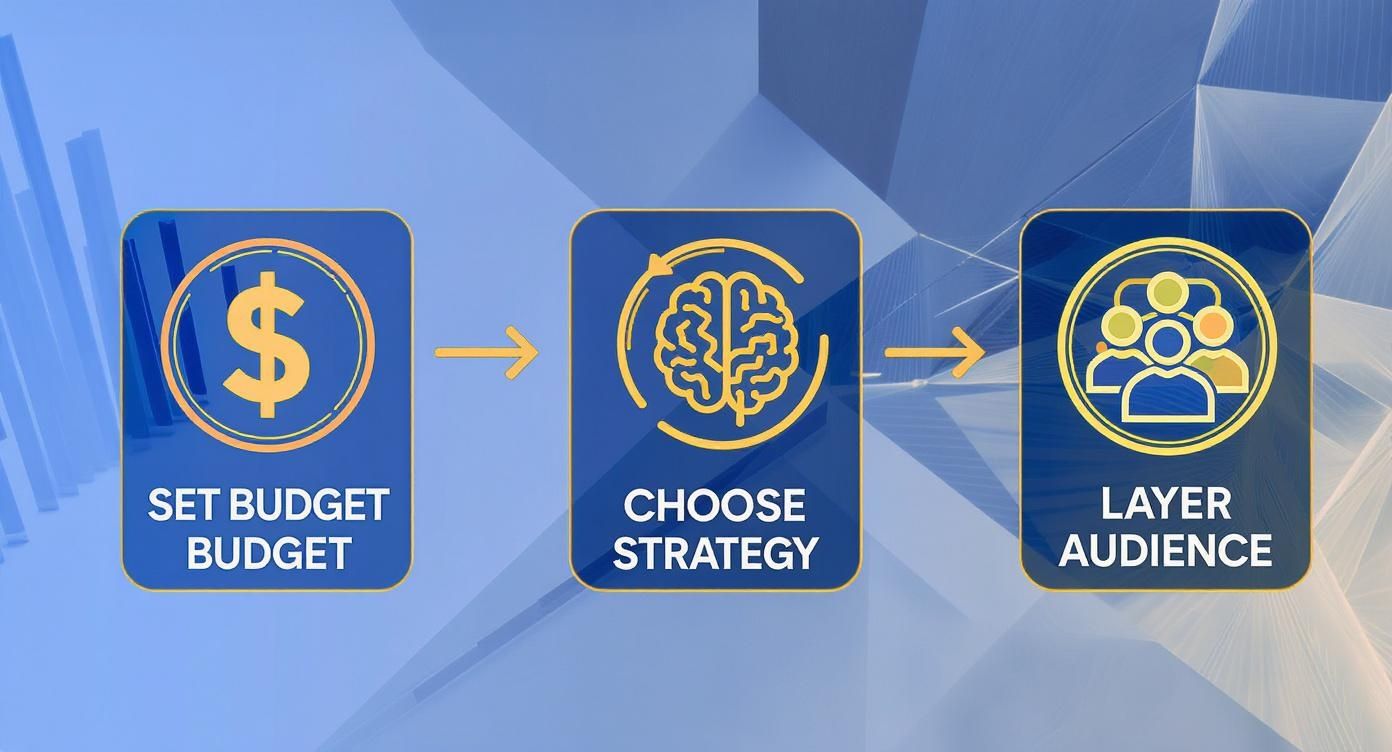
The key takeaway here is that your budget, strategy, and audience targeting are all interconnected elements that Google's AI uses to drive results. The more refined your inputs, the better the output.
Look for opportunities to refine bids based on:
- Device: Are mobile users converting at a higher rate but a lower cost? You might apply a positive bid adjustment to show your ads more often on mobile.
- Location: If you see that customers in Melbourne are converting twice as well as those in Brisbane, it makes perfect sense to bid more aggressively in Melbourne.
- Time of Day: Does your lead-gen campaign get most of its conversions during business hours? Use ad scheduling to focus your budget on those peak times and pull back overnight.
This level of granular control is fundamental to maximising your return on ad spend and ensuring every dollar in your budget is working as hard as it possibly can.
Your 30/90-Day Google Ads Management Checklist
Getting a new account off the ground requires focused attention. The first 30 and 90 days are critical for establishing a strong performance baseline and setting the stage for long-term success. Here’s a checklist to guide your priorities during this crucial period.
| Timeframe | Key Task | Primary Metric to Watch | Goal |
|---|---|---|---|
| First 30 Days | Negative Keyword Mining: Aggressively review Search Terms Report daily/weekly. | Cost, Click-Through Rate (CTR) | Eliminate budget waste on irrelevant searches as quickly as possible. |
| First 30 Days | Ad Copy A/B Test: Launch with at least 2-3 ad variants per ad group. | CTR, Conversion Rate | Identify the highest-performing messaging and pause underperformers. |
| First 30 Days | Initial Bid Adjustments: Review device, location, and demographic data. | Cost Per Acquisition (CPA) | Make initial, data-informed bid adjustments for key performance segments. |
| First 90 Days | Landing Page Optimisation: Analyse user behaviour on key landing pages. | Conversion Rate, Bounce Rate | Formulate hypotheses for A/B testing page elements (headline, CTA, etc.). |
| First 90 Days | Audience Layering: Review performance of remarketing and in-market audiences. | CPA, Return on Ad Spend (ROAS) | Refine audience targeting and apply bid adjustments based on performance. |
| First 90 Days | Strategy Review: Assess performance against initial KPIs. | CPA, ROAS, Conversion Volume | Determine if the current campaign structure and bidding strategy are effective. |
This checklist isn't exhaustive, but it provides a solid framework. By focusing on these high-impact tasks, you can ensure your new campaigns are built on a foundation of data and poised for scalable growth.
Using Automation and Video to Kickstart Serious Growth
So, you've got your campaigns dialled in. The data is flowing, and you're in a good optimisation rhythm. What's next? It's time to scale.
This is the point where you stop relying on manual tweaks for every little thing and start letting intelligent systems and high-impact channels do the heavy lifting. Managing Google Ads at an advanced level isn’t just about working harder; it’s about working smarter. That means embracing automation and tapping into new growth channels like video.
This next phase is all about amplifying your efforts. You’ll be using Google’s powerful AI to manage bids and ad creation at a scale that’s impossible to do by hand. At the same time, you'll start exploring the massive, attention-grabbing potential of video advertising to capture customers at every single stage of their journey.
Harnessing Google's AI and Automation
Google's AI tools are built to crunch millions of signals in real-time to make optimisation decisions that a human simply can't. For any account manager, this is a massive win. It frees you up to focus on high-level strategy instead of getting bogged down in the daily grind of bid changes.
Performance Max (PMax) is the perfect example. It’s an all-in-one, goal-based campaign type that runs across every single one of Google's channels—Search, Display, YouTube, Gmail, you name it. You feed it the assets (headlines, images, videos) and your conversion goals, and the AI takes it from there.
While it can be incredibly effective for sniffing out new customers, its "black box" nature means you do give up a lot of control and detailed reporting. It performs best when it has a solid foundation of conversion data to learn from.
Another brilliant tool in your arsenal is automated rules. Think of these as simple "if-this-then-that" commands you can set up to manage your account around the clock.
- Kill underperforming ads: Automatically pause any ad with a click-through rate (CTR) below your benchmark after it's had enough impressions.
- Keep budgets in check: Get an email alert if a campaign chews through its budget before midday.
- Adjust keyword bids on the fly: Bump up bids by 15% for keywords that are converting well but are stuck below an average position of 2.
These rules act like a 24/7 assistant, handling routine tasks and preventing costly slip-ups. To really ramp up your efficiency and scale operations, it's worth exploring the best Google Ads automation tools available, which can take this to an even more sophisticated level.
Capitalising on the Power of YouTube Advertising
Search ads are fantastic for capturing existing demand, but video is what creates it. If you’re ignoring YouTube, you're leaving a colossal audience on the table.
In Australia, YouTube advertising via Google Ads is a dominant force. It has a potential ad reach covering a staggering 77.9% of the total population and 80.2% of all internet users. That kind of market penetration makes it an incredibly powerful partner to your existing search and shopping campaigns.
Video lets you connect with potential customers in a much more engaging and emotional way than a simple text ad ever could. It’s the perfect medium for building brand awareness, showing a product in action, or telling a story that actually resonates with people.
The real power of YouTube is in its targeting. You can reach users based not just on demographics, but on their recent Google searches, the types of videos they watch, and the channels they subscribe to. This makes it a beast for both broad brand-building and super-specific, lower-funnel targeting.
Building a Full-Funnel Video Strategy
A winning YouTube strategy isn't about running one type of ad and hoping for the best. It's about using different video formats to meet users at each stage of their journey.
-
Top of Funnel (Awareness): Use short, catchy Bumper ads (those 6-second, unskippable ones) or skippable In-stream ads to introduce your brand to a wide, relevant audience. The name of the game here is reach and brand recall.
-
Mid Funnel (Consideration): Now you can target in-market audiences or people actively researching solutions. Use longer-form videos that showcase your product’s benefits or offer genuinely valuable content. The goal is to educate and engage them.
-
Bottom of Funnel (Action): This is where you bring it home. Run Video action campaigns to retarget website visitors or people who’ve already engaged with your other videos. These campaigns are optimised specifically for conversions, designed to drive users directly to your site to buy something or fill out a form.
By combining smart automation with a strategic video presence, you’ll evolve your account from simply managing Google Ads to actively engineering growth across multiple fronts.
Your Top Google Ads Questions, Answered
Even with years of campaign management under my belt, some questions pop up again and again. Google Ads is a constantly shifting beast, so it’s only natural to want a sanity check on best practices and common roadblocks.
Here are a few of the most frequent queries I hear from clients, with straight, no-nonsense answers to help you manage your account with more confidence.
How Often Should I Check My Google Ads Account?
This is a classic, and the honest-to-god answer is: it depends on the account's age and how much you're spending.
For a brand-new campaign or any account with a chunky daily budget, a quick daily check-in is non-negotiable. I’m not talking about a deep-dive analysis here. This is a 10-minute scan to make sure your budget is pacing correctly and you’re not seeing any wild, heart-stopping spikes in your cost-per-click (CPC).
Once a campaign is more mature and has been running smoothly for a few months, dropping in two to three times a week is usually plenty. That’s enough time to handle your core optimisation tasks—like combing through the Search Terms Report and checking ad performance—without getting bogged down by daily noise. The goal is to build a consistent rhythm, not to react to every single alert.
What Is a Good Click-Through Rate?
Ah, the million-dollar question. A "good" click-through rate (CTR) is one of the most relative metrics in this game. It can swing wildly based on your industry, the campaign type, and how specific your keywords are.
A few rough benchmarks to keep in mind:
- For Search campaigns, anything between 2% and 5% is generally considered healthy.
- Highly targeted branded campaigns (where people are literally typing in your company name) can easily hit CTRs of 20% or more.
- Display campaigns are a different animal. Their CTRs are often way lower, sometimes dipping below 0.5%, because they’re built more for brand awareness than immediate clicks.
The most important benchmark isn't some industry average; it's your own history. Your real goal should be to consistently beat your own CTR from last month. Keep testing new ad copy, refining your keyword targeting, and improving your Quality Score. And if you really want to know how you stack up, jump into the Auction Insights report to see how your CTR compares to your direct competitors.
When Should I Use Automated Bidding?
Google's automated or "Smart" bidding strategies can be incredibly powerful, but they are not a magic wand. They need one critical ingredient to work their magic: data.
Google's machine learning requires a steady flow of conversion data to make smart decisions. My rule of thumb is to only even think about switching to strategies like Maximise Conversions or Target ROAS once a campaign is reliably generating at least 15-30 conversions in the last 30 days.
Here's a simple way to think about it:
- Stick with Manual or Enhanced CPC when you're launching a new campaign with zero data, have very low conversion volume, or need absolute, granular control over your bids for something like a major product launch.
- Make the switch to Automated Bidding once you have that consistent conversion data flowing in. It will save you a massive amount of time and can often outperform manual bidding by factoring in signals you simply can't see.
Ready to stop guessing and start getting real results from your Google Ads? At Click Click Bang Bang, we build, manage, and optimise precision-driven campaigns that deliver. Book a strategy call with us today and see how we can drive growth for your business.
Read NeXt
Or Read Our Latest
- What Is Brand Positioning and Why It Drives Growth
- Push vs Pull Marketing: A 2026 Decision Guide
- Ad Relevance Score Explained: How It Impacts PPC Performance
- Best ROI Digital Marketing: 10 Channels Ranked for 2026
- Localization Strategy: How to Win in Any Market
- Phone Call Tracking: Methods, Metrics, and Best Practices
Click. CLick. Subscribe.
Get our best PPC insights, industry updates, and power moves delivered straight to your inbox. No fluff, just high-caliber strategies that actually work.
Don’t Leave Just Yet
Try Us For 30-Days,
Risk Free!!
We guarantee that you’ll love our work within the first 30 days, if not you’ll get your money back.
What have you got to lose?