

Offline Conversion Tracking: Guide for AU Businesses 2026
Last Updated
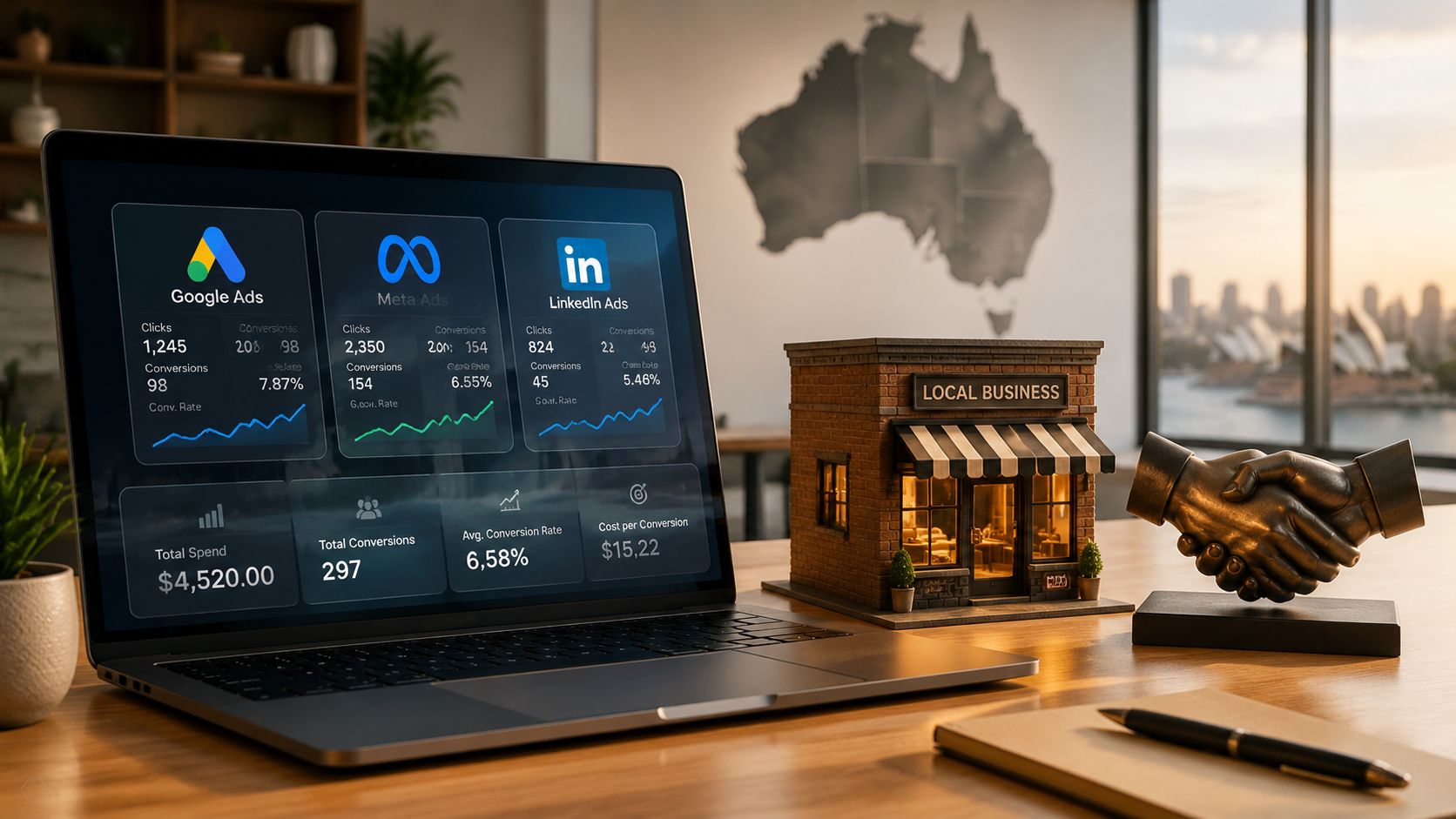
You're probably looking at two conflicting realities right now. Google Ads and Meta show clicks, form fills, and maybe a few online purchases, but your CRM tells a different story. Deals are closing by phone, in-store, or after a sales rep follows up, and the ad platforms don't get credit for most of that revenue.
That gap distorts every decision after it. Budgets shift to campaigns that produce cheap leads instead of profitable customers. Sales teams lose confidence in marketing reports. Finance sees ad spend as fuzzy because the numbers stop at the website. Offline conversion tracking fixes that by connecting the original ad click to the sale that happens later in your CRM, showroom, store, or call centre.
Why Your Ad Spend Is Leaking Without Offline Tracking
A common Australian scenario looks like this. A prospect clicks a Google Search ad, reads a service page, fills out a quote form, then disappears from platform reporting. Three weeks later, your team closes the deal in HubSpot or Salesforce after a phone call and a proposal round. As far as the ad platform is concerned, that customer is still just a lead.
That creates a dangerous optimisation loop. Google, Meta, and LinkedIn can only bid toward what they can see. If they only see form fills, they'll learn to chase more form fills, not more revenue.
The cost of that blind spot is large. A report cited by Demand Local says Australian SMEs over-allocate roughly AUD 1.2 billion annually to underperforming channels because they can't attribute offline sales to online campaigns. The same source says businesses using offline tracking saw CPA reductions of 25 to 35% (Demand Local on offline conversion tracking statistics).
Practical rule: If a sale can happen anywhere other than a thank-you page, platform-reported conversions are incomplete by default.
Offline conversion tracking matters most when the sales cycle has friction. That includes retailers with in-store purchases, trades businesses that quote by phone, B2B firms with multi-step sales pipelines, and service businesses where leads need qualification before they become revenue. If your team manages those handoffs manually, it helps to tighten the sales process itself alongside attribution. A useful reference point is this guide to sales pipeline management for contractors, because messy lead stages make clean offline tracking much harder.
The upside isn't just cleaner reporting. Once platforms receive qualified offline outcomes, bidding gets better, budget allocation gets sharper, and weak campaigns become easier to spot.
Planning Your Tracking Framework Before You Build
Most offline conversion projects fail before any tag is installed. The problem usually isn't technical. It's that the business never agreed on what counts as a meaningful conversion, where that data lives, and which identifier connects one system to another.
Start with the full customer path. Don't think in channels. Think in records. A click creates a visit, the visit creates a lead, the lead enters a CRM, the CRM records stages, and one of those stages becomes revenue. Your job is to define the exact fields that make that journey traceable.
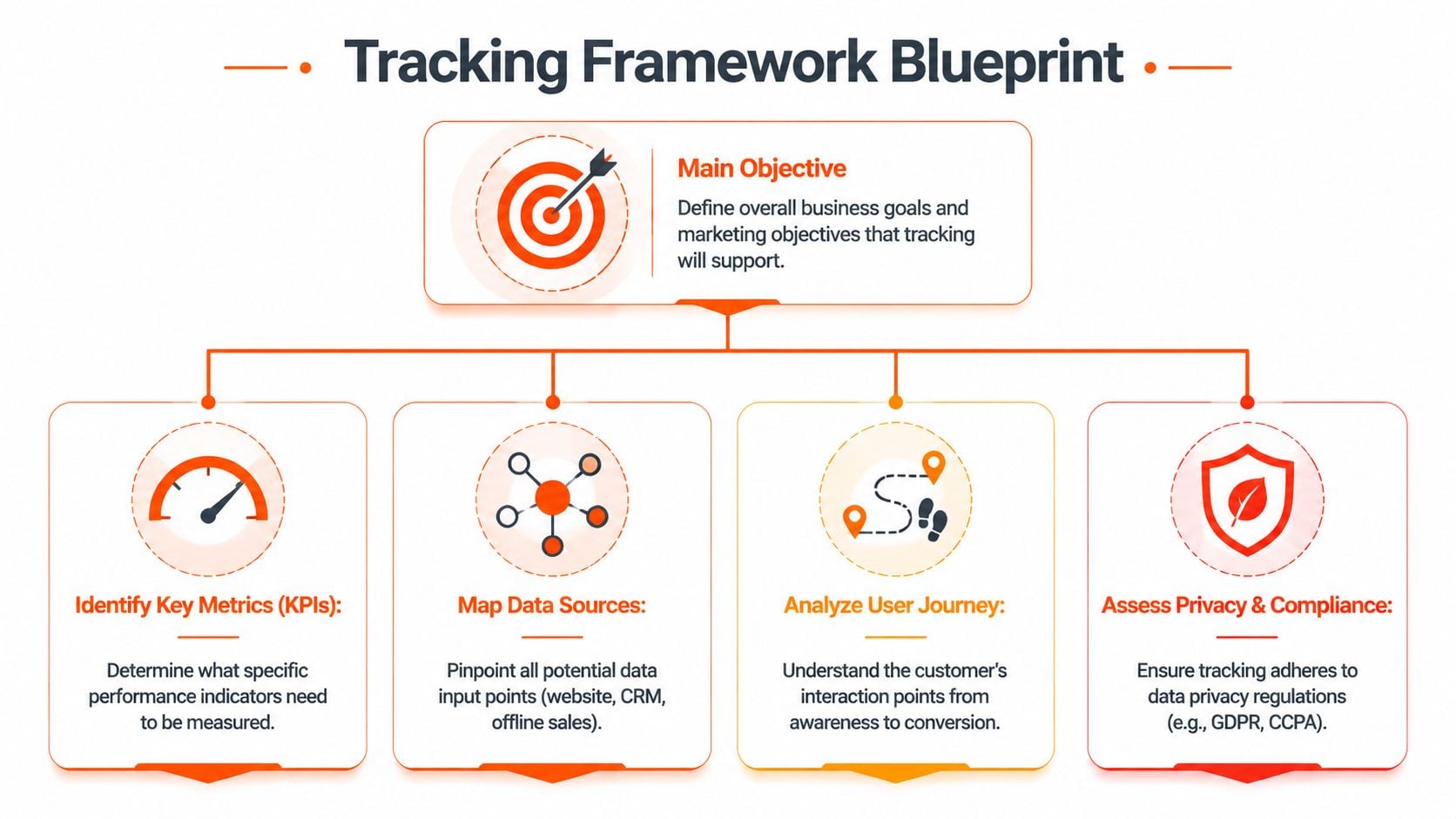
Decide which offline events matter
Not every stage belongs in the ad platforms. Upload too early and you train bidding toward weak intent. Upload too late and the feedback loop becomes slow.
In practice, useful offline events often include:
- Qualified lead: A sales rep reviewed the enquiry and confirmed it fits your criteria.
- Booked appointment or showroom visit: Good for high-consideration retail and service businesses.
- Proposal sent or quote approved: Often a strong midpoint for longer sales cycles.
- Closed-won sale: The cleanest signal when CRM hygiene is strong.
- Store purchase linked to a campaign code: Useful when POS data can be matched back to media.
An Australian Retailers Association survey cited by Funneltrack found that businesses implementing structured offline tracking attributed a 32% average increase in in-store sales to digital ads, with 35 to 55% of all sales originating from an initial online touchpoint (Funneltrack on offline conversion tracking). That's why event selection matters. For many businesses, the website is only the start of the sale.
Map identifiers before you touch your CRM
For Google Ads, the main identifier is usually GCLID. For Meta, it may be FBCLID plus customer data or event matching inputs. LinkedIn often relies more heavily on CRM field consistency and matched audiences, depending on setup.
Create a simple mapping sheet with five columns:
| Field | Captured where | Stored where | Needed by | Notes |
|---|---|---|---|---|
| Click ID | Landing page URL or hidden field | CRM lead record | Ad platform upload | Must persist after form submission |
| Lead source | Form, CRM, call tracking | CRM | Reporting | Keep naming consistent |
| Conversion event name | CRM pipeline stage | CRM export | Platform import | Must match platform setup exactly |
| Conversion time | CRM stage update | CRM | Platform import | Use AU timezone convention consistently |
| Revenue or value | Invoice, POS, CRM deal | CRM or finance system | Bidding and ROAS reporting | Decide gross, net, or fixed proxy |
Lock in governance early
Many teams encounter a common issue: Marketing calls a stage “SQL”, sales changes it to “Sales Accepted”, and operations exports “Closed Sale”. Your upload template breaks because the naming no longer matches.
Use a short checklist before build-out:
- Define one owner: Someone needs authority over naming, fields, and QA.
- Freeze stage labels: If CRM stage names change, platform mappings must change too.
- Document attribution windows: Make sure everyone knows how long a click ID should be retained.
- Agree on value logic: Actual revenue is ideal, but some teams start with a fixed value by lead type.
- Note privacy constraints: Especially for businesses collecting sensitive lead details.
The best technical setup won't save a bad data model. Clean fields beat clever workarounds every time.
Implementing Tracking Across Google Meta and LinkedIn
The build phase gets easier once the blueprint is done. The practical question isn't “Can we upload offline conversions?” It's “What's the least fragile way to do it for this business?”
For some accounts, a manual CSV upload is enough to prove the model. For others, especially when sales happen daily across multiple reps or stores, manual work breaks quickly and an automated workflow becomes the only sensible option.
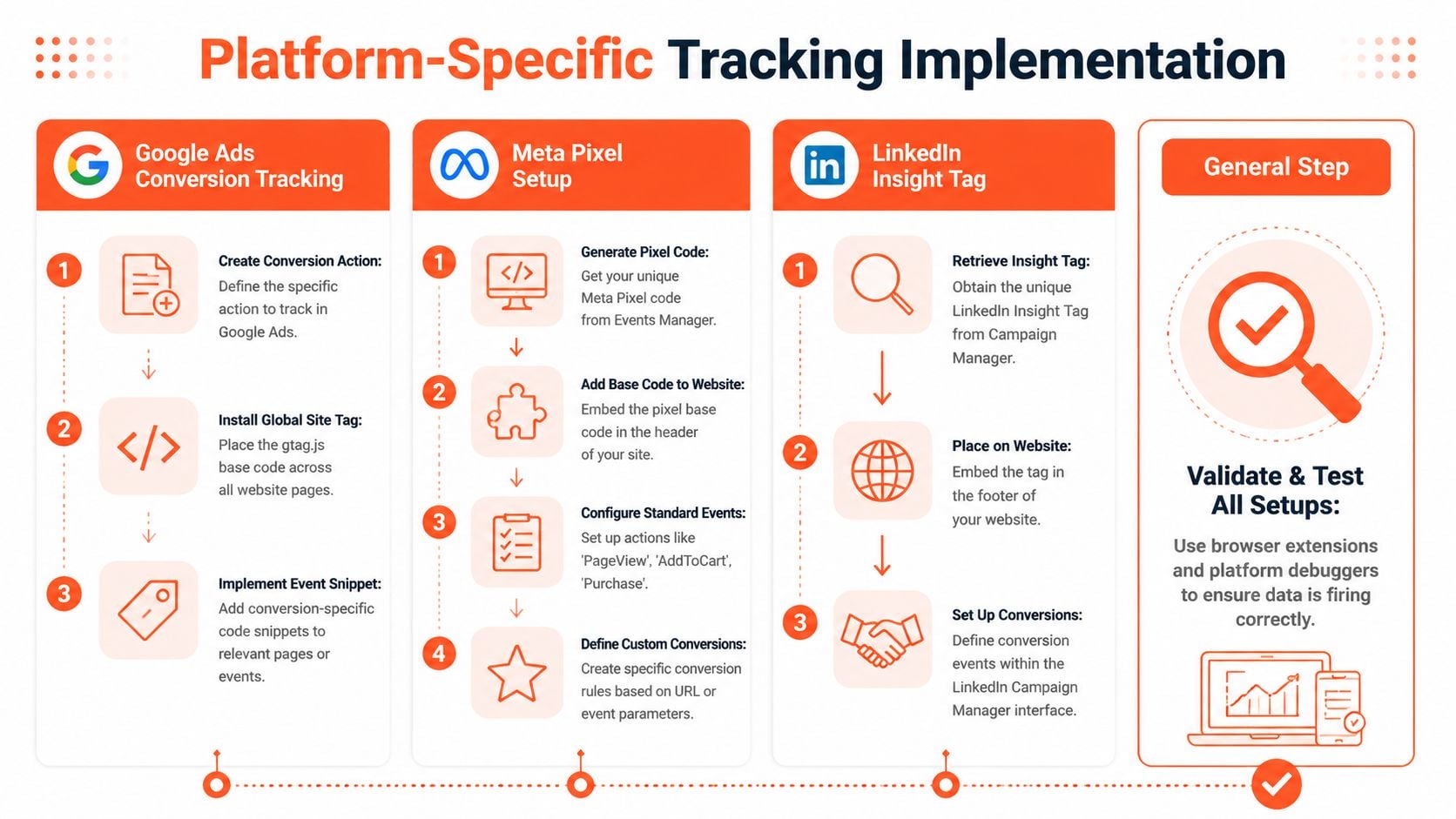
Google Ads
Google Ads is usually the most direct platform for offline conversion tracking because it can ingest click-linked conversion data through Offline Conversion Import.
The core workflow is straightforward:
- Enable auto-tagging: So the landing URL includes the Google click identifier.
- Capture the click ID: Store it in a hidden form field, a cookie, or a server-side identifier.
- Push that ID into the CRM: It must travel with the lead record.
- Create a matching conversion action in Google Ads: The uploaded event must map to a real conversion action.
- Upload the conversion after the offline event happens: That might be qualified lead, quote accepted, or closed-won.
A basic Google upload file usually includes these fields:
| Field | Example content |
|---|---|
| Google Click ID | Captured from the ad click |
| Conversion Name | Must exactly match the Google Ads conversion action |
| Conversion Time | CRM timestamp for the offline event |
| Conversion Value | Revenue or assigned value |
| Currency | AUD |
What works well:
- CSV uploads: Good for early-stage validation, low volume, or one monthly sales batch.
- Scheduled file fetch via SFTP or similar delivery: Better when uploads happen regularly.
- API integration: Best when the CRM is stable and you want repeatable, low-latency imports.
What doesn't:
- Uploading leads with no stable click ID.
- Changing conversion names in the CRM without updating Google Ads.
- Using form submissions as the final signal when closed revenue is available.
A lot of B2B teams discover that their lead reporting is only half the story. If LinkedIn is part of your mix, this resource on LinkedIn Ads management is useful background because audience quality and CRM alignment matter more there than in simpler website-only tracking setups.
Here's a practical walkthrough of the wider implementation mindset:
Meta
Meta can ingest offline events too, but the process is often less forgiving when the account relies on weak identifiers. You need consistent event naming, reliable lead capture, and clean customer data flows.
Common implementation paths include:
- Manual file upload: Fine for testing whether event matching is acceptable.
- CRM connector or middleware: Useful when Meta events need regular syncing.
- Conversions API tied to server-side events: Better for durability and privacy-aware setups.
What usually works in Meta accounts is passing back events that reflect sales quality, not just lead quantity. That means approved finance applications, attended consultations, or closed deals. What usually fails is sending noisy events with inconsistent timestamps or incomplete user data.
LinkedIn's offline conversion workflows tend to matter most for B2B accounts with long lead cycles. The volume is lower than Google in many accounts, but the value per closed deal is often higher. That changes the economics of implementation. A smaller dataset can still be worth the engineering effort if it materially improves lead quality signals.
LinkedIn setups usually depend on three things:
- A disciplined CRM pipeline
- Reliable campaign and source capture
- Event definitions that reflect actual sales progress
Manual exports can work for monthly uploads. They're often enough if your sales process is consultative and not high frequency. But if your team wants to optimise around qualified opportunities rather than raw leads, it's worth moving from spreadsheets to automation sooner rather than later.
Upload methods should match operational reality. If your team can't maintain a weekly CSV process, an “easy” manual setup isn't easy at all.
Future-Proofing Your Data with Server-Side Tracking
Browser-based tracking has become less reliable, especially when ad clicks don't turn into revenue until days or weeks later. Cookies expire, scripts are blocked, and consent settings interrupt the chain between first click and final sale. That's one reason so many Australian marketers can see leads in the CRM but can't confidently tie them back to the campaigns that drove them.
In Australia's privacy-first environment, many marketers struggle to connect form submissions to offline revenue because of signal loss. Guidance cited by PPC News Feed also notes that tutorials often miss practical methods such as using partial identifiers like surname plus suburb to pass anonymised signals back to ad platforms without breaching privacy expectations (PPC News Feed on offline conversion tracking in privacy-constrained environments).

What server-side tracking changes
Server-side tracking moves key collection and forwarding logic away from the browser and into a controlled server environment. Instead of relying on a visitor's device to carry every signal all the way through, your server receives, stores, enriches, and forwards the event data.
That improves three things:
- Data resilience: Fewer losses from browser restrictions and client-side blocking.
- Field control: You decide exactly what gets passed and when.
- Privacy posture: Sensitive data handling can be more deliberate and better documented.
For Australian businesses, this matters because privacy pressure and data quality pressure now hit at the same time. Marketing teams need stronger measurement, but they can't solve that by collecting everything indiscriminately.
Where it fits in an offline conversion setup
Server-side tracking doesn't replace your CRM or offline import process. It strengthens the path between them. A typical pattern looks like this:
- The landing visit captures first-party identifiers
- The form submission pushes those identifiers to your server
- The server passes approved fields into the CRM
- The CRM updates the lead through sales stages
- The final offline event is sent back to Google, Meta, or another platform
If you're assessing the broader shift away from browser dependence, this explainer on the future of advertising without cookies is worth reading alongside your measurement planning.
A related concept is first-party data. If your team still treats it as a buzzword, it helps to ground it in implementation detail through this guide to first-party data, because server-side setups become far easier once ownership of customer data is organised properly.
Server-side tracking isn't a magic fix. It's a control layer. It gives you a better chance of preserving valid signals and rejecting the ones you shouldn't use.
Validating Your Setup and Troubleshooting Common Errors
Most offline conversion setups don't fail because the idea is wrong. They fail because one field doesn't line up. A naming mismatch, a timezone issue, or a bad export format is enough to break the chain.
The fastest way to test your system is to run a controlled conversion from end to end. Click the ad yourself, submit a form with a known email, confirm the click identifier lands in the CRM, move the record through a test stage, then upload or sync the conversion and verify it appears in the platform.
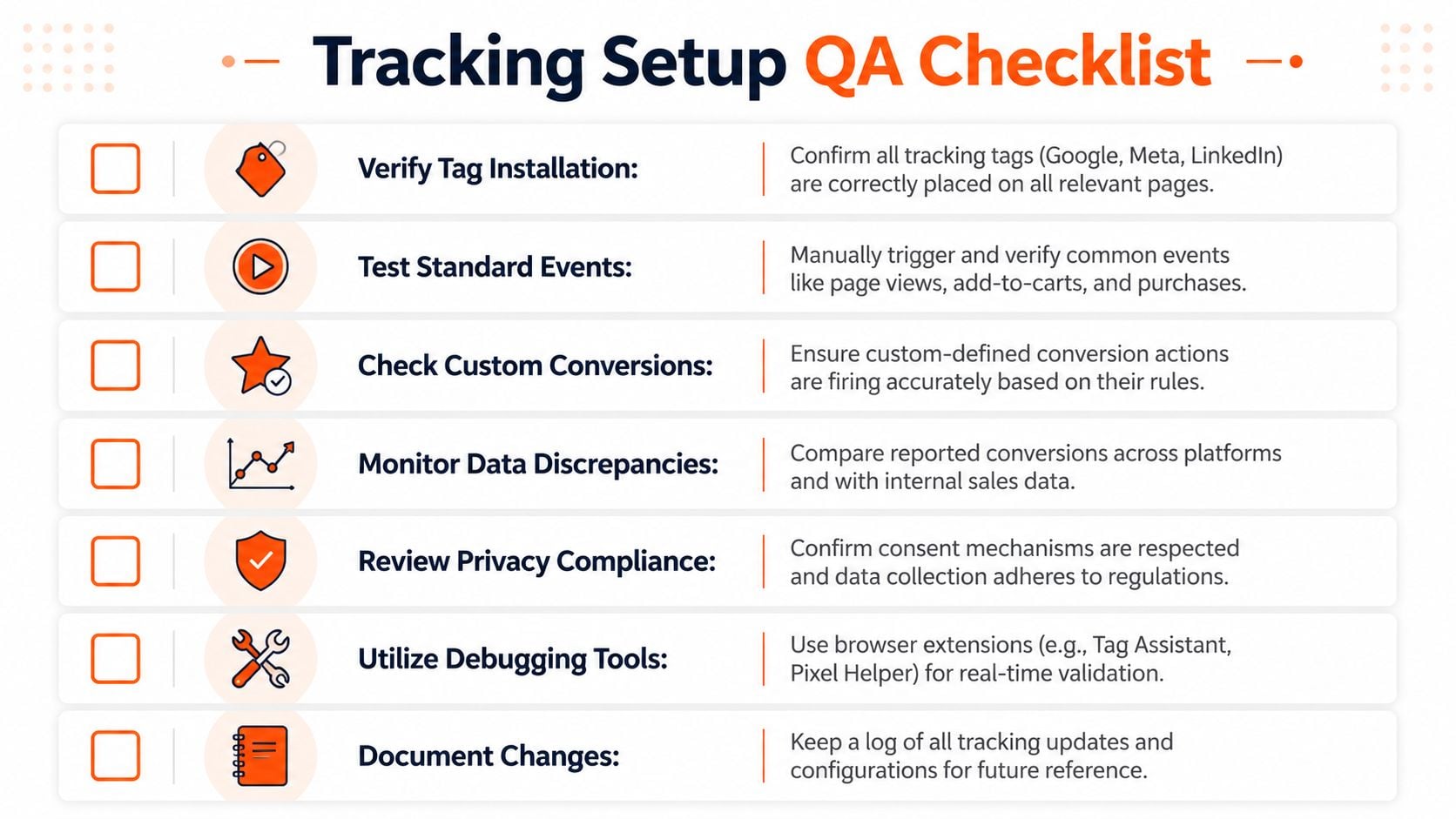
The QA checks that catch most issues
Use a short but disciplined checklist:
- Match the conversion name exactly: If Google Ads expects one label and the CRM export uses another, imports can fail without notification or map incorrectly.
- Confirm timezone handling: Australian accounts often trip over AEST and AEDT differences when timestamps are exported from CRMs or middleware.
- Check currency formatting: If you're passing value, keep the currency code consistent with your account setup.
- Validate the event date source: Use the timestamp for the actual offline event, not the form submission date unless that's the event you mean to import.
- Inspect null fields: One blank click ID or malformed timestamp can break a row.
- Review consent logic: Make sure the data you upload reflects your privacy rules and internal policy.
According to Cometly's discussion of conversion data accuracy problems, a frequent pitfall is misaligned conversion names or timezones between CRM exports and platform imports. Once standardised, Australian advertisers typically see offline conversion import success rates exceed 95 to 98% (Cometly on conversion data accuracy problems).
Debugging by symptom
Different symptoms point to different faults. That's useful because it saves hours of random checking.
| Symptom | Likely cause | First thing to inspect |
|---|---|---|
| Imports rejected | Naming or file format mismatch | Conversion action name |
| Conversions imported but not attributed properly | Wrong click ID or event timing | Stored identifier and timestamp |
| CRM revenue higher than ad platform revenue | Match loss or consent filtering | Identifier coverage and upload rules |
| One platform works, another doesn't | Platform-specific mapping issue | Event schema and required fields |
For Google-specific troubleshooting, this reference on Google Ads conversion tracking can be handy when isolating import logic from broader tag issues.
Don't start debugging in the ad platform. Start at the lead record. If the identifier isn't stored correctly in the CRM, everything after that is just noise.
Using Offline Data to Optimise Campaign Performance
Once the data is flowing, campaign management changes. You stop treating every lead as equal because the platforms no longer need to guess which enquiries turn into revenue. They can see the difference between a weak form fill and a customer who makes a purchase.
That affects bidding first. In Google Ads, value-based strategies become more useful when conversion values reflect real business outcomes rather than placeholder website events. In Meta, audience learning improves when the platform receives stronger downstream feedback. In LinkedIn, sales-stage imports help reduce the common problem of optimising for expensive but low-quality lead volume.
What to change in live accounts
Start with the reports you already use, but reinterpret them through offline outcomes.
- Compare lead volume against closed revenue: Some campaigns that look inefficient on CPL become strong performers once closed deals are counted.
- Reduce spend on shallow-intent traffic: If certain keywords or audiences create forms but not sales, stop feeding them budget.
- Promote high-quality conversion actions: Move optimisation toward qualified lead, approved quote, or closed-won where the volume supports it.
- Review sales lag by channel: Some campaigns look weak inside short reporting windows but produce strong delayed revenue.
The strategic shift most teams miss
Offline conversion tracking doesn't just improve attribution. It changes what “performance” means inside the account. Marketing teams often discover that their best-looking campaigns were only good at generating admin work for sales. The campaigns that looked slower or more expensive sometimes produce the best customers.
That's why the feedback loop matters so much. Platforms optimise toward the signals you feed them. If you upload top-of-funnel events only, you train the system to chase convenience. If you upload real outcomes, you train it to chase commercial value.
A practical rhythm works best here. Review offline outcomes inside campaign reports, compare them with CRM stages, then adjust budgets, bidding targets, and creative based on what closes. That's where offline conversion tracking stops being a measurement project and starts becoming a profit lever.
From Data Chaos to Attribution Clarity
Offline conversion tracking is one of those disciplines that looks technical from the outside but is really operational. It forces marketing, sales, CRM administration, and reporting to agree on what happened, when it happened, and which ad click started it.
The businesses that get this right usually do the simple things well. They define meaningful offline events. They capture identifiers cleanly. They standardise naming. They respect privacy constraints. They test the full path before trusting the dashboard.
For Australian businesses, the local details matter more than many guides admit. Privacy expectations are tighter, browser signal loss is real, and timezone handling can break imports if no one owns the process. Those aren't edge cases. They're normal operating conditions.
Once you close the loop between ad click and offline revenue, reporting becomes more credible. Bid strategies get smarter. Budget allocation becomes less political because the data is harder to argue with. A key outcome is that you stop rewarding channels for generating activity and start rewarding them for generating business.
That shift is what turns offline conversion tracking from a technical task into a durable growth system.
If your team needs help building or cleaning up offline conversion tracking across Google Ads, Meta, and LinkedIn, Click Click Bang Bang can help you connect ad spend to actual revenue with practical PPC strategy, rigorous tracking, and reporting that reflects what your sales team is really closing.
Read NeXt
Or Read Our Latest
- Manual vs Automated Bidding for PPC Success
- Conversion Tracking Setup: A Complete AU Guide
- Instagram Advertising Australia: Complete 2026 Guide
- Pay Per Click: A Beginner’s Guide for Australian Marketers
- Display Advertising on Google: The Complete Australian Guide
- Stakeholder Communication Plan How to Build One That Works
Click. CLick. Subscribe.
Get our best PPC insights, industry updates, and power moves delivered straight to your inbox. No fluff, just high-caliber strategies that actually work.
Don’t Leave Just Yet
Try Us For 30-Days,
Risk Free!!
We guarantee that you’ll love our work within the first 30 days, if not you’ll get your money back.
What have you got to lose?