

Mastering Technical SEO Auditing for Better Rankings
Last Updated

A technical SEO audit is a deep dive into your website's health, making sure search engines like Google can actually find, crawl, and index your pages without a hitch. It covers everything from site speed and mobile-friendliness to crawlability and security.
Think of it as the foundation inspection for your house – without a solid base, everything else you build on top is at risk.
Setting the Stage for an Effective Technical Audit
Before you even think about firing up a crawler or digging into lines of code, the most important part of a technical audit happens right at the beginning: the planning phase. If you dive in without clear goals and a defined scope, you'll quickly find yourself drowning in a sea of data, fixing things that don’t actually move the needle for your business.
A successful audit starts with a simple question: "What does success look like here?" For an e-commerce site, the main goal might be to get all product variations properly indexed. For a lead-gen business, it could be all about improving the mobile performance of key landing pages to slash bounce rates.
Define Your Goals and Scope
First up, set specific, measurable objectives. A vague goal like "improve SEO" is useless. Instead, aim for something concrete, like "increase organic traffic to category pages by 15% in Q3" or "achieve a 'Good' Core Web Vitals score for 90% of our URLs."
Defining the scope is just as critical. Are you auditing the entire domain, a specific subdomain, or just the blog? Limiting the scope stops the audit from turning into a never-ending project. For a huge website, you might decide to tackle it section by section, starting with the most important areas first. This targeted approach delivers focused results and keeps the whole process manageable.
Gather Your Essential Toolkit
No technical auditor gets far without the right tools. Your core toolkit should include:
- A Web Crawler: Tools like Screaming Frog or Sitebulb are non-negotiable. They act like a search engine bot, crawling your site to uncover broken links, analyse page titles, spot redirect chains, and a whole lot more.
- Google Search Console (GSC): This is your direct line to Google. GSC gives you critical data on indexing status, mobile usability, security issues, and Core Web Vitals. It's the source of truth.
- Performance Analysers: Google PageSpeed Insights and GTmetrix are essential for diagnosing speed-related problems. They provide actionable recommendations to improve your load times.
This infographic breaks down the simple, three-step prep process before you launch your audit.
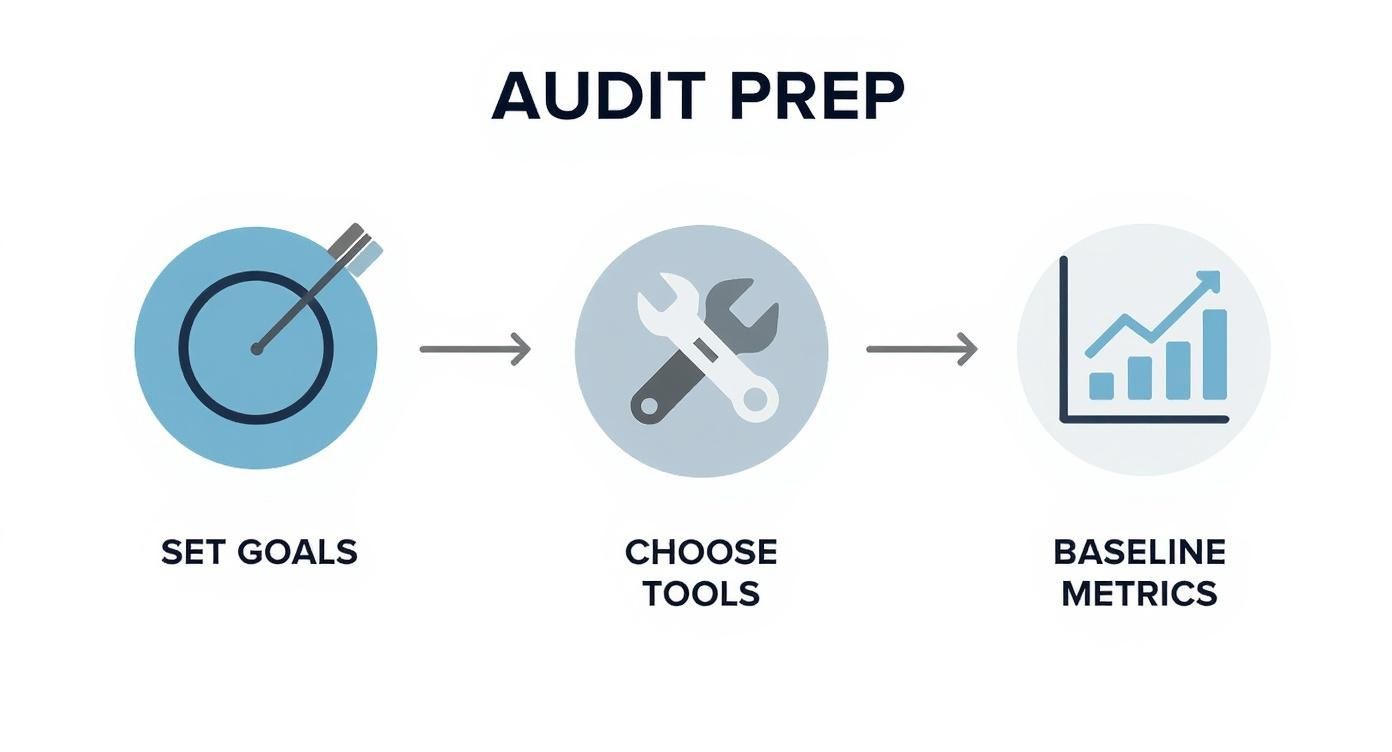
Following this sequence makes sure your audit is structured, measurable, and tied to real business objectives right from the start.
Establish Baseline Metrics
Finally, before you touch a single thing, take a "before" snapshot of your site's performance. Record key metrics like organic traffic, keyword rankings for top pages, crawl errors reported in GSC, and your current page speed scores.
Capturing baseline data is non-negotiable. Without it, you have no reliable way to prove the value of your fixes or measure the true return on investment from your technical SEO efforts.
This initial data becomes your benchmark, allowing you to clearly show the impact of your remediation work later on. Here in Australia, we know technical audits can span several weeks to months, especially with implementation, which makes that baseline data absolutely vital for tracking progress.
To understand how these audits fit into the bigger picture, check out our comprehensive guide to search engine optimisation.
Diagnosing Crawlability and Indexing Issues
Let's get one thing straight from the outset: if Googlebot can't find, crawl, and understand your website, your entire SEO strategy is dead in the water. It’s the absolute ground floor of any technical SEO audit. No matter how brilliant your content or clever your keyword strategy, it all means nothing if search engines can’t even get through the front door.
This part of the audit moves beyond theory and gets right into the engine room of your site. We’re hunting for the digital roadblocks that stop search engines in their tracks, often without you even knowing they’re there.
Uncovering Crawl Blockers in Robots.txt
Your first port of call should always be the robots.txt file. It's a simple text file that acts as the rulebook for visiting search engine crawlers. While it's a powerful tool for telling bots which areas to ignore (like admin pages or staging environments), a single incorrect line can have disastrous consequences.
I once worked on an e-commerce site where a developer accidentally left a Disallow: / directive in the live robots.txt file after a migration. This single line blocked the entire website from being crawled. Their organic traffic plummeted by over 80% in a week. Fixing that one character was the fastest high-impact win I've ever delivered.
During your audit, you need to meticulously check for:
- Overly broad disallow rules: Look for wildcard directives like
Disallow: /*?which can inadvertently block faceted navigation URLs that you actually want indexed. - Blocking critical resources: Make absolutely sure that CSS and JavaScript files aren't disallowed. Blocking these prevents Google from rendering your pages correctly, which severely impacts its ability to understand your content.
- Incorrect sitemap location: The
robots.txtfile should point to the correct location of your XML sitemap. It's a small detail, but it helps crawlers find your map of important URLs more efficiently.
Decoding Google Search Console Coverage Reports
Google Search Console (GSC) is your direct communication channel with Google, and its Index Coverage report is pure gold for a technical SEO audit. This report tells you exactly which pages are indexed and, more importantly, which ones aren't and why.
Don't just glance at the top-level numbers. The real story is in the details, so you need to dive into the "Excluded" tab to find the juicy issues.
The 'Excluded' section of the GSC Coverage report is where you’ll find the story behind your indexing problems. Pages marked as 'Crawled – currently not indexed' or 'Discovered – currently not indexed' are huge red flags that Google doesn't deem those pages worthy of being in its index, often due to thin or duplicate content.
Pay close attention to these common statuses:
- Blocked by robots.txt: This confirms a rule is preventing Google from crawling a specific URL.
- Page with redirect: While normal for intentional redirects, a high count could signal redirect chains or loops that waste crawl budget.
- Not found (404): A large number of 404s, especially for pages that get traffic or have backlinks, needs immediate attention.
To help you get started, here's a quick rundown of some of the most frequent crawl and indexing issues you'll encounter and how to tackle them.
Common Crawl and Indexing Issues and Their Solutions
| Issue | Potential Cause | Recommended Solution |
|---|---|---|
| Entire Site Blocked | Disallow: / in robots.txt. |
Remove the offending line immediately. |
| CSS/JS Files Blocked | Disallow: rules targeting resource folders. |
Update robots.txt to allow crawlers access to all necessary CSS and JS files. |
| 'Crawled – currently not indexed' | Thin or duplicate content; low-quality pages. | Improve content quality, consolidate similar pages, or use a noindex tag if the page shouldn't be indexed. |
| 'Discovered – currently not indexed' | Low site authority; poor internal linking. | Improve internal linking to the page; build external links; ensure the page offers unique value. |
| Soft 404s | "Not found" pages returning a 200 OK status code instead of a 404. | Configure the server to return a proper 404 or 410 status code for pages that no longer exist. |
| Large number of 404s | Pages removed without redirects; broken internal links. | Implement 301 redirects for removed pages to their most relevant new equivalent. Fix broken internal links. |
This table is just a starting point, but it covers the low-hanging fruit you're likely to find. Fixing these problems can often lead to quick and noticeable improvements in your site's organic visibility.
Managing Crawl Budget and Traps
For large sites with thousands or millions of pages, crawl budget becomes a critical factor. Think of it as the finite amount of resources and time Google will dedicate to crawling your site. If that budget gets wasted on low-value pages, your most important content might get crawled less frequently or not at all.
Crawl traps are one of the biggest culprits for wasted budget. Faceted navigation on e-commerce sites, for instance, can create a near-infinite number of URL combinations from filters (colour, size, brand). This can send Googlebot into a mind-numbing crawling loop, burning through your budget on duplicate or thin pages.
Technical SEO audits in Australia often highlight these exact issues for SMEs, alongside problems with mobile usability and Core Web Vitals. If a website isn't properly crawlable, the quality of its content becomes totally irrelevant. Many Australian SEO professionals advise performing these audits every 3 to 6 months to catch such problems early. You can discover more insights about the importance of technical audits and learn how they are approached down under. This regular check-up is essential for any site that frequently updates its content.
Diving into Site Structure and Internal Linking
Think of a strong site structure as the architectural blueprint for your website. It’s the logical framework that shows users and search engines exactly how to find your most important pages. Get it right, and you have a clear, organised experience. Get it wrong, and you're left with a chaotic maze of URLs that confuses crawlers, frustrates visitors, and torpedoes your rankings.
This part of the audit is all about checking that architectural integrity. A logical hierarchy doesn't just feel better for users; it also helps "link juice" (or link equity) flow efficiently through your site, giving your most valuable pages the authority they need to rank.

Analysing Click Depth and URL Patterns
First on the list is click depth. This is simply how many clicks it takes to get from your homepage to any other page. Your most critical pages—think top product categories or core service pages—should ideally be no more than three clicks away from home.
When important pages are buried too deep, two bad things happen:
- Users give up: People are far less likely to find what they're looking for if it's hidden behind four, five, or six clicks.
- Search engines lose interest: Pages with high click depth are often seen as less important by Google, meaning they get less attention from crawlers and less authority passed to them.
Fire up a tool like Screaming Frog to crawl your site and get a clear picture of the click depth for every URL. Your job is to spot high-value pages that are four or more clicks deep. Once you find them, figure out how to pull them closer to the surface with better navigation or by linking to them from more authoritative pages.
While you're at it, take a hard look at your URL patterns. You want them to be clean and consistent. A descriptive URL like /services/ecommerce-seo/ is infinitely better than a messy, parameter-filled one like /cat.php?id=88&session=123. Sloppy URL structures can create duplicate content headaches and make it harder for everyone—users and search engines alike—to understand what your pages are about.
Hunting for Orphaned Pages
Orphaned pages are the ghosts in your machine—URLs that exist but have zero internal links pointing to them. Because they're disconnected from the rest of your site's architecture, search engine crawlers can't find them, and they receive no internal link equity.
Think of an orphaned page as a perfectly good room in a house that has no doors leading to it. No one can find it, and it serves no purpose. Finding and integrating these pages is a quick win in any technical SEO audit.
To track down these hidden pages, you need to cross-reference a list of crawled URLs with a list from another source, like your XML sitemap or Google Analytics data. Any URL that shows up in your sitemap but not in your crawl is a prime suspect. The fix is usually straightforward: link to these pages from relevant, connected parts of your site to bring them back into the fold.
Optimising Internal Links and Breadcrumbs
Beyond the big-picture structure, it’s crucial to assess your effective internal linking strategies. This is all about distributing page authority and making navigation a breeze. Your internal links should be strategic, not just sprinkled in randomly. Always use descriptive anchor text that tells people and search engines what the destination page is about. For example, linking with "our e-commerce SEO services" provides far more context and value than a generic "click here."
For online stores, this is non-negotiable. A well-thought-out internal linking plan is fundamental, which is why many businesses turn to specialists for their ecommerce SEO services to ensure every product and category page is properly connected and discoverable.
Finally, don't forget to check your breadcrumbs. These little navigational trails (e.g., Home > Services > SEO) are fantastic for user experience. They show people exactly where they are on your site and make it easy to navigate back to higher-level pages, which helps reduce bounce rates. Even better, they give search engines another clear signal about your site's hierarchy. Make sure they're present, accurate, and ideally marked up with structured data for that extra SEO kick.
Auditing On-Page Elements and Content Signals
Alright, once you've confirmed that search engines can actually crawl your site and the architecture makes sense, it's time to dig into the on-page elements. This is where we shift from pure structure to the direct signals you're sending Google about what each page is about and why it deserves to rank.
A lot of so-called "technical" audits stop at crawlability, and frankly, that’s a massive mistake. A perfectly crawlable page with confusing or weak on-page signals is like a car with a great engine but no steering wheel—it’s not going to get where it needs to go. We're hunting for the red flags that dilute your content's authority and leave search engines guessing.

Tackling Duplicate and Thin Content
Duplicate content is one of the oldest and most persistent ranking killers out there. It pops up when the same (or nearly identical) content exists on multiple URLs. When this happens, you're forcing Google to play a guessing game, picking which version it thinks is the "canonical" one to show in search results. Sometimes it gets it wrong; other times, it just splits your ranking power between all the different versions, weakening them all.
You'd be surprised how easily it happens. Common culprits include:
- HTTP vs. HTTPS versions: When both
http://yourdomain.com.auandhttps://yourdomain.com.auload the same page without a redirect. - WWW vs. non-WWW versions: Same deal, but with
www.yourdomain.com.auandyourdomain.com.au. - URL parameters: These are often used for tracking or filtering (think
/product?source=email), creating new URLs that serve up the exact same content as the original.
Fire up a crawler like Screaming Frog and look for duplicate page titles, H1s, and meta descriptions. These are usually dead giveaways. The fix is almost always a 301 redirect to your preferred version or using the rel="canonical" tag to clearly point search engines to the one true URL.
Just as bad is thin content. These are the pages with barely any unique, valuable text. They’re a terrible experience for users and a huge red flag for Google's quality algorithms, potentially dragging down your entire site's authority. Your audit needs to sniff out pages with low word counts so you can either beef them up with genuinely useful content or just cut them loose and redirect the URL.
Optimising Titles, Meta Descriptions, and Headers
Think of your title tag and meta description as your shop window in the search results. They are absolutely critical for your click-through rate (CTR), and a good CTR tells Google your result is a winner. A proper audit doesn't just check if they exist; it checks if they're any good.
Here's the hit list:
- Missing Titles/Descriptions: Every single indexable page needs them. No exceptions.
- Duplicate Titles/Descriptions: Each page needs its own unique pitch.
- Length Issues: Keep titles under 60 characters and descriptions under 160 characters to stop them from being cut off in the search results.
Your title tag is arguably the single most important on-page SEO element. It's not just a keyword bucket; it's your one chance to convince a searcher that your page holds the answer they're looking for.
Headers (H1, H2, H3, etc.) are just as important. They give your content a clear, logical hierarchy, which helps both users and search engines follow the flow of information. Make sure every page has one—and only one—unique H1 tag that sums up the page's topic. Then, use H2s and H3s to break down the subtopics in a logical way. Our landing page optimization checklist goes much deeper into crafting these elements for maximum impact.
Auditing Images and Internal Links
Images can be page speed assassins if they aren't optimised properly. During a technical seo auditing process, you need to check every image for a couple of key things:
- Massive File Sizes: Try to keep images under 100KB whenever you can. Use modern formats like WebP to get the best quality for the smallest size.
- Missing Alt Text: Alt text isn't just for SEO; it's an accessibility feature that describes an image for visually impaired users. It also gives search engines context. It should be descriptive but brief.
Finally, you'll want to hunt down any broken internal links that lead to 404 errors. Nothing screams "this site is poorly maintained" quite like a broken link, and it creates a dead end for users and search engine crawlers alike. A site crawl will spit out a nice, clean list of all 404s. Fix them by updating the link or setting up a 301 redirect.
Beyond the basics, don't forget about social sharing tags. Things like Open Graph tags control how your content looks when shared on platforms like Facebook or LinkedIn. Knowing how to go about debugging Open Graph previews is a surprisingly crucial skill for ensuring your content looks appealing and gets those valuable social signals.
Step 5: Improving Performance with Core Web Vitals
Site speed is no longer just a nice-to-have. It’s a fundamental ranking factor and the absolute cornerstone of a good user experience. A slow, clunky website doesn't just frustrate your visitors; it actively signals to search engines that your site offers a poor experience, which can torpedo your rankings. This stage of the audit is all about diagnosing and boosting your site’s performance, with a laser focus on Google's Core Web Vitals.
Core Web Vitals are a specific set of metrics Google uses to measure a page's real-world user experience. They essentially break down a user's perception of your site's speed into three key areas: loading, interactivity, and visual stability. Getting these right is non-negotiable if you want to be competitive.
Understanding the Core Web Vitals Metrics
Before you can fix anything, you need to know what you’re measuring. The three pillars of Core Web Vitals are:
- Largest Contentful Paint (LCP): This measures how long it takes for the largest image or text block to become visible in the viewport. A good LCP score tells the user that the page is actually loading and is useful.
- Interaction to Next Paint (INP): This metric looks at your page's overall responsiveness. It measures the time from when a user interacts with your page (like clicking a button) until the browser shows the next visual feedback.
- Cumulative Layout Shift (CLS): This one measures visual stability, putting a number on how much unexpected layout shifts mess with the user experience. A low CLS score means the page is stable and elements don't jump around annoyingly as it loads.
Your first move in any performance audit is to get a baseline. Tools like Google PageSpeed Insights and GTmetrix are your best friends here. Run your key URLs through them, and they'll spit out a detailed report on your Core Web Vitals scores, along with a hit list of specific opportunities for improvement.
To give you a clearer picture, here’s how Google grades these metrics.
Core Web Vitals Performance Thresholds
Here is a quick summary of Google's performance metrics for Core Web Vitals, showing the thresholds for 'Good', 'Needs Improvement', and 'Poor' scores.
| Metric | Good | Needs Improvement | Poor |
|---|---|---|---|
| LCP | ≤ 2.5 seconds | > 2.5s and ≤ 4s | > 4 seconds |
| INP | ≤ 200 milliseconds | > 200ms and ≤ 500ms | > 500 milliseconds |
| CLS | ≤ 0.1 | > 0.1 and ≤ 0.25 | > 0.25 |
Aiming for the 'Good' column is the goal. Falling into 'Needs Improvement' or 'Poor' is a clear sign that you have work to do.
Diagnosing Common Performance Bottlenecks
Once you have your baseline scores, the real detective work begins. Slow performance is rarely a single issue; it's usually death by a thousand cuts. Your audit process needs to hunt down these common culprits.
A frequent offender is oversized and unoptimised images. High-resolution images that haven't been compressed or served in modern formats like WebP can absolutely cripple your LCP score. Another big one is render-blocking resources—those chunky CSS and JavaScript files that have to load before anything else can be displayed. And don't forget to check your server response time; if your server is slow to begin with, no amount of on-page optimisation will make your site lightning fast.
A slow website is the digital equivalent of a long queue at a shop. Most users will simply turn around and leave. Prioritising mobile performance is especially critical, as a significant portion of your audience will be visiting on less powerful devices with slower network connections.
In Australia, technical SEO audits have become essential for any business fighting for visibility. With Australian companies projected to spend around $1.5 billion on SEO, the competition is fierce. The average click-through rate for the top organic result in Australia sits at about 29.5%, dropping sharply to just 12.8% for the second position. This steep decline highlights just how crucial it is to nail every technical factor, including site performance, to secure those top spots. You can find more details in this breakdown of Australian local SEO statistics.
Actionable Solutions for a Faster Site
Identifying problems is only half the battle. The real value of your audit comes from a clear, actionable remediation plan. Here are some of the most impactful fixes you can implement to boost your Core Web Vitals scores and overall site speed:
- Implement Effective Caching: Browser caching lets repeat visitors load your site much faster by storing static assets like images and CSS on their device. This drastically cuts down the number of requests back to your server.
- Leverage a Content Delivery Network (CDN): A CDN stores copies of your website's assets on servers located all around the world. When a user visits, the content is served from the server closest to them, which significantly reduces latency.
- Optimise and Defer Code: Minify your CSS, JavaScript, and HTML files by stripping out all the unnecessary characters and spaces. Also, make sure to defer the loading of any non-critical JavaScript so it doesn't block the initial page render.
- Compress and Lazy-Load Images: Use tools to compress your images without sacrificing too much quality. Implement lazy loading so that images below the fold only load when the user actually scrolls down to them, which speeds up the initial load time.
By systematically identifying these bottlenecks and rolling out targeted fixes, you can make huge improvements to your site's performance. The result? Better user engagement, higher conversion rates, and, of course, improved search engine rankings.
Still Have Questions About Technical SEO Audits?
Even after a deep dive into the technical side of SEO, a few practical questions always pop up. It's one thing to understand the what and why of a technical audit, but the how often, what to expect, and where to start can feel a bit murky. Let's clear the air on some of the most common questions I get asked.

How Often Should I Run a Technical SEO Audit?
There’s no magic number here. The right frequency really depends on the size and complexity of your website. Your audit schedule should mirror how often your site changes.
For a sprawling, dynamic e-commerce store with thousands of product pages and constant updates, a quarterly audit is a non-negotiable. It helps you stay on top of issues like broken links or indexing problems before they get out of hand. On the flip side, a smaller, more static business website can usually get by with a thorough check-up every six to twelve months.
That said, some events should trigger an immediate, full-scale technical audit, no matter when your last one was. These include:
- A full-blown site migration to a new domain or platform.
- A major redesign or a significant shift in your site’s architecture.
- A sudden, unexplained, and sustained drop in organic traffic.
What Are the Most Common Audit Findings?
Every site has its own unique quirks, but after doing this for years, you start to see the same handful of problems crop up again and again. These are the usual suspects that often cause the biggest performance headaches, and fixing them can deliver a satisfyingly quick win.
Slow page speed is almost always public enemy number one, usually thanks to huge, unoptimised images or render-blocking scripts. We also find a ton of broken internal links (404s) that create dead ends for both users and search engine crawlers. Another classic is messy redirect chains, especially using temporary 302 redirects where permanent 301s are needed, which can bleed link equity.
One of the most stubborn issues we see is duplicate content. This often happens by accident through things like URL parameters, session IDs, or just failing to consolidate the HTTP and HTTPS versions of a site. It forces Google to guess which page it should rank, and you don't want Google guessing.
And of course, missing or poorly written title tags and meta descriptions are still everywhere. These are your shop window in the search results, and leaving them blank is like forgetting to put a sign on your store.
Should I Hire an Expert or Do It Myself?
This is the big question that really comes down to balancing your budget against your need for deep expertise. You can absolutely get a solid start on your own.
With tools like Google Search Console (which is free!) and the free version of a crawler like Screaming Frog, you can uncover a lot. This DIY approach is a fantastic way to learn the fundamentals of technical SEO and spot the most obvious, high-impact problems yourself.
However, when you start hitting really tricky or deep-seated issues, a professional's experience is invaluable. Diagnosing complex JavaScript rendering problems, performing a log file analysis to see where Google is wasting its crawl budget, or untangling a messy international SEO setup often requires specialised skills. If organic search is a make-or-break channel for your business, investing in an expert audit will give you a strategic, impactful, and ultimately more profitable roadmap.
How Should I Prioritise Fixes After My Audit?
An audit can spit out a terrifyingly long list of recommendations. The key is not to get overwhelmed. You need a system to figure out where to start, and the best one I've found is a simple "Impact vs. Effort" matrix.
It's a straightforward framework where you categorise every recommendation against two criteria:
- Potential SEO Impact: How much will this improve rankings, traffic, or user experience? (High, Medium, Low)
- Implementation Effort: How much time, money, and developer help will this take? (High, Medium, Low)
Your first move should always be the "High Impact, Low Effort" tasks. These are your quick wins—the low-hanging fruit that can deliver real results without a massive project. Once those are done, you can tackle the "High Impact, High Effort" items, as these will likely drive the most significant long-term growth. This structured approach ensures you’re always putting your energy where it counts most.
A thorough technical audit is the bedrock of a healthy, high-ranking website. At Click Click Bang Bang, we turn those audit insights into actionable strategies that drive real business results. Our AI-first approach to SEO ensures your site isn't just technically sound, but perfectly tuned for the future of search. Discover how our data-driven SEO services can elevate your online presence.
Read NeXt
Or Read Our Latest
- Manual vs Automated Bidding for PPC Success
- Conversion Tracking Setup: A Complete AU Guide
- Instagram Advertising Australia: Complete 2026 Guide
- Pay Per Click: A Beginner’s Guide for Australian Marketers
- Display Advertising on Google: The Complete Australian Guide
- Stakeholder Communication Plan How to Build One That Works
Click. CLick. Subscribe.
Get our best PPC insights, industry updates, and power moves delivered straight to your inbox. No fluff, just high-caliber strategies that actually work.
Don’t Leave Just Yet
Try Us For 30-Days,
Risk Free!!
We guarantee that you’ll love our work within the first 30 days, if not you’ll get your money back.
What have you got to lose?