

A Modern Guide to LinkedIn Ad Management
Last Updated

You wouldn't start building a house without laying the foundations first, right? The same goes for LinkedIn ads. Getting the initial setup right is what separates the campaigns that fly from the ones that just burn cash. It’s not just a box-ticking exercise; it’s the difference between guessing and knowing your ads are working.
Building Your Foundation for LinkedIn Success
A rock-solid technical and strategic base is non-negotiable. Without it, you’re basically advertising in the dark, with no real way to measure results, retarget genuinely interested people, or figure out your true return on investment.
And before you even think about paid ads, take a hard look at your LinkedIn Company Page. This is your digital storefront. Make sure it’s fully optimised with a clear description, sharp branding, and a few recent updates. An active, professional-looking page gives you instant credibility when people click through from your ads.
Setting Up Your Campaign Manager Account
Your journey starts in Campaign Manager, LinkedIn’s central hub for everything ads. Getting this part right is paramount.
- Create Your Account: Log into LinkedIn, head to the "Advertise" section, and create a new ad account. You'll need an account name, but pay close attention to the billing currency—you can't change it later, so choose wisely.
- Connect Your Company Page: Link your official Company Page to the account. This is essential for most ad formats and makes sure your brand shows up correctly.
- Configure Billing: Jump into the billing centre and add a valid payment method. Simple, but crucial—your campaigns won't run without it.
- Assign Team Permissions: Go to "Manage access" to add colleagues or agency partners. Use the different roles (like Campaign Manager or Viewer) to give people the access they need without handing over the keys to the kingdom.
Once you’re in, the Campaign Manager dashboard gives you a clean, centralised view of all your advertising efforts.
This is where you'll live, keeping an eye on performance, objectives, and how your budget is tracking.
Installing the LinkedIn Insight Tag
If there's one technical step you absolutely cannot skip, it's installing the LinkedIn Insight Tag. This little snippet of JavaScript is the central nervous system of your entire advertising operation.
Once it's on your website, it unlocks the most powerful features for managing your ads effectively.
The Insight Tag is non-negotiable for serious advertisers. It powers conversion tracking, website retargeting, and provides rich demographic data about your site visitors—information you can use to refine your targeting and prove ROI.
Without it, you can't accurately track how many leads or sales your ads are actually generating. The tag is what lets you create powerful Matched Audiences, like retargeting everyone who checked out your pricing page in the last 30 days.
For businesses looking for a fast-track, partnering with a specialised LinkedIn advertising agency ensures this foundational tracking is nailed from day one. This prevents painful data gaps later and maximises your campaign potential.
Trust me, taking the time to get these foundational bits right will pay off tenfold, leading to smarter decisions and much better results down the line.
Designing Your Audience and Campaign Blueprint
Effective LinkedIn ad management really boils down to one core principle: reaching the right people with the right message. This is where you move from theory into the practical art of building your ideal customer profile on the platform. It's about being surgical with your targeting, not just casting a wide net and hoping for the best.
The platform’s real strength is its incredibly granular targeting. You can go far beyond basic demographics and start layering attributes that define your perfect customer. This isn't just about targeting a specific industry; it's about reaching the Head of Marketing at a SaaS company with 51-200 employees who has decision-making seniority. That level of precision is what makes LinkedIn a B2B powerhouse.
This strategic approach is particularly potent in Australia. LinkedIn’s ad platform can reach approximately 18 million users here, making it the fourth-largest social platform by reach in the country. Crucially, its strongest engagement is among the 25-54 age demographic—the absolute sweet spot for reaching prime decision-makers with purchasing power. You can find more insights into Australia's social media landscape on roi.com.au.
Mastering Advanced Audience Layers
While attribute-based targeting is your starting point, Matched Audiences are where the real magic happens. This suite of tools lets you connect with people who've already shown interest in your business, making your ad spend incredibly efficient. Think of it as moving from a cold introduction to a warm conversation.
You have three powerful options at your disposal:
- Website Retargeting: Using the Insight Tag, you can build audiences of people who have visited specific pages on your site. For example, a SaaS company could create an audience of everyone who viewed their pricing page but didn't book a demo in the last 30 days.
- Contact & Company Targeting: This is the heart of account-based marketing (ABM). You can upload a list of target companies or a CSV of contact email addresses (like your newsletter subscribers) to serve them highly specific ads.
- Lookalike Audiences: Once you have a high-quality source audience (like a list of your best customers), LinkedIn can build a lookalike audience of other members who share similar characteristics. This is a brilliant way to find new, qualified prospects at scale.
To help you decide which targeting method to use and when, here's a quick comparison of the core options available on LinkedIn.
LinkedIn Audience Targeting Options Compared
| Targeting Method | Best Used For | Example Scenario |
|---|---|---|
| Attribute Targeting | Top-of-funnel awareness and prospecting when you know your ideal customer profile well. | A fintech company wants to reach 'CFOs' and 'Finance Directors' in the 'Financial Services' industry with over 500 employees. |
| Website Retargeting | Mid-to-bottom-funnel campaigns to re-engage warm prospects who have already visited your site. | An e-commerce brand targets users who added an item to their cart but didn't complete the purchase in the last 14 days. |
| Contact & Company Lists | Hyper-targeted ABM campaigns or nurturing existing leads/customers with specific messaging. | A B2B software firm uploads a list of 100 dream accounts to serve ads exclusively to key decision-makers within those companies. |
| Lookalike Audiences | Scaling top-of-funnel campaigns by finding new prospects who resemble your best existing customers. | A professional services firm creates a lookalike audience based on a list of their highest-value clients to find similar businesses. |
Choosing the right mix of these targeting types is fundamental. You'll likely use attribute targeting to find new people, retargeting to bring them back, and lookalikes to scale what's already working.
Your campaign's success is often determined before you even write the ad copy. A well-defined audience and a logical campaign structure are the scaffolding upon which high-performing ads are built.
This decision tree visualises the initial steps for setting up an effective campaign, starting with the critical check of your Insight Tag.
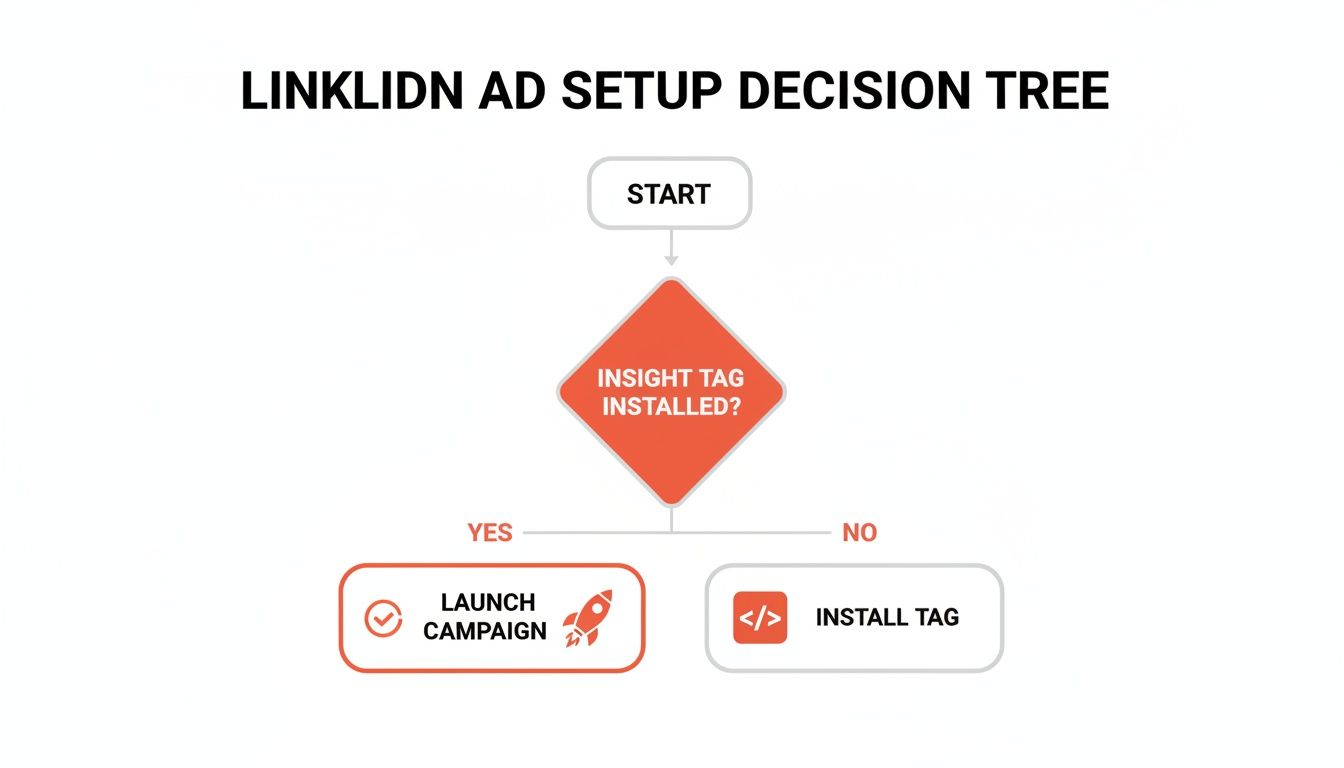
This simple flow highlights a crucial point: launching a campaign without proper tracking is a step in the wrong direction. The Insight Tag is the non-negotiable first move.
Structuring Campaigns for Clarity and Control
How you organise your campaigns is just as important as who you target. A messy structure leads to confusing data and wasted budget. The key is to create a logical hierarchy that makes analysis and optimisation totally straightforward.
A best-practice structure involves organising campaigns by their core business objective (e.g., Lead Generation, Brand Awareness). Within each campaign, you create distinct ad groups, each targeting a different audience segment. This separation is vital because it allows you to see exactly which audiences are performing and which aren't.
For example, a professional services firm might run a "Lead Gen – Whitepaper Download" campaign. Inside, they could have separate ad groups for:
- AG01 – Job Titles: Targeting specific roles like 'Financial Controller' or 'CFO'.
- AG02 – Website Visitors: Retargeting people who visited relevant blog posts.
- AG03 – Lookalike Audience: Based on their existing client list.
This structure lets you put more budget behind the top-performing ad group and pause the ones that aren't delivering, maximising your return on investment. Adopting a clear naming convention (like [Region]_[Campaign Type]_[Objective]) also makes navigating your account and reporting on results significantly easier down the track.
Creating Ads That Actually Convert
You can have the most perfectly tuned audiences and a flawless campaign structure, but it all counts for nothing if your ads don't connect. It's the creative that does the heavy lifting. Effective LinkedIn ad management comes down to developing ads that don't just get seen—they stop the scroll, speak directly to a prospect’s professional challenges, and drive them to take that one crucial next step.
First things first, let's move beyond a one-size-fits-all approach to ad formats. Each one has a specific job to do. A bold Single Image Ad is your go-to for a direct, high-impact offer. Think promoting a free trial or a product demo – its simplicity cuts straight through the noise with a crystal-clear value proposition.
On the other hand, a Document Ad is brilliant for building authority. By offering up a valuable whitepaper, an industry benchmark report, or a handy checklist right there in the feed, you instantly position your brand as a helpful expert. This format is a lead-gen machine, building trust and capturing high-intent prospects without ever making them leave the LinkedIn platform.
Writing Copy That Connects
Your headline and ad copy are the bridge between what you're offering and what your audience actually needs. Generic, company-first language is a complete waste of ad spend. Your mission is to enter the conversation that's already happening in your prospect's head.
- Zero in on the Pain Point: Start by hitting the nerve. A headline like "Struggling to Forecast Q4 Revenue?" is miles more effective than "The Best New Financial Software."
- Be the Clear Solution: Don't leave them hanging. Immediately follow up the problem with your solution, explaining exactly how your product or service makes their specific pain go away.
- Speak Their Language: Ditch the internal jargon. Talk like they talk. This makes your message feel authentic and immediately relevant to their world.
Great ad copy isn't about being clever; it’s about being understood. It needs to instantly answer the user’s unspoken question: "What's in this for me?"

The Power of a Singular Call-to-Action
One of the most common mistakes I see is a weak or confusing call-to-action (CTA). Your ad should guide the user towards one single, unambiguous next step. Asking them to "Learn More," "Download the E-book," and "Visit Our Website" all at once just creates decision paralysis. They'll end up doing nothing.
Pick a CTA that aligns perfectly with your campaign goal. If you're after leads, use "Download" or "Register." Driving traffic? "Learn More" is your friend. Make it obvious, direct, and compelling.
A successful ad is a masterclass in focus. It targets a specific audience, addresses a single problem, presents one clear solution, and directs them to one unmistakable action. Anything else is just noise.
This focus is especially critical when you're using video. LinkedIn’s native video ads are seriously powerful, achieving 3x longer view durations compared to other platforms. That extra engagement is gold for Australian B2B businesses trying to explain complex solutions. In fact, data shows LinkedIn is the preferred source for professionally relevant content for 91% of executives. To cash in on this, your video must build towards a single, clear CTA at the end.
A Framework for A/B Testing Creative
Never assume you know what will work best. A structured A/B testing plan is non-negotiable for getting better results over time. Instead of just tweaking random elements, focus on variables that can make a real impact.
Start by testing fundamentally different creative concepts against each other:
- Imagery: Pit a product-focused image against one featuring people. A software company, for example, could test a clean screenshot of its dashboard versus a photo of a team collaborating.
- Headlines: Test a question-based headline against a statement-based one. Think "Is Your Team Wasting Time on Manual Reports?" versus "Automate Your Team's Reporting in Minutes."
- Copy Length: Compare short, punchy ad copy (under 150 characters) with a more detailed version that gives a bit more context.
By changing only one thing at a time, you can figure out what's truly moving the needle. Let each test run long enough to get solid data—usually at least 7-14 days. This methodical approach, which you can see in these powerful LinkedIn ads examples, is what turns good campaigns into great ones.
Smart Budgeting and Bidding Strategies
A killer LinkedIn ad campaign isn't just about sharp creative and a perfectly tuned audience. It's about making every single dollar you spend work as hard as it possibly can. This is where your budgeting and bidding strategy comes in—it's the engine room of your campaign, turning a great idea into a profitable one.
First up, let's get the two core budget types straight: Daily and Lifetime.
A daily budget gives you tight control over your day-to-day spend. It’s perfect for those always-on campaigns or when you're in a testing phase and need a consistent flow of data to see what’s working. You set the limit, and LinkedIn sticks to it. Simple.
A lifetime budget, on the other hand, hands the keys over to LinkedIn’s algorithm. You set a total budget for a specific period (say, $1,000 over one month), and the platform gets the flexibility to spend more on days when it predicts better results and pull back on quieter days. This is often the more efficient choice for short-term campaigns, like promoting a webinar, where the goal is to get the best overall result for the entire flight.
Choosing Your Bidding Strategy
Once you’ve set your budget, you need to tell LinkedIn how to go out and spend it. This happens through your bidding strategy, which dictates how you compete in the ad auction. Each strategy is purpose-built for a different objective.
There are three main bidding models you'll need to master:
-
Maximum Delivery: This is the "set it and forget it" option. You give LinkedIn your budget, and its sole mission is to get you the most results possible—whether that’s clicks, impressions, or video views. It’s a brilliant starting point for new campaigns where you need to gather performance data quickly or if your main goal is just getting your brand in front of as many relevant eyeballs as possible.
-
Cost Cap: Here’s where you start taking back some control. With a cost cap, you tell LinkedIn the maximum average cost you're willing to pay for a specific result (e.g., $5 per click or $50 per lead). The algorithm then does its best to maximise your results while keeping your average cost at or below that number. This is the go-to for most lead generation campaigns where knowing your cost-per-acquisition is absolutely critical.
-
Manual Bidding: This one puts you firmly in the driver's seat. You set the exact maximum bid you’re willing to pay for a click or impression. It offers the most granular control but demands active, hands-on management. This is really best for seasoned advertisers who have very specific performance benchmarks in mind or are targeting a hyper-competitive, niche audience where every bid counts.
Smart LinkedIn advertising is all about matching your bidding strategy to your business objective. Pushing brand awareness? Maximum Delivery is your friend. Running a lead gen campaign with a strict CPA target? A Cost Cap is your best bet.
Putting It All Together in Practice
So, how does this actually play out?
Let's imagine you're launching a campaign to get leads for a new software product. Your internal goal is to keep your cost-per-lead (CPL) at or below $75.
In Campaign Manager, you'd set up a Lead Generation campaign and select the Cost Cap bidding strategy, plugging in $75 as your cap. You might kick things off with a daily budget of $100 to gather enough data to see how it performs. This setup clearly tells LinkedIn, "Go find me leads, but don't let the average cost creep above my target."
After a week or so, you check in and see the campaign is humming along, delivering leads for an average of $65—well under your cap. Fantastic. Now you can confidently start scaling up by gradually increasing that daily budget.
On the flip side, if a campaign is struggling to spend its budget, it’s often a sign that your cost cap is too tight for the audience you’re trying to reach. The auction is just too competitive for that price point.
Starting with a dedicated test budget is non-negotiable. Don't be afraid to allocate some funds to an initial learning phase where the only goal is to find winning combinations of audiences, ads, and bids. Once you’ve identified a high-performer, you can aggressively shift your budget towards it while pausing the campaigns that aren't pulling their weight. This active, iterative approach to budgeting is what separates the pros from the amateurs—it prevents wasted spend and drives your overall return way up.
Right, so you’ve launched your LinkedIn campaign. Pop the champagne? Not quite yet.
Getting your ads live is just the starting line. The real wins come from what you do next: continuous, data-driven optimisation. This is where you graduate from simply spending money to generating a tangible return. It’s all about turning that flood of campaign data into clear, actionable intelligence that makes your next move obvious.

First things first, you need to know where to look. Your home base is the Campaign Manager dashboard, but it’s dangerously easy to get lost in vanity metrics that feel good but don’t mean much. To cut through the noise, you must laser-focus on the numbers that tie directly back to your business goals.
Identifying Your Key Performance Indicators
The metrics you care about will depend entirely on your campaign objective. A one-size-fits-all approach to analysis is a recipe for disaster.
If you’re running a Brand Awareness campaign, you’ll be keeping an eye on:
- Impressions and Reach: Simple enough – how many unique professionals are actually seeing your ads?
- Frequency: Are you hammering the same audience into the ground? A frequency above 5-7 in a short window often signals ad fatigue is setting in.
- Video View Rate: For video ads, what percentage of people are watching past those crucial first few seconds? This tells you if your hook is working.
But for Lead Generation or Website Conversion campaigns, the game changes completely:
- Click-Through Rate (CTR): This is your primary health check for ad relevance. Is your creative and copy compelling enough to actually earn the click?
- Conversion Rate: Of all the people who clicked, how many followed through and completed the desired action, like filling out your form? This is where having rock-solid website conversion tracking becomes absolutely non-negotiable.
- Cost Per Acquisition (CPA) or Cost Per Lead (CPL): This is your bottom-line metric. How much are you paying for each new lead or customer? It’s the ultimate measure of efficiency.
The goal isn't just to blindly lower your costs, but to understand the value of the actions you're driving. A $100 CPL might seem high at first glance, but if that lead consistently turns into a $5,000 client, it's an incredibly profitable investment. Context is everything.
Establishing an Optimisation Routine
Consistency is your best friend here. Instead of making panicked, reactive changes every time you see a dip, you need a structured review cadence. This stops you from making rash decisions based on a single day's normal performance fluctuations.
Your Weekly Check-In:
This is your most important analysis session. Once a week, set aside time to dive into campaign and ad group performance. You’re looking for trends in your CTR and CPA. Is one audience segment clearly outperforming another? Is a specific ad creative starting to show signs of fatigue, like a slowly declining CTR? This is your moment to reallocate budget towards your winners and pause the underperformers.
Your Monthly Strategic Review:
Time to zoom out and look at the bigger picture. How is your overall CPA trending month-over-month? Are your campaigns actually contributing to real business outcomes? This is also the perfect time to dig into LinkedIn’s Website Demographics report. This powerful tool shows you the job titles, industries, and seniority levels of the people visiting your site from your ads. These insights are pure gold, allowing you to refine your audience targeting for the next month's campaigns.
Uncovering Deeper Audience Insights
The data you gather from your campaigns is a valuable asset, especially in a growing market. LinkedIn's Australian user base has seen powerful momentum, with the platform's ad audience reaching 18.0 million registered members by late 2025. For B2B advertisers, this expanding user base means a larger addressable market, as the platform's ad reach now covers 84.7 percent of Australia's population aged 18 and above.
This growth makes tools like the Website Demographics report even more crucial. For example, you might discover that while you were targeting "Marketing Managers," a surprising number of "Sales Directors" are the ones actually converting. This is a classic "aha!" moment. It gives you the insight to build a new, dedicated ad group specifically for that audience, potentially unlocking a highly profitable new segment you hadn't considered.
Ultimately, successful optimisation is a continuous loop. You analyse performance, identify insights, implement changes, and measure the impact. This iterative process is what transforms your LinkedIn ad management from a cost centre into a predictable and scalable growth engine for your business.
Got Questions About LinkedIn Ads? We’ve Got Answers.
Even the most seasoned pros have questions when they're deep in the weeds of a LinkedIn campaign. It's part of the process. Let's run through some of the most common questions we hear from clients and give you the straight-up, practical answers you need.
How Much Should I Budget for My First Campaign?
There’s no magic number here, but for most small to medium Australian businesses, a starting budget of $500 to $1,500 per month is a solid place to begin. This gives you enough runway to test one or two campaigns and actually see what’s moving the needle.
Forget the total monthly figure for a second and think daily. LinkedIn suggests a bare minimum of $10 per day per campaign, but honestly, that’s not going to get you far. Aim for $25-$50 per day to give your campaigns enough breathing room to test different ad groups and creatives properly.
The real key? Commit to a testing period of at least two to four weeks. Don't pull the plug after a few days. You need to let the algorithm learn and gather enough meaningful data before you start making any big calls.
What Is a Good Click-Through Rate for LinkedIn Ads?
A "good" CTR on LinkedIn is a moving target—it depends heavily on your industry, ad format, and just how niche your targeting is.
That said, a general benchmark for Sponsored Content (the standard image or video ads in the feed) is somewhere in the 0.40% to 0.60% range. If you're hitting anything above 1%, you’re doing great. Pat yourself on the back.
But context is everything. An ad format like Sponsored Messaging (InMail) will naturally have a massive CTR, often over 20-30%. That's because it's really just an open rate for the message, not a click to your website.
The most important benchmark is your own performance over time. A CTR that’s trending down is a much more useful signal than trying to hit some generic industry average. A low CTR is usually a sign of a disconnect between your creative and your audience.
Should I Use Lead Gen Forms or Send Traffic to My Website?
This isn't an either/or question; it's about choosing the right tool for the job. Your campaign goal and sales process should dictate the answer.
-
LinkedIn Lead Gen Forms are brilliant for low-friction conversions. They pre-fill with a user's profile info, making it ridiculously easy for them to sign up. This usually means a higher conversion rate and a lower cost-per-lead. They're perfect for top-of-funnel offers like e-book downloads, webinar sign-ups, or quick quote requests.
-
Sending traffic to a landing page is the way to go when you need to give someone more context to qualify them. If you're selling a complex product or a nuanced service, you need the space a landing page provides to tell your story and track more sophisticated actions.
A savvy approach is to use both. Kick things off with Lead Gen Forms to capture initial interest and build a retargeting list. Then, follow up with a website conversion campaign to nudge those warmer leads toward a bigger commitment, like booking a demo.
How Long Does It Take to See Results?
You'll see initial data like impressions and clicks trickle in within the first 24-48 hours. But don't get trigger-happy and start changing everything based on day-one performance. That's a classic rookie mistake.
It usually takes at least one to two weeks to gather enough data to make smart optimisation choices.
When it comes to actual leads or sales, the timeline depends entirely on your sales cycle. Set realistic expectations and plan for an initial "learning phase" of three to four weeks. Your goal during this time isn't immediate ROI—it's testing. You're trying to find the winning combination of audiences, creative, and offers that you can scale up later.
Consistent, positive returns usually start showing up after two or three months of continuous refinement and optimisation. Patience is a virtue in PPC.
At Click Click Bang Bang, we navigate these questions every day, transforming data into decisive action. If you're ready to move beyond guesswork and build a predictable growth engine with PPC, we can help. Explore our services and start your risk-free trial today.
Read NeXt
Or Read Our Latest
- Manual vs Automated Bidding for PPC Success
- Conversion Tracking Setup: A Complete AU Guide
- Instagram Advertising Australia: Complete 2026 Guide
- Pay Per Click: A Beginner’s Guide for Australian Marketers
- Display Advertising on Google: The Complete Australian Guide
- Stakeholder Communication Plan How to Build One That Works
Click. CLick. Subscribe.
Get our best PPC insights, industry updates, and power moves delivered straight to your inbox. No fluff, just high-caliber strategies that actually work.
Don’t Leave Just Yet
Try Us For 30-Days,
Risk Free!!
We guarantee that you’ll love our work within the first 30 days, if not you’ll get your money back.
What have you got to lose?