

A Practical Guide to Technical SEO Audits for Australian Businesses
Last Updated

Ever poured your heart and soul into creating fantastic website content, only to watch your traffic flatline? It’s a painfully common story. More often than not, the problem isn't your content—it's the invisible technical gremlins sabotaging your site's chances of being found in the first place.
A technical SEO audit is basically a deep-dive health check for your website's foundation, making sure search engines can actually crawl, understand, and rank your pages properly.
Unlocking Growth with Technical SEO Audits
Think of your website as a high-performance car. You can have the most powerful engine imaginable (your content and products), but if the chassis is cracked, the tyres are flat, or the navigation system is on the fritz, you're not going anywhere fast.
Technical SEO audits are the process of getting under the hood to inspect that chassis—the code, the structure, the configurations—to find and fix whatever’s holding you back.
For Australian e-commerce and B2B businesses, a rock-solid technical base isn't just a "nice-to-have." It’s a non-negotiable part of any digital strategy that’s serious about results. It’s what makes sure your investment in content and paid ads actually delivers a return by making your site accessible and appealing to Google.
Why It Matters Now More Than Ever
Ignoring the technical side of SEO is like trying to build a house on sand. You might get a few walls up, but it’s only a matter of time before it all comes crashing down. Getting these fundamentals right is what prepares your site for an increasingly AI-driven search world, where technical precision and user experience are everything. To get a jump on this, check out these 10 Technical SEO Tips for AI Search.
The market trends tell the same story. In 2025, Australian businesses are on track to spend a massive $1.5 billion on SEO services. That’s a 12% jump from 2024, and technical SEO audits are a huge driver of that growth as companies scramble to fix foundational issues that are blocking their organic potential.
This spending boom is a reaction to a harsh reality hitting local businesses: a staggering 67% of websites fail Google's Core Web Vitals threshold. This means the majority are weighed down by issues that directly harm rankings and, ultimately, sales. You can dig into more of these local SEO stats over at Red Search.
A technical audit doesn't just fix problems; it unlocks potential. By clearing away the invisible barriers between your website and search engines, you allow your great content and products to finally get the visibility they deserve.
When all is said and done, a well-executed audit turns your digital marketing spend from a hopeful expense into a predictable, high-return investment that paves the way for sustainable growth.
Setting Up Your Audit Toolkit and First Crawl
Before you can get your hands dirty diagnosing technical SEO issues, you need the right tools and a clean, comprehensive dataset. This initial setup is the launchpad for the entire audit. Get this part wrong, and you’ll find yourself chasing shadows down rabbit holes, wasting hours on irrelevant data.
Your core toolkit will usually boil down to a few key players: a website crawler, an all-in-one SEO suite, and Google's own free platforms. For our purposes, we'll focus on the industry workhorses: Screaming Frog, Ahrefs, and Google Search Console. These tools are what give you the raw data you need to do a proper technical audit.
This whole process is about turning problems into growth. You find the technical blockers, the audit diagnoses them, and that clears the way for organic growth.
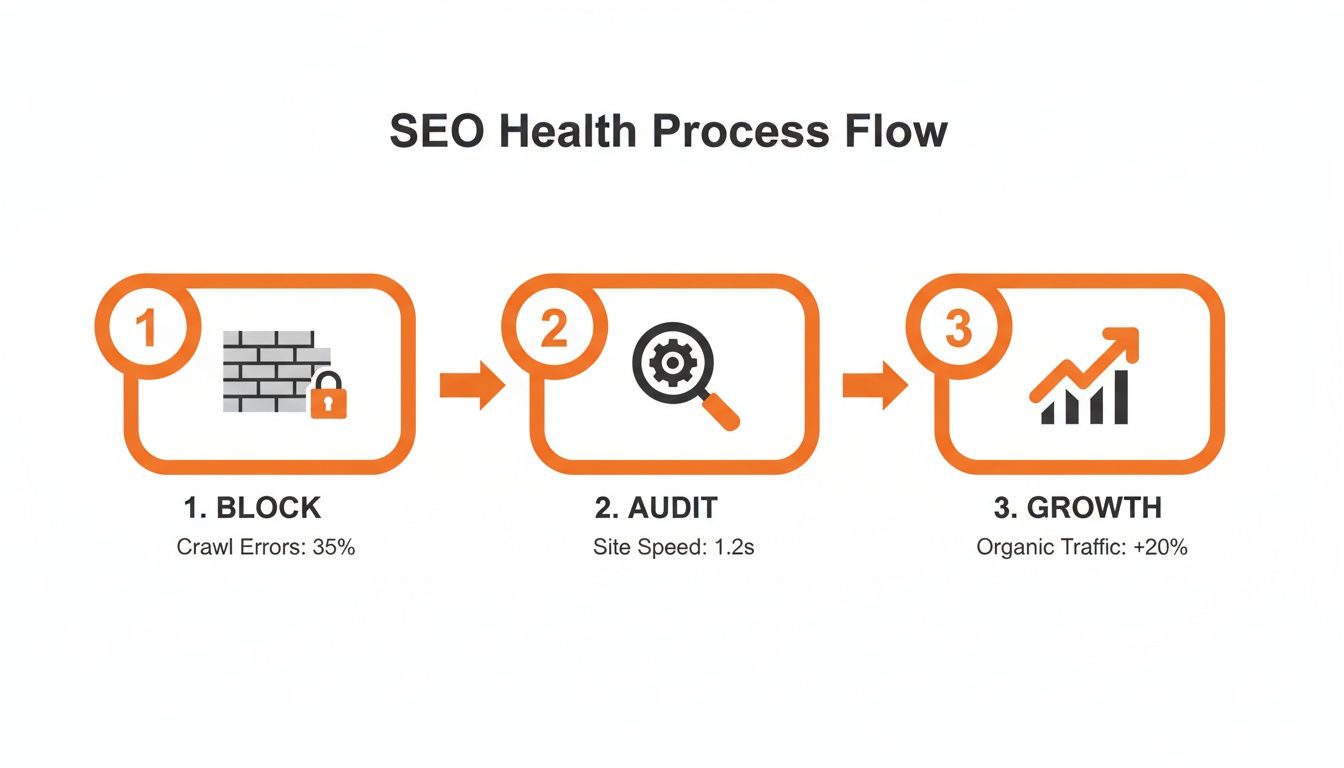
As you can see, the audit isn't just a report; it's the critical bridge between identifying a problem and unlocking an opportunity.
Configuring Your First Crawl
Kicking off your first crawl isn’t as simple as plugging in a URL and hitting ‘start’. The settings you choose here will massively impact the quality of the data you get back.
Let's imagine we're auditing a large Australian e-commerce site with thousands of products. Each product has URLs for different colours, sizes, and other filters. Without the right setup, a crawler could burn its entire budget on these parameter-heavy, non-indexable URLs, completely missing the pages that actually matter.
To stop that from happening, nail these essential settings from the get-go:
- User-Agent: Always start by crawling as Googlebot (Smartphone). Mobile-first indexing isn't new; it's the standard. Your audit has to reflect how Google primarily sees your site.
- Respect robots.txt: For most initial audits, you want to see your site exactly as search engines do. That means respecting the directives in your
robots.txtfile to understand what you're actively telling crawlers to ignore. - Crawl Depth: A standard crawl depth is usually fine for a first pass. But if you have a hunch there are deep-seated architectural issues, you might need to crank it up later to find those forgotten, orphaned pages.
The goal of your first crawl is to get an accurate snapshot of what search engines can actually access. Configuring your crawler to exclude faceted navigation or session IDs isn't about hiding problems—it's about focusing your analysis on the pages that are meant to rank.
Integrating Multiple Data Sources
No single tool tells the whole story. The real power comes from pulling together data from different sources to build a complete picture. This is where an agency's AI-first approach to SEO really shines, as it can process and connect these huge datasets far more efficiently than any human.
Here’s a practical workflow for combining your data sources:
- Run Your Crawl: Kick things off with Screaming Frog, configured as we just discussed. This gives you a solid baseline of your site’s internal structure, on-page elements, and response codes.
- Connect to APIs: Next, integrate Screaming Frog with the Google Search Console and Google Analytics APIs. This step is crucial. It layers real-world metrics like clicks, impressions, and user engagement onto your crawl data for every single URL.
- Cross-Reference with Ahrefs: Run a parallel crawl using Ahrefs' Site Audit tool. It’s always a good idea to compare the findings, as different crawlers can sometimes pick up on different issues. Ahrefs is especially good at sniffing out backlink-related technical problems.
By layering these datasets, you move way beyond simple checklists. For instance, your crawler might flag a page for "thin content." By itself, that’s just an observation. But when you pull in GSC data and see that same page also has a rock-bottom click-through rate, you've just confirmed it’s a high-priority issue that needs attention now.
This integrated approach is the foundation of all truly effective technical SEO audits.
Right, you've got your crawl data. Now the real work begins.
We're shifting from the setup phase into the core analysis of the technical audit. This is where we figure out if search engines can actually find, understand, and ultimately index your most important pages. It sounds basic, but you’d be surprised how often a single, misplaced line of code can render an entire section of a website invisible to Google.
I've seen it happen. A B2B services client couldn't figure out why their organic leads had completely dried up despite heavy investment in content and PPC. It turns out their robots.txt file was accidentally blocking their entire /solutions/ directory. They'd put up a digital "Do Not Enter" sign without even realising it. Finding these mission-critical errors is what separates a routine check-up from a high-impact technical audit.
Uncovering Indexation Blockers
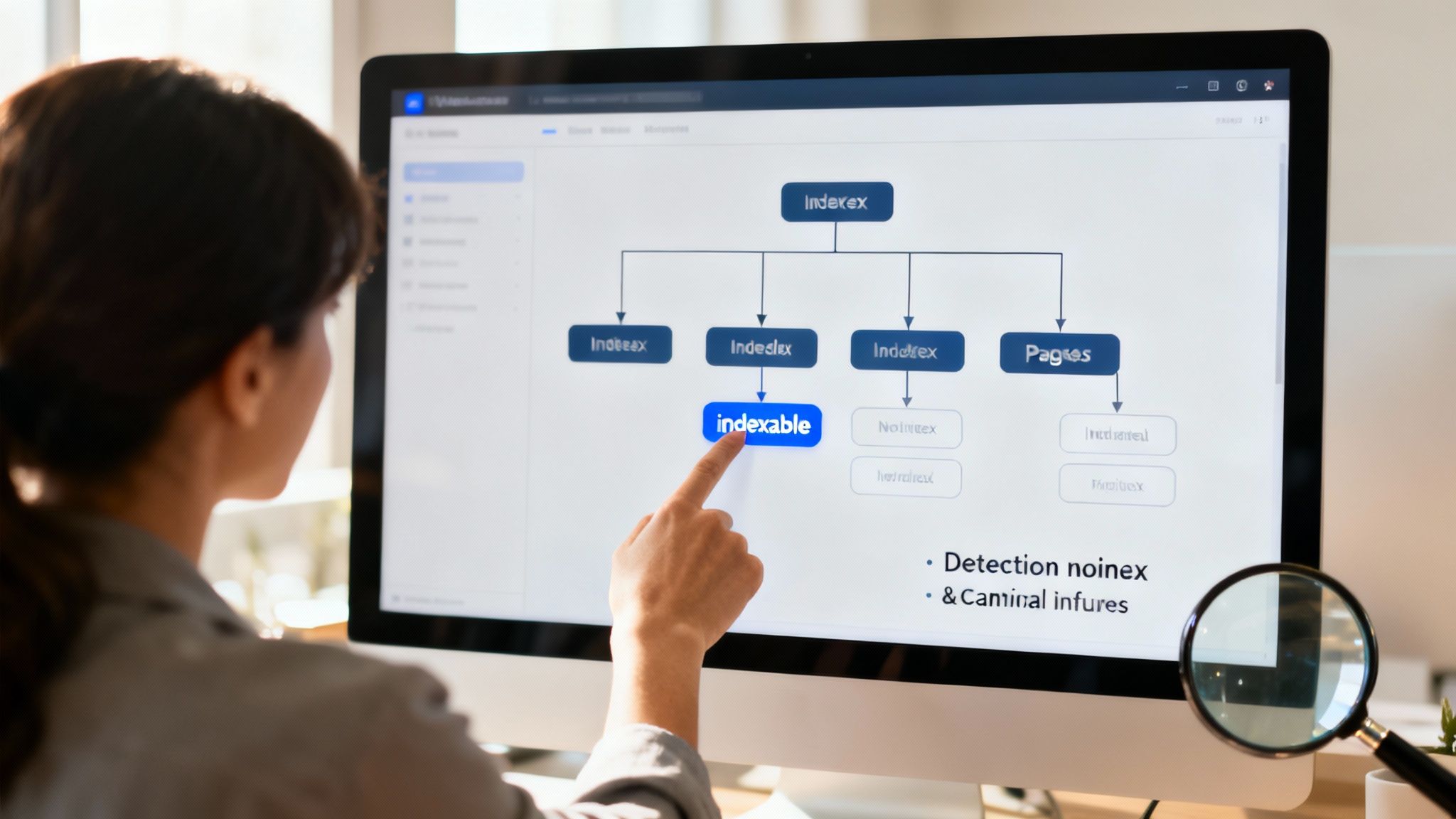
Your first mission is to go on a hunt for anything that's stopping your key pages from getting indexed. Fire up your Screaming Frog data and start filtering for URLs that are non-indexable. Then, it's a matter of investigating why.
These are the usual suspects you need to be looking for:
- Rogue
noindexTags: These are explicit instructions telling search engines not to add a page to their index. They're useful for things like internal login pages or 'thank you' pages, but they're devastating if they've been accidentally slapped onto a core product or service page. - Misconfigured
robots.txtFile: This little text file holds a lot of power. It can block crawlers from accessing entire sections of your site. While useful for preventing crawl budget waste on unimportant areas, a simple typo in aDisallow:directive can have catastrophic consequences. - Confusing Canonical Signals: Canonical tags are supposed to tell Google which version of a page is the "master" copy to avoid duplicate content issues. When these point to the wrong page, create redirect loops, or conflict with your sitemap, they just confuse search engines. This can lead to the wrong pages being indexed, or none at all.
A classic e-commerce scenario we see all the time is faceted navigation creating thousands of duplicate URLs (think unique URLs for every single colour and size combination). Without a rock-solid canonicalisation strategy pointing back to the main product page, search engines see a mess of low-value, duplicate content that absolutely tanks ranking potential.
Technical SEO audits have become non-negotiable for Australian marketers. With a mere 33% of websites meeting Core Web Vitals standards, performance is being directly crippled for e-commerce and B2B sites nationwide. Research also shows a widespread technical skill gap among SEOs, yet ignoring these audits is costly—pages with keyword-rich URLs enjoy 45% higher CTRs, a vital stat for our PPC-SEO hybrid clients. You can discover more insights about enterprise SEO statistics on StudioHawk's blog.
To help you get started, here’s a quick-reference table of common problems and how to tackle them.
Common Indexability Issues and Their Solutions
| Issue | What It Means | How to Fix |
|---|---|---|
noindex Tag |
An HTML tag explicitly tells search engines not to index this page. | Remove the meta name="robots" content="noindex" tag from the page’s <head> section if it should be indexed. |
Blocked by robots.txt |
The robots.txt file is instructing crawlers not to access this URL or directory. |
Review your robots.txt file and remove or adjust the Disallow: directive that is blocking the content. |
| Canonical Points Elsewhere | The rel="canonical" tag points to a different URL, suggesting this is a duplicate page. |
Ensure the canonical tag points to the correct, primary version of the page. For the primary page, it should self-reference. |
| 4xx/5xx Server Errors | The page is returning a client-side (like a 404 Not Found) or server-side error, making it inaccessible. | Fix the underlying issue. For 404s, either restore the page or implement a 301 redirect to a relevant, live page. |
| Redirect Chain/Loop | The URL redirects multiple times or in a loop, preventing crawlers from reaching the final destination. | Update the initial redirect to point directly to the final URL, eliminating the intermediate steps. |
This table covers the low-hanging fruit. Once you've cleared these blockers, you can move on to the bigger picture: your site's structure.
Evaluating Your Site Architecture
Okay, so you've confirmed your important pages can be indexed. Fantastic. The next question is: how easily can they be found?
Think of your site’s architecture as the roadmap that both users and search engines follow. A logical, intuitive structure is a beautiful thing—it helps distribute authority (or "link equity") throughout your site and makes for a much better user experience. A confusing architecture, on the other hand, creates dead ends and makes it incredibly difficult for crawlers to discover your most valuable content.
A great first step is to visualise your crawl data. Tools like Screaming Frog can generate tree graphs that give you a bird's-eye view of your site's structure. You're looking for a relatively "flat" architecture, where your most important pages are no more than three or four clicks from the homepage.
Keep an eye out for these key architectural problems:
- Orphaned Pages: These are pages with zero internal links pointing to them. If you don't link to a page from anywhere else on your site, search engines will have a very hard time finding it, and it will receive no internal link authority. It's essentially floating in digital space.
- Excessive Click Depth: If your key product or service pages are buried deep within the site (e.g., more than four clicks away from the homepage), it sends a signal to Google that they aren't very important. This makes them much harder to rank.
- Broken Internal Links: These create a poor user experience and are a complete waste of crawl budget. Every 404 error is a dead end for both your visitors and search engine bots.
Fixing site architecture often involves a bit of digital renovation. This could mean restructuring your main navigation, adding breadcrumbs for clarity, and implementing a more logical internal linking strategy. For an e-commerce site, this might mean ensuring all product categories are linked directly from the main menu and that individual product pages link back up to their parent category. It’s all about creating clear, logical paths that help everyone find exactly what they’re looking for.
Mastering On-Page Performance and Signals
Once you’re sure your key pages are being found, the technical audit needs to shift gears. We’re moving from crawlability to the user experience. A site can be perfectly sound on the backend, but if it’s slow, clunky, or insecure on the front end, you’re losing.
These elements aren't just 'nice-to-haves' anymore; they are direct ranking signals that Google takes very seriously.
A sluggish website doesn't just annoy visitors—it actively signals to search engines that you're not delivering a quality experience. The audit now has to go beyond the bots and into the real, tangible factors that shape how people perceive your site's quality.
Auditing Core Web Vitals and Page Speed
Let's start with the big one: page speed. It’s a cornerstone of on-page performance. Getting a handle on this means looking at more than just content, as the impact of page load speeds on SEO is a make-or-break factor for both users and search engines. Google measures this experience using a specific set of user-centric metrics called Core Web Vitals (CWV).
You need to get past the simple "is my site fast?" question. The real questions are about how a user feels the site loading.
- Largest Contentful Paint (LCP): How fast does the main content pop into view? You're aiming for under 2.5 seconds.
- First Input Delay (FID): How quickly does the site react when someone clicks a button or interacts? Get this under 100 milliseconds.
- Cumulative Layout Shift (CLS): Does the layout jump around while loading? A low CLS score (under 0.1) means a stable, non-annoying experience.
Your first stop for analysis should be Google's own PageSpeed Insights. This tool gives you both lab data (a controlled environment test) and field data (real-world data from actual Chrome users). That field data is pure gold because it tells you what your actual visitors are experiencing.
A classic killer for e-commerce sites is enormous, unoptimised product images. I've seen a single 2MB hero image on a category page completely tank an LCP score, pushing load times way past the limit and dragging rankings down with it.
Don't just fixate on the score. The real value is in the "Opportunities" section of the report. This is your actionable checklist for your developers, filled with high-impact fixes like optimising images, using browser caching, or deferring non-critical CSS. Understanding how to interpret these recommendations is a core part of our comprehensive guide to on-page and off-page SEO.
Transforming SERPs with Structured Data
Structured data, usually implemented with Schema.org markup, is one of the most powerful—and often underutilised—tools in your on-page kit. Think of it as a special vocabulary you add to your HTML to help search engines properly understand your content.
Instead of seeing just a string of numbers, Google can now understand that it’s a product price, that a block of text is a customer review, or that a date is for an upcoming event. This deeper understanding is what unlocks those rich, eye-catching results directly in the search listings.
For our e-commerce and B2B clients, this is non-negotiable. With the right schema, you can get:
- Product Snippets: Price, availability, and review ratings showing up right under your search result.
- FAQ Snippets: Answering common questions in an interactive dropdown, taking up more SERP real estate.
- Review Snippets: Showcasing those valuable star ratings that build instant trust.
The rise of AI is reshaping technical SEO audits in Australia, where 56% of businesses now use AI-driven tools to find issues like schema gaps and speed bottlenecks. This has fuelled a 12% SEO spend jump to $1.5B in 2025, especially as AI Overviews have slashed top organic CTR by 34.5%. For our clients, using AI in audits to find and fix structured data gaps has boosted CTR by up to 40%.
To check your work, use Google's Rich Results Test tool. It will tell you if your markup is valid and which rich results you're eligible for. Any technical audit that skips over structured data is leaving a huge amount of click-through rate potential on the table.
Checking Mobile Friendliness and Security Signals
Finally, we need to check two absolute must-haves for any modern site: mobile-friendliness and security. Both are direct ranking factors and massive trust signals for your visitors.
Mobile-friendliness is a simple pass/fail test. Since Google switched to mobile-first indexing, the way your site looks and works on a smartphone is how Google primarily sees it. Use Google's Mobile-Friendly Test to make sure your pages are usable on a small screen. You're looking for:
- Text that's readable without pinching to zoom.
- Buttons and links spaced far enough apart to be easily tapped.
- Content that fits the screen without horizontal scrolling.
Security, in the form of HTTPS, is no longer optional. An SSL certificate encrypts the connection between your user's browser and your server, keeping their information safe. Browsers like Chrome will plaster a "Not Secure" warning on sites without HTTPS, which is an instant conversion killer—especially for an e-commerce store asking for payment details.
During your audit, do a quick check to confirm that all versions of your site (HTTP, HTTPS, www, non-www) all redirect cleanly to a single, secure HTTPS version.
Prioritising Fixes for Maximum Impact
An exhaustive technical SEO audit can leave you with a pretty daunting list of issues, from critical server errors to minor meta description tweaks. The real question isn't just what's broken, but what to fix first.
This is where a strategic approach separates the agencies that get results from those that just deliver reports. Without a clear framework for prioritisation, you risk sinking valuable developer time into low-impact tasks while the mission-critical problems continue to sabotage your performance.
The goal is to move from a simple checklist to an actionable, ROI-focused roadmap. You need a system to classify each issue, letting you focus your energy where it will make the biggest difference, and fast.

The Impact Versus Effort Matrix
A simple yet incredibly powerful tool for this is the Impact vs. Effort Matrix. This framework helps you sort every single issue into one of four quadrants, giving you immediate clarity on where to begin.
-
High Impact, Low Effort (Quick Wins): This is your starting line. These are the juicy, low-hanging fruit that will give you the most bang for your buck. Think fixing a
robots.txtfile that's accidentally blocking a key product category or removing a roguenoindextag from your homepage. These fixes are usually fast to implement and can produce noticeable results quickly. -
High Impact, High Effort (Major Projects): These are the genuine game-changers, but they require significant planning and resources. This quadrant is home to tasks like a complete site architecture overhaul, a website migration, or a fundamental Core Web Vitals optimisation project. While they take time, these projects are often essential for long-term, sustainable growth.
-
Low Impact, Low Effort (Fill-in Tasks): Think of these as the "nice-to-have" fixes. We're talking about updating a batch of missing alt tags on old blog images or cleaning up a small number of internal redirect chains. These tasks are worth doing when you have spare capacity but shouldn't ever distract from the high-impact items.
-
Low Impact, High Effort (Time Sinks): Avoid this quadrant like the plague. These are tasks that consume huge resources for negligible SEO gain. A classic example is spending weeks trying to shave a few milliseconds off a page that already loads in under two seconds. Your time is far better spent elsewhere.
By plotting every finding from your technical SEO audit onto this matrix, you create a visual roadmap. It instantly tells your team, "Start here with the Quick Wins, plan for these Major Projects, and fit in these Fill-in Tasks when you can."
This simple framework provides a structured way to turn a long list of technical issues into a clear, actionable plan. Here's a quick breakdown of how you can categorise different types of fixes.
| Technical SEO Prioritisation Framework | ||
|---|---|---|
| Priority Level | Description | Example Fixes |
| P1 – Critical (High Impact, Low/Med Effort) | Issues causing significant harm to indexability, rankings, or user experience. These are your "drop everything and fix now" items. | Blocked robots.txt, sitewide noindex tags, server errors (5xx), incorrect canonicals on core pages. |
| P2 – High (High Impact, High Effort) | Major projects that will deliver substantial, long-term SEO gains but require significant developer resources and planning. | Site migration, Core Web Vitals optimisation, full site architecture overhaul, international hreflang implementation. |
| P3 – Medium (Low/Med Impact, Low Effort) | "Good housekeeping" fixes that improve overall site health but won't single-handedly transform your rankings. These are often great fill-in tasks. | Missing alt text, broken internal links, minor redirect chains, optimising meta descriptions. |
| P4 – Low (Low Impact, High Effort) | Tasks that offer minimal SEO benefit relative to the development time required. These should generally be avoided or deprioritised. | Chasing perfect "100" performance scores, micro-optimising page speed by milliseconds on an already fast site. |
Using a table like this helps formalise the process, ensuring everyone on the team—from SEOs to developers to project managers—is aligned on what matters most.
Diving Deeper With Advanced Audits
For larger, more complex websites, especially in e-commerce, a standard crawl might not tell the whole story. To truly prioritise effectively, you sometimes need to dig deeper with more advanced techniques to understand how search engines are really interacting with your site.
Log File Analysis for Crawl Budget Insights
Your server logs are a raw, unfiltered record of every single request made to your website, including every single visit from Googlebot. Log file analysis means examining this data to see exactly which pages Google is crawling, how frequently it’s visiting, and where it might be wasting its time.
Honestly, this is the ultimate source of truth for diagnosing crawl budget waste.
You might discover Googlebot is spending 70% of its time crawling parameter-filled URLs from your faceted search that should be blocked. This is a massive, high-impact issue that a standard crawl might not fully quantify.
Hreflang Audits for International Sites
For any business targeting customers in multiple countries or regions, ensuring you're serving the right content to the right audience is critical. A misconfigured hreflang tag setup can lead to Google showing your Australian users the UK version of your site, causing a terrible user experience and lost sales.
An hreflang audit involves checking for:
- Correct language and country codes.
- Return tags (ensuring Page A points to Page B, and Page B points back to Page A).
- Self-referencing
hreflangtags. - Conflicts with canonical tags.
Fixing these issues is a high-impact task for any international business. Ultimately, prioritisation is about connecting technical fixes to business goals. Understanding your key digital marketing performance metrics provides the context needed to accurately assess the "Impact" side of your matrix, ensuring your technical SEO efforts are always aligned with what truly drives the bottom line.
Still Got Questions About Technical SEO Audits?
It's natural. Diving into the world of technical SEO audits can bring up a lot of questions, especially when you're trying to connect the dots between a crawl log and actual business growth. To wrap things up, I've pulled together the most common queries we hear from clients.
Think of this as a quick, no-nonsense chat to clear up any lingering uncertainties before you get started.
How Often Should I Run a Technical SEO Audit?
For most businesses, a deep-dive technical audit every 6 to 12 months is a solid rule of thumb. This cadence is frequent enough to catch issues that pop up from regular website updates, content changes, or the inevitable shifts in search engine algorithms. It’s like a regular health check for your site, stopping small problems from becoming major headaches.
However, some situations demand a more watchful eye.
- Large E-commerce Sites: If you’re managing a big retail site with thousands of products and constant inventory updates, a quarterly audit is a much safer bet. Things change too fast to wait a whole year.
- Website Migrations or Redesigns: An audit is non-negotiable both right before and immediately after a major site overhaul. It’s your insurance policy against a catastrophic drop in traffic.
- After a Big Algorithm Update: When Google rolls out a major update and you see your performance charts getting shaky, a targeted audit can tell you exactly what’s changed and how to adapt.
Bottom line: the more dynamic your website is, the more often you need to be checking its technical foundations.
What Are the Best Tools for a Technical SEO Audit?
There's no single magic bullet tool. A proper audit always involves piecing together data from a few key sources to build a complete, accurate picture of your site's health.
For a professional-grade technical SEO audit, your toolkit should really include:
- A Website Crawler: Screaming Frog is the industry standard for a reason. You absolutely need it for a deep dive into your site’s architecture, on-page elements, and response codes.
- An All-in-One SEO Platform: Tools like Ahrefs or Semrush are brilliant for adding context. You can cross-reference what your crawler finds with backlink data, keyword rankings, and what your competitors are up to.
- Google's Own Tools: You can't do a real audit without Google Search Console and PageSpeed Insights. They give you direct feedback from the source on how Google sees and experiences your site.
The real skill is in synthesising the data. A crawler might flag a page for thin content, but when you layer on Google Search Console data and see it also has a terrible click-through rate, you've just identified a high-priority problem to fix.
Can I Do This Myself, or Should I Hire Someone?
Honestly, you can absolutely get started yourself. Using free tools and the basic version of Screaming Frog, you can uncover plenty of low-hanging fruit—things like broken links (404s), missing title tags, or obvious mobile-friendliness issues. For any business, that's a fantastic starting point.
Where you'll want to call in an expert is for the deeper, more complex problems. Issues involving JavaScript rendering, international SEO (hreflang), serious page speed optimisation, or a crawl budget analysis require specialised expertise. A seasoned pro can diagnose problems that tools alone won't see and, more importantly, give you a strategic, prioritised roadmap for fixes that actually aligns with your business goals.
How Long Until I See Results from Technical SEO Fixes?
The timeline for seeing results really depends on the fix.
Some changes can be surprisingly fast. If you remove an incorrect noindex tag from an important page, you could see it pop back into the search results within days of Google recrawling it. Fixing a critical robots.txt error can have an almost immediate impact.
On the other hand, bigger structural changes take more time. A complete site architecture overhaul or significant Core Web Vitals improvements might take several weeks, or even a couple of months, to be fully reflected in your search performance. SEO is a long game; patience and consistent effort are your best friends here.
At Click Click Bang Bang, we don't just find technical issues—we turn them into actionable, ROI-driven strategies that fuel growth. If you're ready to uncover the hidden potential in your website, check out our AI-first SEO and PPC services at https://clickclickbangbang.com.au.
Read NeXt
Or Read Our Latest
- Manual vs Automated Bidding for PPC Success
- Conversion Tracking Setup: A Complete AU Guide
- Instagram Advertising Australia: Complete 2026 Guide
- Pay Per Click: A Beginner’s Guide for Australian Marketers
- Display Advertising on Google: The Complete Australian Guide
- Stakeholder Communication Plan How to Build One That Works
Click. CLick. Subscribe.
Get our best PPC insights, industry updates, and power moves delivered straight to your inbox. No fluff, just high-caliber strategies that actually work.
Don’t Leave Just Yet
Try Us For 30-Days,
Risk Free!!
We guarantee that you’ll love our work within the first 30 days, if not you’ll get your money back.
What have you got to lose?